



For TikTok creators, cross-border e-commerce sellers, and overseas marketing teams, managing multiple TikTok accounts simultaneously has become a common need. However, many users encounter a problem: a TikTok account that was previously operating normally suddenly triggers login verification, feature restrictions, reduced traffic, and other issues after switching to a new browser environment, logging in with a new browser configuration, or changing devices.
Why might TikTok reassess an account's status simply because you switched to a different browser environment? The issue is often not the browser itself, but the significant differences between the new browser environment and the digital environment in which the account was previously created.
This article will analyze in depth the reasons why logging in to TikTok with a new browser Profile may trigger restrictions, introduce factors such as browser fingerprints, Cookies, IP addresses, and device environments, and share safer management methods better suited to operating multiple accounts.
Why Are Restrictions More Likely to Occur After Switching to a New Browser Profile on TikTok?
Many people believe that TikTok determines account security solely based on the account password or IP address. In reality, modern social platforms comprehensively analyze multiple environmental signals to determine whether a login is consistent with normal usage patterns.
When you suddenly switch from a familiar browser environment to a completely different new Profile, the platform may detect many new device characteristics, such as:
- A new browser fingerprint
- Different operating system details
- New cookies and login records
- Different language and time zone settings
- Different IP addresses and network environments
- Changes in browser hardware-rendering characteristics
A single factor typically does not directly cause an issue. However, when multiple environmental signals change at the same time, TikTok may require additional verification or reduce the account’s operating permissions.
What Factors Does TikTok Consider When Determining the Login Environment?
1. Browser Fingerprint
A browser fingerprint is one of the important ways platforms identify a device environment. Even when two devices use the same browser, the fingerprints they generate may differ as long as their hardware information, browser parameters, or system settings are different.
Common browser fingerprint information includes:
- User Agent (browser and system version)
- Canvas rendering information
- WebGL graphics parameters
- Screen dimensions
- Font list
- Time zone and language
Therefore, simply using a regular browser to create multiple windows and log in to different TikTok accounts cannot truly achieve independent environment management.

2. Cookies and Browser Data
Cookies store a large amount of website interaction information, including login status, usage habits, and some personalized settings.
If multiple TikTok accounts share the same set of Cookies or browser data, environment association may occur even if the accounts are different.
This is also why many teams choose to use separate browser profiles when managing multiple overseas social media accounts.
3. Changes in IP and network environment
An IP address is an important reference factor for platforms when analyzing login sources. If an account that has long used a fixed regional network suddenly logs in from a completely different location, it may trigger a security check.
This is especially true when managing multiple TikTok business accounts or brand accounts. Maintaining a stable and reasonable network environment helps improve day-to-day operational stability.
III. Common Operating Habits That Cause TikTok Account Anomalies
1. Frequently switching between multiple accounts in the same browser
Many users are accustomed to managing different TikTok accounts by simply opening multiple tabs in Chrome.
However, Cookies, caches, and browser parameters in ordinary browsers are usually shared, which can easily result in the same environmental characteristics being detected across different accounts.
2. Frequently changing login devices
For example:
- Logging in on a computer in the morning
- Operating from another device in the afternoon
- Switching to a phone or another browser again in the evening
Frequent changes in the environment may prompt the platform to reassess the account’s security status.
3. Use a completely different new browser environment
Many people overlook the issue of environmental consistency after creating a new browser Profile.
For example, if the account originally uses an English system, a fixed time zone, and a fixed regional network, but the new Profile switches to another country’s language, time zone, and device settings, such significant changes may increase the likelihood of verification.
How can you create a more stable TikTok multi-account management workflow?
1. Create an independent browser environment for each account
For teams that need to manage multiple TikTok accounts, a more reasonable approach is to give each account an independent browsing environment.
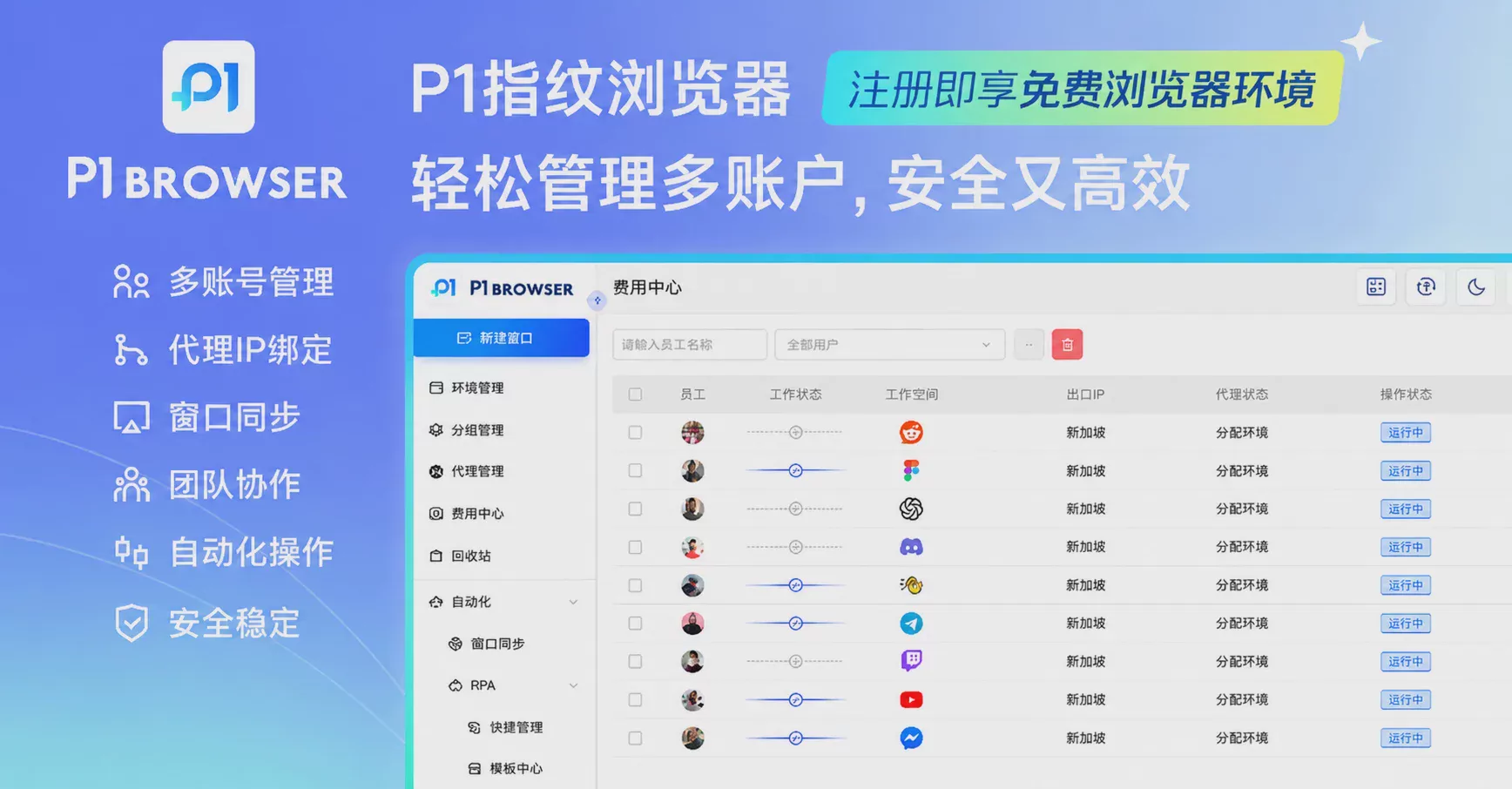
The P1 fingerprint browser can create multiple independent Browser Profiles. Each Profile can store different browsing data, Cookies, and environment settings, making it easier for teams to categorize and manage accounts.
2. Keep the account environment stable
Stability is more important than frequent changes. After creating a Profile, it is recommended to maintain:
- A fixed browser environment
- Reasonable language and time zone settings
- Stable network configuration
- A normal operating pace
Do not frequently modify a large number of environment parameters to avoid causing unnecessary changes to the environment.
3. Use team collaboration features to improve management efficiency
For overseas marketing companies and cross-border e-commerce teams, having multiple people jointly manage accounts is a common requirement.
Through independent Profile management, different members can work in designated environments, reducing management confusion caused by multiple people sharing a device.
Five. How does the P1 fingerprint browser help with TikTok multi-account operations?
P1 fingerprint browserPrimarily helps users manage different online identities and work scenarios by isolating browser environments.
Compared with ordinary browsers, P1 Browser can provide:
- Independent browser Profile management
- Independent Cookie storage for different accounts
- Browser fingerprint configuration management
- Multi-account work environment isolation
- Team collaboration management
It should be noted that no tool can replace following the platform’s standard operating rules. Stable content creation, reasonable operating behavior, and good account management habits remain the core of long-term operational success.
VI. Frequently Asked Questions About TikTok Account Security Management
Q1: Will switching browsers necessarily cause a TikTok account to be restricted?
Not necessarily. Simply switching browsers does not mean that an account will definitely encounter problems, but if the new environment differs too greatly from the original environment, it may increase the likelihood of the platform requiring re-verification.
Q2: Can a regular browser be used to manage multiple TikTok accounts?
Regular browsers are suitable for daily use with a single account, but if you need to manage multiple accounts over the long term, using separate Profiles is generally more suitable.
Q3: Can a fingerprint browser completely prevent account issues?
No. Fingerprint browsers primarily address browsing environment isolation and management. Account health still depends on content quality, operating methods, and compliance with platform rules.
Conclusion: A stable browsing environment is an important foundation for managing multiple TikTok accounts
As TikTok becomes increasingly commercialized, more and more businesses and individuals are beginning to manage multiple accounts. However, one of the biggest challenges of multi-account operations is ensuring that each account has a clear and stable working environment.
From browser fingerprints and Cookie management to network environments and team collaboration, a well-designed environment management process can make TikTok account operations more efficient.
P1 Fingerprint Browser is committed to providing more flexible browsing environment management solutions, helping cross-border e-commerce businesses, overseas marketing teams, and social media operators manage multi-account workflows more efficiently.

