



What Is a Proxy?
A proxy (P1Browser proxy) is a technical method that forwards network requests through an intermediary server, serving as a “bridge” between the user and the target website or server. When you visit a website, your device typically connects directly to the target server. However, when using a proxy, all network requests are first processed by the proxy server, which then forwards the requests to the target website. The target server can only see the proxy server’s IP address and cannot identify the user’s real IP address.
The role of a proxy is not limited to simply “substituting” requests. It plays an important role in modern internet applications and is widely used to enhance anonymity, bypass geographical restrictions, strengthen cybersecurity, and more.
Core Functions and Purposes of Proxies
Hide Your Real Identity and Enhance Anonymity
When using a proxy, a user’s real IP address is hidden, and the target website can only see the proxy server’s IP address. This helps prevent tracking and protect personal privacy, making proxies particularly important when handling sensitive data or browsing anonymously.
For example: In a public Wi‑Fi environment, a proxy can create a concealed access path for a device, reducing the cybersecurity risks posed by open networks.
Bypass geographic restrictions and access restricted content
Some websites or streaming platforms (such as Netflix, Hulu, and BBC iPlayer) restrict access based on the user’s geographic location. A proxy can disguise the user as being from another region, overcoming these geographic blocks.
For example: Users in Taiwan can watch US-based Netflix content through a US proxy server.
This technology makes cross-border data access more convenient and is commonly used for streaming video and audio, news websites, community platforms, and other scenarios.
Improve internet speed and stability
Certain types of proxies (caching proxies) store content from frequently visited websites, shortening loading times and improving browsing speed. If you frequently open the same website, the proxy server can provide cached data directly without downloading it again, greatly accelerating webpage loading.
Manage multiple accounts and reduce the risk of account bans
Most platforms (especially social media and e-commerce websites) restrict the creation of multiple accounts from a single IP, viewing it as abusive or fraudulent behavior. A proxy can provide an independent IP, preventing accounts from being banned because of mass registration or account operations from the same IP.
For example: If multiple merchants on an e-commerce platform operate using the same IP, the system may easily identify this as abnormal activity and restrict their accounts. With proxies, each account can be assigned an independent IP, greatly reducing the likelihood of being banned.
Common Types of Proxies
- HTTP proxy: Dedicated to web browsing, handling requests through the HTTP protocol and suitable for general web access scenarios.
- SOCKS proxy: Supports multiple network protocols, not limited to HTTP, offering greater flexibility and handling various types of network transmission needs, including FTP, P2P, and email SMTP.
- Transparent proxy: Primarily used for content caching and access control; users are typically unaware that they are using a proxy.
- Anonymous proxy: Hides the user's real IP, but the server can still detect that you are connecting through a proxy.
- High-anonymity proxy: In addition to concealing the real IP, it makes it completely impossible for the target server to determine whether the user is using a proxy, providing the highest level of anonymity.
Proxies should be selected according to your needs: if you prioritize strong concealment and want to prevent platforms from detecting proxy activity, choose a high-anonymity proxy; if you simply want to speed up webpage loading, an HTTP proxy is sufficient.
What are static IPs and dynamic IPs?
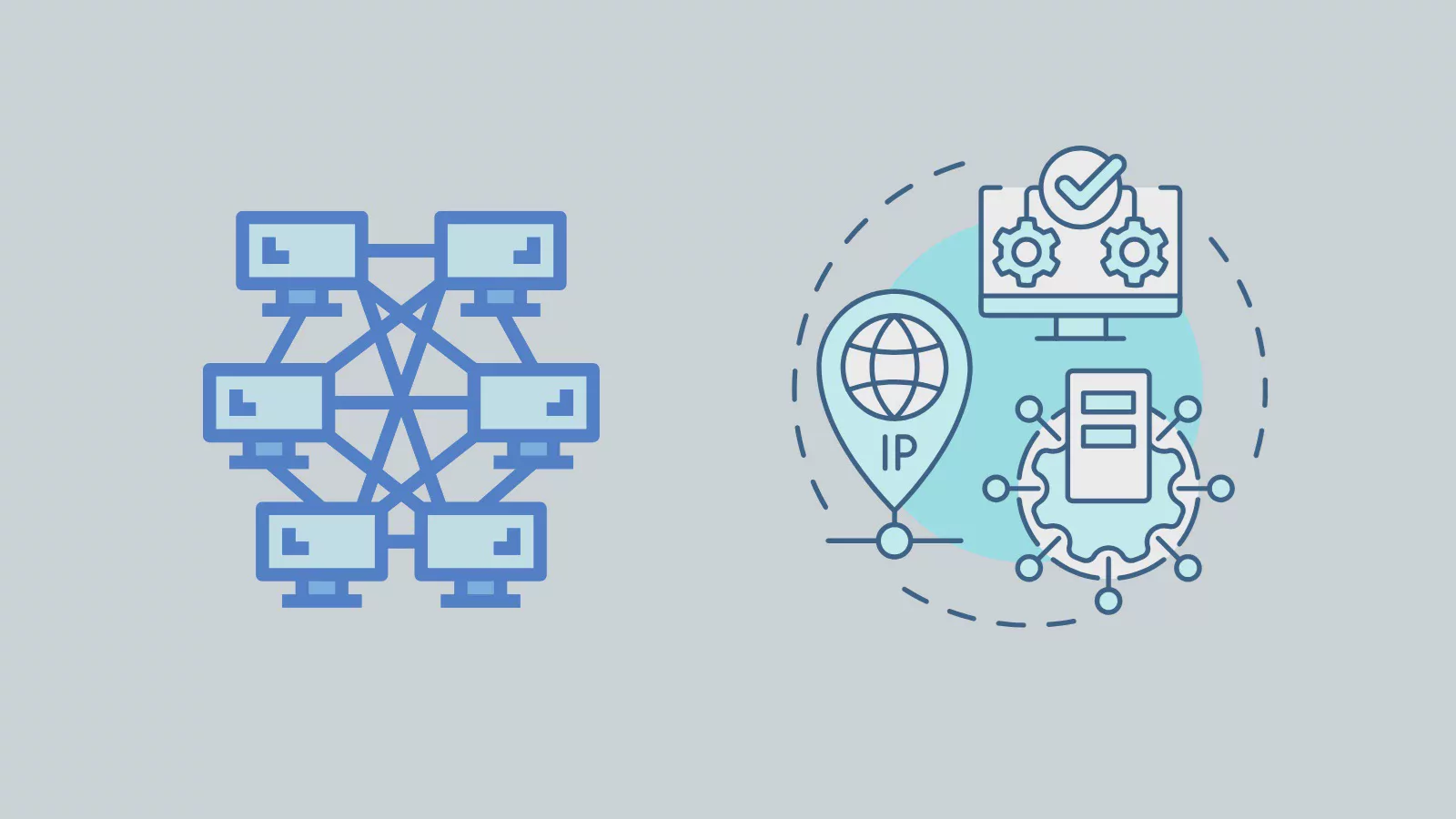
An IP address (Internet Protocol address) is a unique identifier for every device connected to the internet, much like a residential mailing address. It indicates the device’s network location and enables the device to communicate with other devices, servers, and network services. The IP addresses used in daily life are assigned in two ways: static IP and dynamic IP. The two differ significantly in stability, cost, security, and applicable scenarios.
Static IP
A static IP is manually assigned by an Internet Service Provider (ISP) as a fixed address. Once assigned, the IP address remains unchanged no matter when or where the device reconnects to the internet. It is suitable for devices and services that require a long-term stable connection, such as enterprise servers, remote monitoring systems, virtual private networks (VPNs), and network devices that require external remote access.
Dynamic IP
A dynamic IP is assigned temporarily through the Dynamic Host Configuration Protocol (DHCP). Whenever a device connects to the internet, the ISP or router randomly assigns an available IP. After the device disconnects, that IP may be reassigned to another device. This flexible allocation makes dynamic IPs the mainstream choice for home networks and small businesses.
Complete Comparison of the Differences Between Dynamic IP and Static IP
- Assignment Method
- Dynamic IP: Automatically assigned dynamically through DHCP; the IP may change each time the device reconnects to the internet.
- Static IP: Manually configured by the ISP or network administrator and remains fixed over the long term.
- Stability
- Dynamic IP: The address changes, offering lower stability and making it suitable for general use that does not require a fixed connection.
- Static IP: The address remains permanently fixed, providing highly stable connectivity. It is suitable for services that must stay continuously online over the long term and cannot tolerate IP changes (servers, remote connections, monitoring devices, etc.).
- Security Features
- Dynamic IP: The IP address changes continuously, making it difficult for hackers to track and target it over an extended period. For general individual users, it offers better privacy and protection.
- Static IP: The address remains fixed. If obtained by an attacker, it can be targeted for attacks over an extended period. Although it provides stable service, the exposure risk is higher without additional protection.
- Cost of Use
- Dynamic IP: Most ISPs provide it free of charge, and home broadband connections use dynamic IPs by default.
- Static IP: An additional fee is required. Because configuration and maintenance costs are higher, ISPs charge a separate fee for renting a fixed IP.
- Suitable Use Cases
- Dynamic IP: Short-term internet access needs, such as general home use, everyday browsing, and watching videos.
- Static IP: Scenarios such as website hosting, remote desktops, VPN connections, and image monitoring that require external devices to connect through a fixed address.
- Network Management Difficulty
- Dynamic IP: The address is not fixed, so the IP obtained for each connection cannot be predicted. It is not suitable for services that require fixed-address management (VPN, remote desktop) and increases management difficulty.
- Static IP: The address is fixed and easy to manage and control. When managing enterprise or remote devices, network administrators can clearly assign access permissions.
- Setup and Maintenance
- Dynamic IP: Configuration is fully automatic. Users can obtain an IP automatically as soon as they connect to the network, with no manual adjustments required.
- Static IP: The address must be entered manually, and the router or device network settings must be adjusted. If multiple static IPs are required, additional configuration must be requested from the ISP.
Feature Dynamic IP Static IP
- Allocation method: Automatically and dynamically assigned by DHCP|Manually configured and permanently fixed
- Stability: IP changes with each connection, resulting in low stability|Address never changes, providing a stable connection
- Security: IP changes frequently, making tracking and attacks more difficult|The fixed address can be easily targeted by attackers for extended periods
- Cost: Free with most broadband services, with no additional charges|Requires an additional fixed IP rental fee
- Suitable scenarios: General home use and everyday web browsing|Stable services such as servers, remote access, and monitoring devices
- Network management: A fluctuating address is not conducive to fixed management|A consistent address makes remote management simple
What Are Shared SOCKS Proxies?
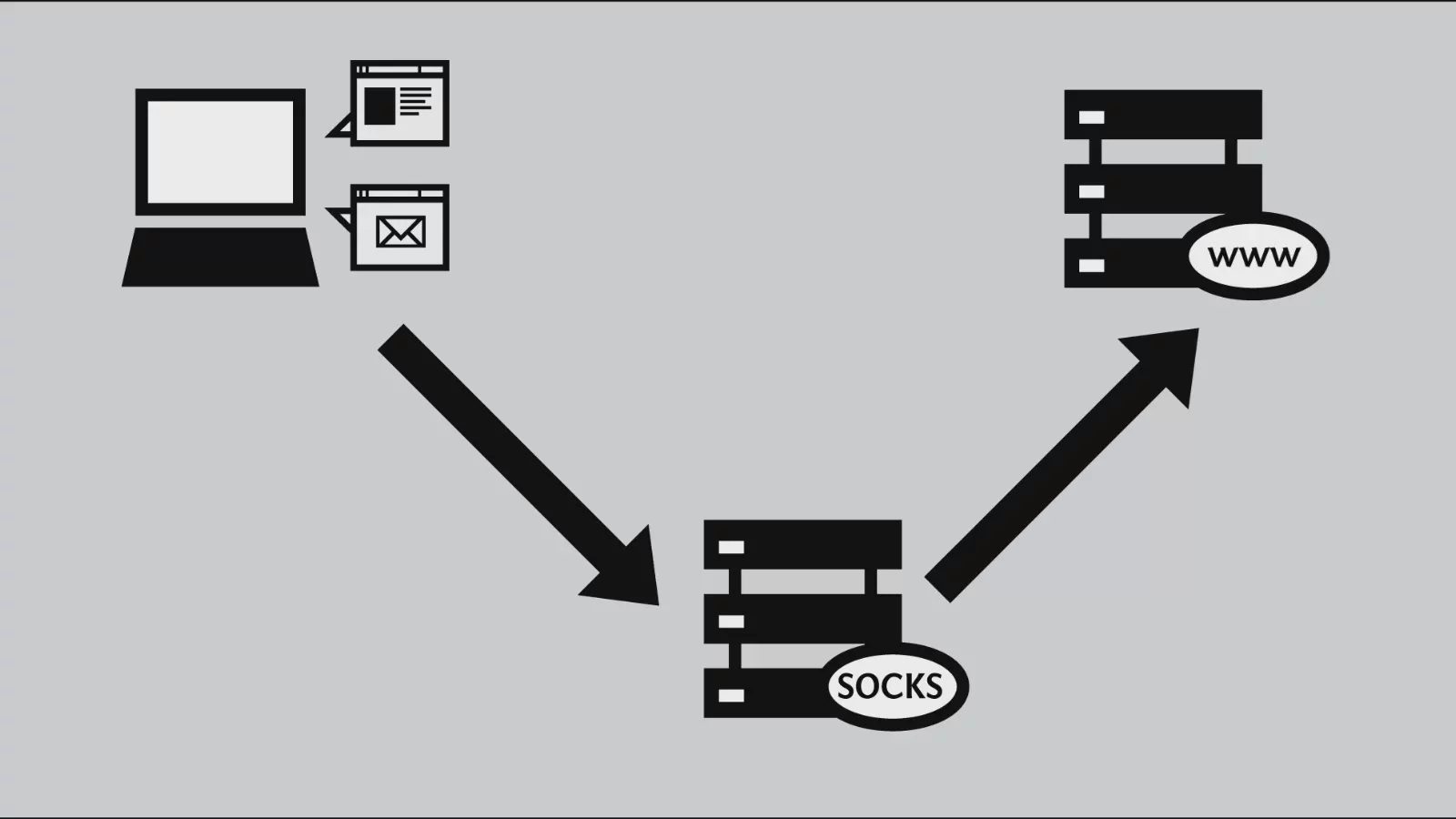
A Shared Proxy SOCKS is a proxy server that forwards network traffic through the SOCKS protocol. SOCKS (Socket Secure) is a low-level network protocol that can transmit all network traffic through a proxy relay and supports various applications, including browsers, email, and FTP transfers; “shared” means that multiple users share the same set of IP addresses.
I. Introduction to the SOCKS Protocol
SOCKS operates differently from traditional HTTP proxies and offers greater compatibility and flexibility. It can handle any network traffic and supports multiple transport protocols, including TCP and UDP, making it far more versatile than HTTP proxies. It is mainly divided into two versions:
- SOCKS4The first-generation version, which supports only TCP transmission. It has simplified functionality and does not support authentication.
- SOCKS5An upgraded version of SOCKS4 that adds username-and-password authentication and UDP traffic support, significantly improving security and functionality.
The core definition of a shared proxy: multiple users share a single proxy IP, and everyone's network traffic is forwarded through the same IP. The target website can only see the proxy IP and cannot identify the source of individual users.
II. Features of Shared Proxy SOCKS
- Multi-user sharing of a single IP: Compared with independent dedicated proxies, shared proxies distribute the same IP among multiple users. This allows providers to split costs, but connection speed and stability may be affected by one another.
- Support for all types of applications: Not limited to web browsing; FTP, email, P2P, and streaming media can all be used, making them suitable for a wide range of applications.
- Low cost: The cost of a single IP is shared among multiple users, resulting in a lower payment per user. This is suitable for users with low-frequency usage and modest anonymity requirements.
Advantages and Disadvantages of Shared SOCKS Proxies
Advantages
- Low cost: Multiple users share an IP and split the cost, making the price the lowest among all types of proxies.
- Wide range of applications: The SOCKS protocol is compatible with nearly all network software and is suitable for browsing, downloading, and P2P transfers.
- Basic anonymity: Target websites can only detect the proxy IP and cannot directly obtain the user's real public IP, providing basic privacy protection.
Disadvantages
- IP addresses are easily blocked: Multiple users share the same IP. If one user engages in abnormal activity or violates a website's rules, the entire group of IPs may be blocked by the platform, affecting all users sharing that IP.
- Limited connection speed: Simultaneous use by multiple users can cause traffic congestion, and loading speeds may slow significantly during peak hours.
- Insufficient anonymity: When the same IP is repeatedly used by many users, website systems can easily identify it as a proxy IP, making it unsuitable for highly covert scenarios or environments with strict anti-fraud detection.
IV. Key Considerations When Choosing Shared SOCKS Proxies
- Reputation of the proxy provider: Choose a service provider with a good reputation to reduce the likelihood of frequent IP blocks and ensure better stability.
- Network speed and stability: Pay attention to the server's geographic location and bandwidth quality, as peak-hour loads can directly affect the user experience.
- Usage restrictions: Confirm the applicable terms, such as traffic limits, the number of simultaneous connections, and service validity periods.
- Risk of IP blocking: Shared IPs may be subject to collateral blocking. If you need to operate accounts stably over the long term, shared SOCKS proxies are not recommended.
What Is a Residential IP (Residential Address IP)?
A residential IP (Residential IP) is an IP assigned by an Internet Service Provider (ISP) to ordinary home broadband users. It is linked to a physical residential address and intended for regular household Internet access. Compared with commercial data center IPs, it comes from a more genuine source and has a higher level of credibility.
I. Key Features of Residential IPs
- Comes from genuine home broadband: Assigned by an ISP to ordinary residential users and associated with a real physical home address, rather than being an IP from a virtual data center server.
- High platform trust and less likely to be blocked: Website systems identify it as an IP used for normal Internet access by ordinary users, making it less likely than data center IPs and proxy IPs to trigger risk detection.
- Difficult to identify as proxy traffic: Unlike data center IPs and VPN addresses, which are more easily marked as proxies by systems, residential IPs offer a higher success rate when bypassing regional restrictions or performing anonymous operations.
II. Advantages and Disadvantages of Residential IPs
Advantages
- Less susceptible to website blocking: Classified as traffic from ordinary home users, these IPs are less likely to be intercepted by platform protection mechanisms and are highly effective at bypassing regional restrictions.
- Harder to detect as proxy activity: Data center IPs and shared proxies are easily flagged by systems as abnormal traffic, while residential IPs simulate people browsing from home and offer strong concealment.
- Higher platform trust scores: Communities, e-commerce sites, and streaming platforms are more tolerant of residential IPs, recognizing them as normal activity by real users and reducing abnormal account alerts.
Disadvantages
- Expensive: IP resources must be rented from home broadband users in various locations, resulting in high acquisition costs. Fees are generally based on traffic or usage duration and are far higher than those for shared proxies or data center IPs.
- Limited resources: The supply of genuine residential IPs is scarce, making it difficult to obtain large quantities of IPs in bulk.
III. Two Ways to Obtain Residential IPs
- Directly rent residential proxy services: Professional service providers integrate home broadband IPs from various locations and offer them for a fee, making them suitable for scenarios requiring high anonymity and resistance to blocking.
- Personal home broadband: Subscribe to broadband service for your own home to obtain a native residential IP. This is suitable only for limited single-IP usage and cannot support bulk operations.
Differences Between Residential IPs and Shared Proxies and Applicable Scenarios
I. Basic Definitions
- Shared proxy: Multiple users share the same pool of datacenter IPs, and everyone connects externally through a single IP. The source is a virtual server.
- Residential IP: An ISP home IP bound to a real residential address. IPs within a single pool are mostly assigned for individual use, and traffic behavior simulates that of ordinary people browsing the internet from home.
II. Comparison of Applicable Scenarios
- Overcoming geographical restrictions and unlocking region-specific content
Shared proxy IPs are repeatedly used by large numbers of users, making the system more likely to flag proxy traffic, and they are frequently blocked by websites; residential IPs are identified as ordinary home-user traffic, making them extremely unlikely to be blocked and providing greater stability.
- Managing multiple accounts on communities and e-commerce platforms in bulk
If any user violates the rules while using a shared IP, all accounts associated with that IP may be penalized; residential IPs have strong characteristics of real users, with each IP corresponding to independent operations, greatly reducing the risk of account bans.
- Web crawling and data scraping
Target websites strictly detect datacenter proxy IPs, so shared proxies are easily blocked within a short period; residential IP behavior closely resembles that of real users, extending the service life of IPs and making them suitable for long-term data collection.
III. Differences in Information Security and Privacy
- Shared proxy: The IP is publicly shared, abnormal traffic is frequent, and website backends can easily identify proxy characteristics, resulting in poor concealment.
- Residential IP: It corresponds to a genuine home broadband connection, and its traffic characteristics are indistinguishable from those of ordinary users, making it difficult for systems to determine that the activity is being conducted through a human-operated proxy, with better privacy and security.
Cost Comparison
Shared proxies: Low-cost, suitable for short-term, low-frequency, light use where stability is not required.
Residential IPs: Expensive, suitable for high-stability scenarios such as managing multiple accounts over the long term, web scraping, and cross-region access.
How to Add and Configure a Proxy
Configuring a proxy for your browser can protect your online privacy, bypass geographic restrictions, and optimize network access. The following provides complete, illustrated setup instructions using Google Chrome and Microsoft Edge as examples:
Step One: Open the Browser Settings Page
- Google Chrome: Click the three-dot menu in the upper-right corner → Select “Settings”.
- Microsoft Edge: Click the three-dot menu in the upper-right corner → Select “Settings”.
Step Two: Find the Proxy Settings Entry
Both browsers use the operating system’s underlying proxy settings. There are two quick ways to access them:
- Search shortcut: Enter “proxy settings” in the search box at the top of the Settings page, then click “Open your computer’s proxy settings” to jump to the system interface.
- Manual navigation: Click “System and performance” → “Open your computer’s proxy settings” in sequence.
Step three: Open the operating system proxy settings interface.
- Windows: The “Network & Internet settings” window appears. Select “Proxy” from the function list on the left. It is divided into two sections: Automatic proxy setup and Manual proxy setup.
- Mac: Go to “System Settings” → “Network,” select the currently connected network → click “Advanced” → switch to the “Proxies” tab.
Step Four: Manually enter the proxy information
Windows
Scroll down to “Manual proxy setup,” turn on the “Use a proxy server” switch, and enter the following in order:
Proxy server address (example: 192.168.1.1), connection port number (example: 8080). Click Save when finished.
Mac
Check the corresponding proxy type (HTTP, HTTPS, SOCKS), enter the server address and connection port in the fields on the right, and click “Apply” to save the settings.
Proxy FAQ
-
What is a proxy?A proxy is an intermediary server that sends and receives network requests on behalf of users and forwards them to the target website, masking the user’s real IP address to enable anonymous browsing, bypass regional restrictions, and more.
-
What are the main types of proxies?They are mainly divided into HTTP proxies, SOCKS proxies, transparent proxies, anonymous proxies, and high-anonymity proxies. Choose the appropriate type based on your use case.
-
What is the difference between static IPs and dynamic IPs?A static IP address remains permanently fixed and is suitable for servers and remote devices that require a long-term stable connection; a dynamic IP automatically changes each time you connect to the internet and is the default mode for typical home broadband.
-
What are the advantages and disadvantages of shared SOCKS proxies?Advantages: low cost, compatibility with various types of software through the SOCKS protocol, and basic privacy protection;Disadvantages: sharing an IP among multiple users can lead to collateral bans, speeds may become congested during peak hours, and websites can easily detect the traffic as proxy traffic.
-
How do you choose the right proxy for yourself?Choose the appropriate IP type based on your use case, and prioritize verifying the provider’s reputation, server stability, and anonymity level. Avoid low-quality shared IPs that could result in account losses.

