


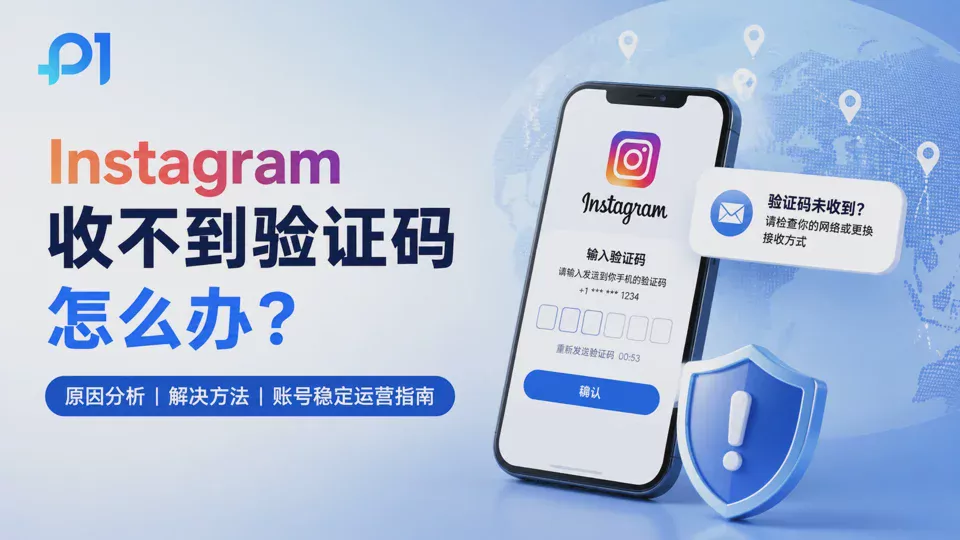
Have you ever encountered a situation like this:
You're about to log in to your Instagram account to post content, only to find that the platform suddenly asks you to enter a verification code.
You click to send the verification code, wait a few minutes, but receive no SMS; you resend it, and still no email arrives in your inbox.
Your account clearly hasn't violated any rules, and your password is completely correct, but you still can't complete the login.
For ordinary Instagram users, this may just be an occasional login issue.
But for overseas brands, cross-border sellers, and social media operations teams, a single verification code issue can affect the entire operation plan.
For example, a team manages multiple Instagram accounts at the same time:
- Brand official accounts are responsible for content publishing
- Product accounts are responsible for marketing and promotion
- KOL accounts are responsible for traffic growth
- Ad accounts are responsible for ad placement testing
When one of these accounts suddenly requires verification and the verification code cannot be received, it may result in content not being published as planned, ad campaigns not being adjusted in time, and even affect the entire marketing rhythm.
Many users think:
“Is it an Instagram system failure?”
“Has the phone number become invalid?”
But in reality, the reasons behind verification code issues are often more complex.
Instagram verification codes are not only used to confirm identity, but also serve as an account security detection mechanism. When the platform detects changes in the login environment, device, or behavior, it may require users to re-verify their identity.
This article will explain in detail the common reasons for not receiving Instagram verification codes, and how to reduce frequent verification issues during multi-account operations.
Why does Instagram require users to enter a verification code?
Instagram asks for a verification code essentially to confirm whether the current login attempt belongs to the account owner.
When the platform detects a change in the account environment, the system may require additional verification.
Common triggering scenarios include:
1. Logging in from a new device
If an account has long been used on a fixed phone or computer and suddenly logs in from a new device, Instagram may consider this abnormal login behavior.
For example:
You normally use an office computer to manage the account, then suddenly log in from another computer.
Because the device environment has changed, the platform may require identity verification.
2. A change in the login network environment
In addition to devices, the network environment is also an important factor for Instagram in assessing account security.
For example:
The account has long been operated in a US network environment and suddenly switches to a network in another region to log in.
This noticeable change may trigger additional security checks.
3. Abnormal account activity
If an account performs a large number of actions in a short period of time, such as:
- Mass following
- Mass liking
- Frequently sending messages
- Switching between multiple accounts in a short period of time
The platform may require further confirmation of the account status.
4. Multi-account operation scenarios
For ordinary users, an Instagram account may be linked to only one device.
However, for operations teams, one member may need to manage multiple accounts, and multiple members may also jointly participate in operations.
If an account switches between different devices and browser environments over the long term, it is more likely to encounter verification processes.
II. What Are the Common Reasons for Not Receiving Instagram Verification Codes?
When an Instagram verification code cannot be received, it is not advisable to repeatedly click send.
Frequently requesting verification codes may make the verification process more complicated.
A better approach is to first determine where the problem occurs.
1. Mobile SMS Verification Code Delays
SMS verification codes are one of the most common verification methods.
However, SMS messages do not arrive in real time and may sometimes be affected by factors such as the carrier and network status.
Common situations include:
- SMS delays
- Carrier blocking
- Abnormal mobile signal
2. Email Verification Code Not Received
If email verification is used, check the following:
- Spam folder
- Email filter rules
- Email server status
In some cases, the verification code email may not have failed to send; rather, it may have been automatically categorized by the email system.
3. Too many verification code requests
Many users, when encountering the problem of not receiving a verification code, will repeatedly click resend.
However, requesting verification codes in large quantities within a short period may cause the system to temporarily limit the frequency of verification code sending.
4. Changes in the network environment causing verification exceptions
If the network environment keeps changing during the login process, for example:
- Frequently switching IP
- Logging in from networks in different regions
- Using an unstable proxy environment
may cause Instagram to believe that the current login environment has changed.
5. Login device changes
Instagram records the devices commonly used to log in to the account.
If the account frequently switches between different computers and phones, it may increase the number of verifications.
6. Browser environment changes
Many users overlook the impact of the browser environment on account login.
The browser is not only responsible for opening web pages, but also stores a large amount of account operation data.
Including:
- Cookie
- Cache
- Browser parameters
- Login status
When these environments change frequently, they may also affect the account login experience.
III. How to Solve Instagram Verification Code Issues in Different Situations?
When Instagram verification codes cannot be received, different situations require different approaches.
For many users, the problem is not that the verification code itself has failed, but that the account's current login environment has changed, preventing the verification process from completing normally.
1. Check whether the phone number and email are working properly
If the verification code is sent via SMS or email, you first need to confirm whether the bound information can be used normally.
You can check:
- Whether the phone number can receive SMS normally
- Whether the email address is entered correctly
- Whether the verification code email has gone to spam
- Whether there is a delay with the email server
If the email address cannot receive verification codes for a long time, you can try using another email address for verification.
2. Avoid repeatedly requesting verification codes within a short period of time
Many users, after finding that they have not received the verification code, will keep clicking “Resend”.
However, frequently requesting verification codes may cause the system to further restrict verification code delivery.
A more reasonable approach is:
- Wait for a period of time and then try again
- Confirm that the network connection is normal
- Avoid submitting verification requests multiple times in a row
3. Check the current login device and network environment
If your account suddenly requires a verification code, think back to whether any environment changes have occurred recently.
For example:
- Logging in from a different computer
- Log in on a different phone
- Switch to a network in a different region
- Use a new browser
If an account is operated over the long term, it is recommended to keep the login environment as stable as possible and reduce frequent changes.
4. Clear abnormal browser state
Sometimes abnormal browser cache or Cookies may also affect the login process.
You can try:
- Reopen the browser
- Clear abnormal cache
- Log in to the account again
However, note that if an account is operated over the long term, it is not recommended to arbitrarily delete all browsing data.
Because Cookies and login status are also part of the account's operating environment.
5. Confirm whether the account has any security restrictions
If the verification code issue persists over time, you need to check whether any other anomalies have appeared on the account.
For example:
- Increased login alerts
- Frequent requests for identity verification
- Account operations are restricted
In this case, you need to prioritize resolving the account's security status rather than simply repeatedly obtaining verification codes.
Four: Why is multi-account operation on Instagram more likely to trigger verification?
For ordinary Instagram users, verification code issues may only occur occasionally.
However, for social media operations teams, managing multiple accounts significantly increases the frequency of verification.
The reasons are:
Multiple accounts usually mean more devices, more login environments, and more operational changes.
1. Multiple accounts share the same browser
When many teams first start managing Instagram accounts, they simply use ordinary browsers such as Chrome.
For example:
Log in to account A, log out, log in to account B, and then switch to account C.
This approach seems simple, but in reality, multiple accounts share the same browser environment.
Ordinary browsers store:
- Cookie information
- Cached data
- Browser configuration
- Website visit records
As the number of accounts increases, account management becomes increasingly complex.
2. Team members log in from different devices
Many companies assign different employees to manage different Instagram accounts.
For example:
Operator A is responsible for content publishing, Operator B is responsible for ad management, and Operator C is responsible for data analysis.
If everyone uses their own device to log in to accounts, the account environment may constantly change.
Over time, this can easily increase the number of account verifications and affect team work efficiency.
3. Frequently Switching Network Environments
The network environment is also an important factor in how Instagram assesses account status.
If an account frequently:
- Changes IP
- Changes regional networks
- Logs in using different network environments
the platform may consider the current login behavior to require further confirmation.
4. Multi-account operations lack a unified management approach
The problem for many teams is not that they have too many accounts, but that they lack a systematic management approach.
For example:
- Not knowing which browser corresponds to which account
- Different employees repeatedly logging into the same account
- There is no unified record of account information
When the account scale expands, manual management is difficult to sustain.
Five. How to reduce frequent verification for Instagram accounts?
To reduce the problem of frequent verification for Instagram accounts, the key is not to constantly re-verify, but to establish a more stable account operating environment.
For teams that operate multiple Instagram accounts over the long term, optimization can be carried out in the following areas.
1. Establish independent operating environments for different accounts
One account corresponding to one independent environment is a management approach adopted by many social media teams today.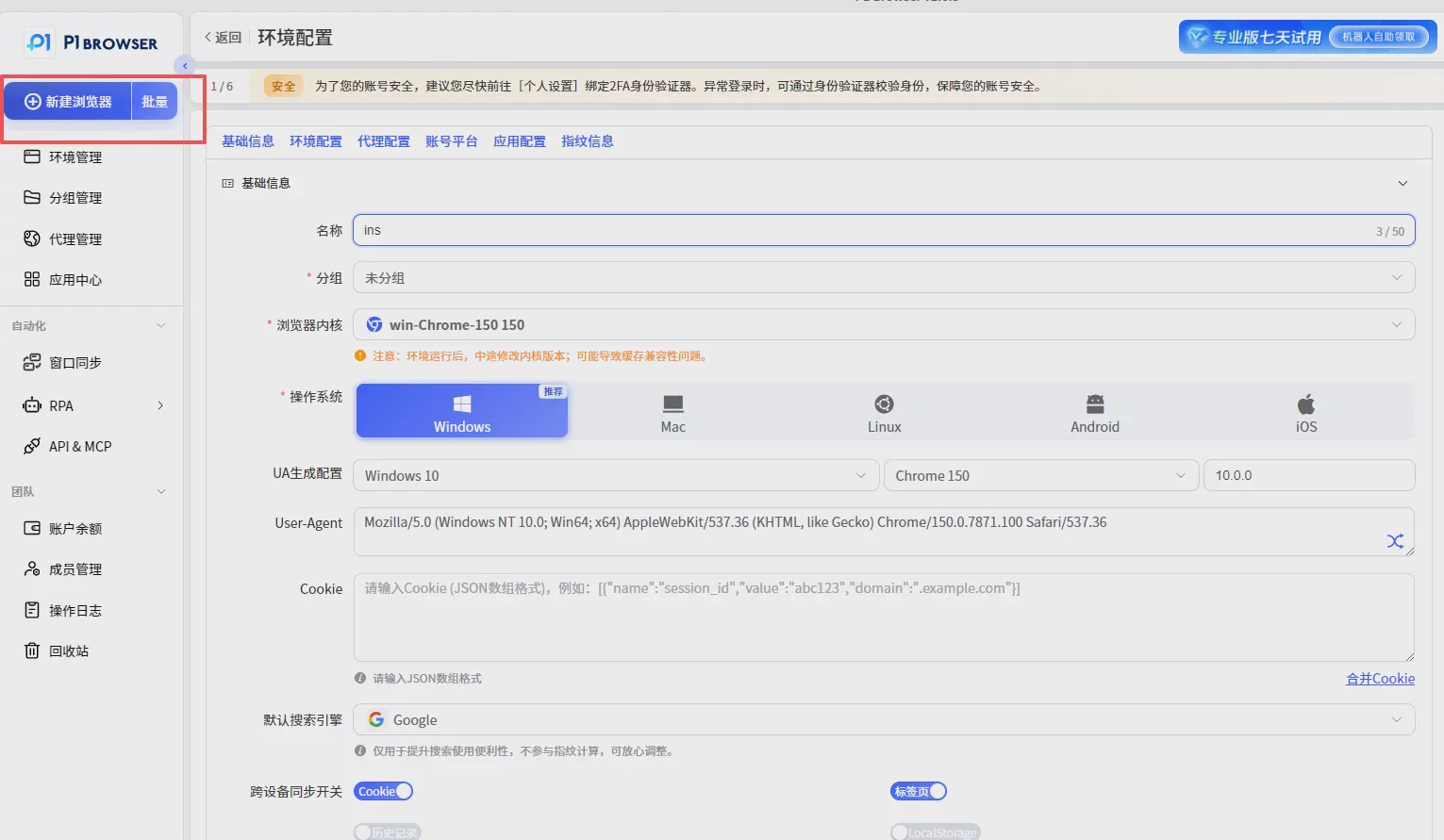
For example:
Instagram账号A
↓
独立浏览器环境A
↓
对应账号数据
Instagram账号B
↓
独立浏览器环境B
↓
对应账号数据
This helps prevent multiple accounts from sharing the same browser over the long term.
2. Keep the account login environment stable
During long-term account operation, it is not recommended to frequently change:
- Login device
- Browser environment
- Network environment
A stable environment better fits long-term operational needs.
3. Establish a team account management process
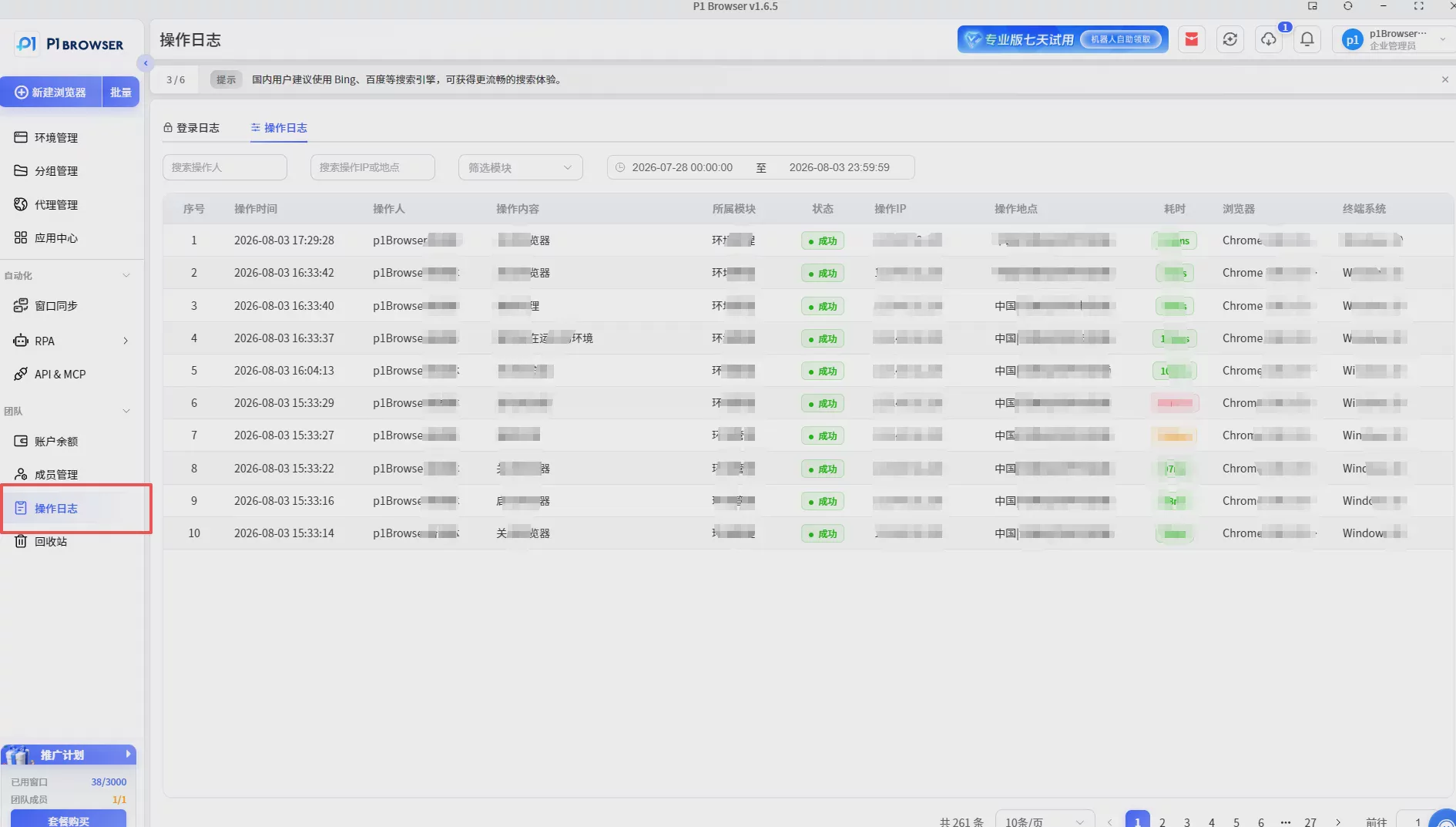
For enterprise teams, in addition to the technical environment, management processes also need to be standardized.
For example:
- Designate an account owner
- Record the environment corresponding to each account
- Reduce repeated logins by multiple users
This can reduce the problems caused by chaotic account management.
Six. How Does P1 Fingerprint Browser Help Manage Instagram Matrix Accounts?
As the number of Instagram accounts increases, traditional browsers can no longer meet the long-term operational needs of teams.
P1 Fingerprint Browser uses browser environment isolation technology to help users create multiple independent browser environments.
Each environment can correspond to one Instagram account and store its own independent operating data.
When using P1 to manage Instagram accounts, the following can be achieved:
- Independent browser fingerprint
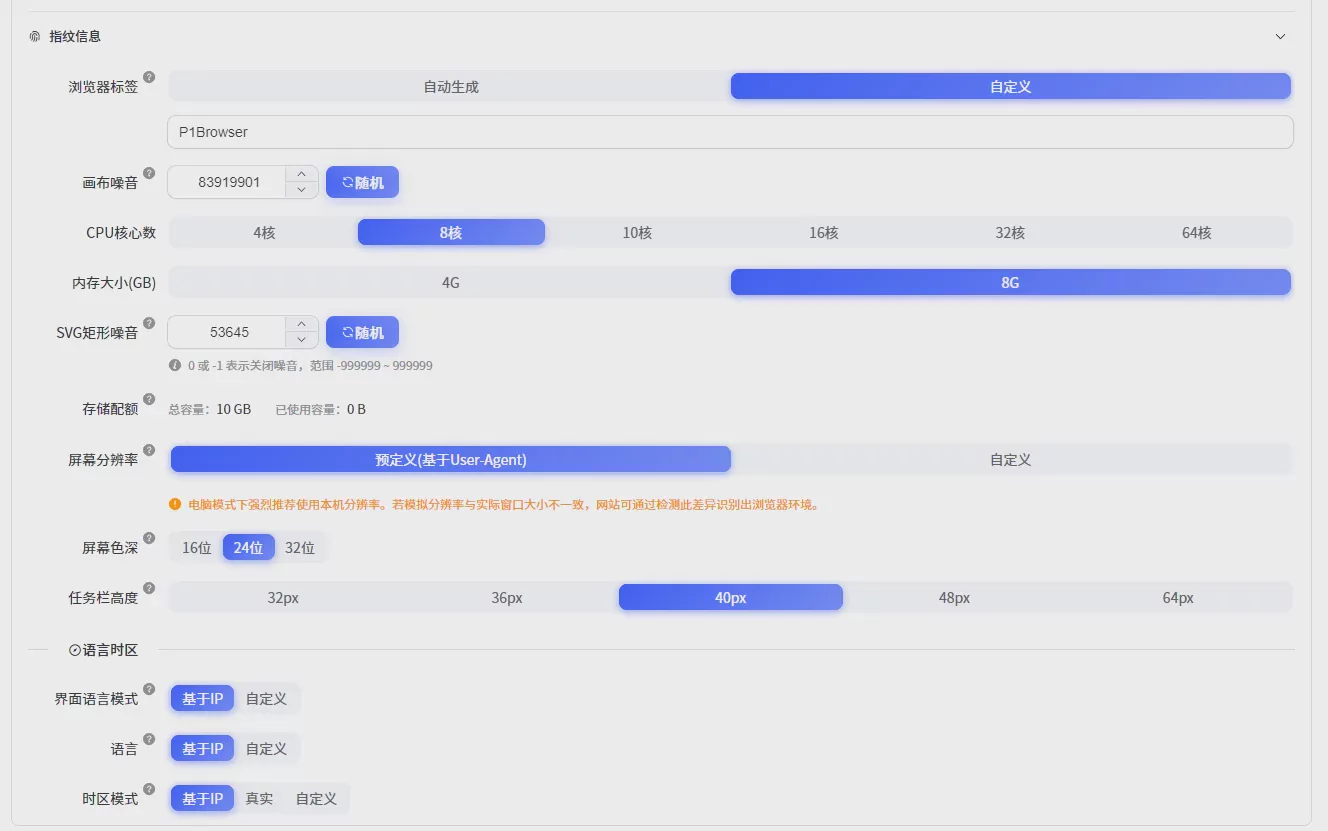
- Independent cookie data
- Independent login environment
- Independent browser configuration
- Account category management
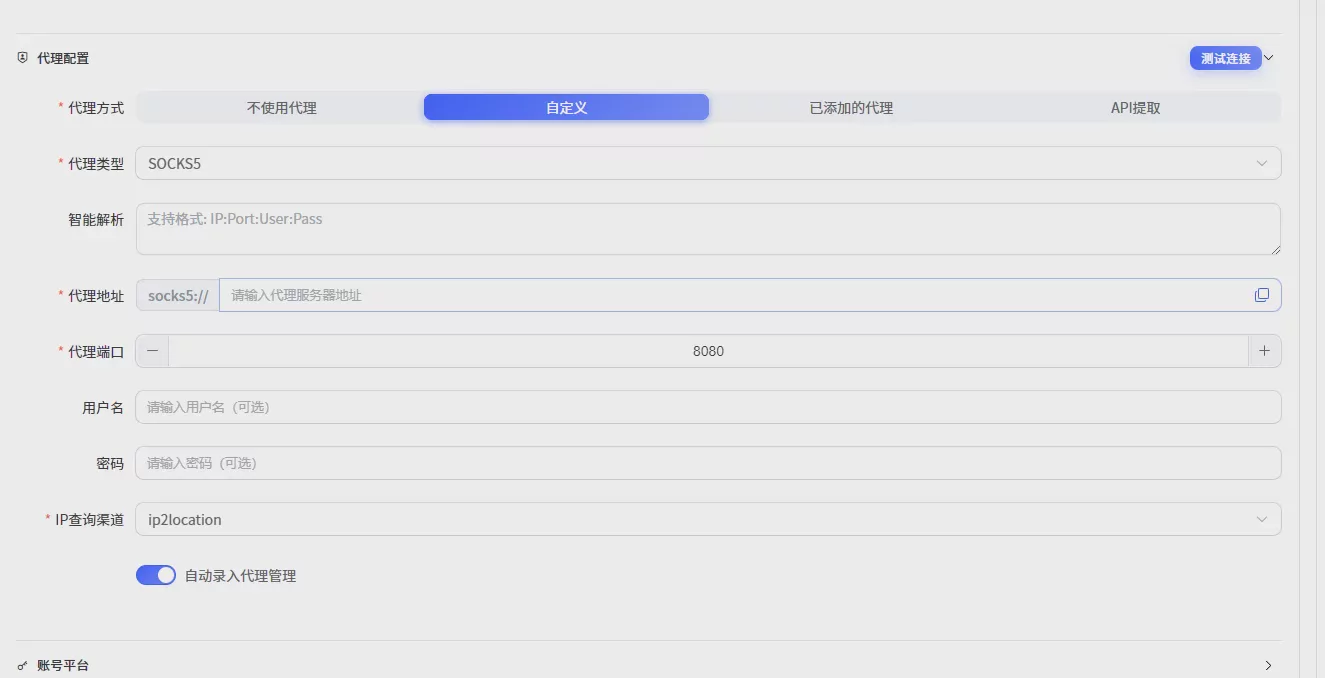
Compared with constantly switching accounts in traditional browsers, P1 can help teams establish a clearer account management approach.
Which Instagram operation scenarios is P1 suitable for?
Overseas brand matrix operations
Enterprises can create multiple Instagram accounts for different countries and markets and manage them separately.
Cross-border e-commerce social media marketing
Sellers can promote products through different accounts to increase brand exposure and market coverage.
KOL and content team operations
For teams with multiple content accounts, it is more convenient to allocate accounts and manage operating environments.
VII. Summary
When Instagram doesn't receive verification codes, it may seem like just a login problem, but it often involves the account environment, device changes, and operational approach.
For regular users, resolving a verification code issue once is enough.
But for teams that need to operate multiple Instagram accounts over the long term, it is more important to establish a stable account management system.
To reduce frequent verification, pay attention to:
- A stable login environment
- Reasonable account management practices
- Isolated browser environments
- Clear team collaboration workflows
P1 fingerprint browser uses browser environment isolation technology to help cross-border sellers, overseas brands, and social media operations teams manage multiple Instagram accounts more efficiently.
Whether it is Instagram, Facebook, TikTok, or other overseas social platforms, a stable account operating environment is an important foundation for long-term operations.

