



Three TikTok Shop stores can log in individually without issue, but once a single operator centrally handles messages, price changes, and inventory synchronization, frequent CAPTCHA prompts, orders recorded in the wrong store, and lingering backend permissions for departed colleagues begin to appear. Most teams’ first reaction is to switch to a new ERP, but changing tools often just moves the same problems to a new interface.
The real breakpoints usually occur when there is no fixed mapping across four layers:account entities, Seller Center roles, login environments, and tool write scopes. This article discusses how to choose TikTok Shop seller accounts and operations tools based on these four layers. Shopify standalone sites, Amazon, eBay, Walmart, Etsy, as well as Temu, AliExpress, Shopee, Lazada, and Mercado Libre are included only as boundary references for expansion, not as comprehensive per-platform encyclopedias. Basic concepts can first be found inTikTok Shop Seller Accounts and Operations Tools Introduction.
First, distinguish three types of "multi-account": multi-store, multi-employee accounts, and multi-login identities
“Multi-account” refers to at least three distinct concepts in the context of TikTok Shop. Conflating them makes it impossible to select the right tool:
- Platform shop matrix:Operating multiple TikTok Shop stores under one entity or related entities, which involves mapping store registration documents, categories, sites, and payout accounts.
- Employee sub-accounts:Creating roles for operations, customer service, and finance within the same store. This manages “who can modify what,” not “how many stores exist.”
- Multiple login identities:Different stores are accessed by different people on different devices or browser configurations. This manages “who is accessing which backend in what environment.”
First, determine which scenario applies to you before discussing tools. Buying an ERP system to solve employee permission issues as if they were multi-store problems, or adding sub-accounts to solve multi-store isolation issues as if they were permission problems, will only lead to repeated rework.
What the TikTok Shop Seller Center Can Do and What Operational Tools Cannot Replace
The Seller Center is the official hub for shops, products, orders, fulfillment, settlements, and role permissions, as well as where platform policy notifications are delivered. It defines “what is allowed.” Any third-party tool simply batch-executes repetitive actions within authorized limits; it cannot complete qualification reviews on behalf of the shop, alter platform determinations, or bypass official processes.
An easily confused component is the TikTok Business Center on the advertising side. It manages ad accounts, business assets, and team roles, which is a separate system from the shop roles in the Shop Seller Center. Member permissions should not be shared between them. The official recommendation for member access is to assign roles and asset permissions by position and avoid sharing login credentials. SeeTikTok Business Center Roles and Permissions Guide. This principle also applies to the Shop backend: first define the roles, then create the accounts, and only then discuss the tools.
Figure 1: The four-layer mapping of account entities, seller center roles, login environments, and tool write scopes
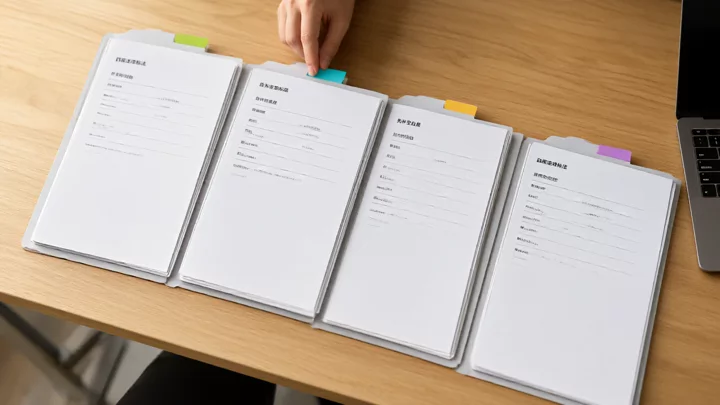
Label your current status layer by layer: the first layer, account entity, is the store registration entity, business qualifications, and payment entity all the same; the second layer, seller center roles, who serves as the store owner, administrator, customer service, and finance, and who takes over after an employee resigns; the third layer, login environment, which device, network, and browser configuration are fixed to which group of stores; the fourth layer, tool write permissions, are ERP or multi-store tools allowed to change prices, adjust inventory, and print orders, or are they read-only?
If a layer is blank, fill it in first. If any of the four layers relies on "everyone just remembering," problems will inevitably arise during subsequent bulk operations.
Store management tool selection table: What each of the three types of tools manages
| Layer | Primary question answered | Authorization and write scope | Multi-store isolation and logs | Applicable stage |
|---|---|---|---|---|
| Seller Center (platform backend) | Store qualifications, product compliance, orders and settlements, role permissions | Native platform permissions, effective upon writing, cannot be replaced by third parties | Isolated by store and role, with operation records subject to the platform | All stages, must use Shun first |
| ERP / multi-store management tools | Order aggregation, inventory synchronization, bulk price changes, printing and shipping | Requires store authorization, and the fields written depend on the degree of API openness | Check whether per-store permission separation and operation logs are supported | Expansion period for multiple stores on the same platform or cross-platform |
| Login environment management tools | Which environment corresponds to which group of stores, and who is operating on which device | Does not write to business data; only manages access points | The environment and store must be fixed-bound; personnel changes can be revoked | Establish early when collaborating across multiple stores and multiple people |
During selection, first look at the write scope, then the number of features. A tool that can change prices but cannot grant permissions by store or keep operation logs is riskier than a tool that only aggregates orders. Before integration, you can directly ask the service provider: which fields can be written, how to roll back if a write fails, and how long it takes to revoke permissions for departing personnel.
Choose combinations based on store structure: single store, multiple stores on the same platform, multi-platform expansion
- Single-store stage: The seller center with a manual process is sufficient. Define roles clearly, lock in login devices, spend the first two weeks logging which actions are truly repetitive, then decide whether to adopt tools.
- Multiple stores on the same platform: Prioritize establishing a fixed mapping between environments and stores before integrating order aggregation tools. At this stage, acceptance focuses on whether orders are assigned to the wrong store or price changes cross-store, not the length of the feature list. Issues involving verification codes and permission residue caused by tool writes can be referenced inRelated risks from TikTok Shop Seller Center to multi-account operations.
- Multi-platform expansion: TikTok Shop's multi-store model refers to a platform store matrix, Shopify's multi-site model represents seller-owned assets, and Amazon has its own rules for multiple selling accounts; the account entities and permission models of these three platforms cannot be rigidly applied interchangeably. For an analysis of the differences, seeChoosing Multi-Account Tools: TikTok Shop vs. Independent Shopify Sites; on the Amazon side, you can first readAmazon Seller Accounts and Seller Central Practical Operations, whose official guidelines on multiple selling accounts emphasize that accounts should be kept in good standing, as policy issues with one account may affect related accounts. SeeAmazon Multi-Selling Account Health Tips. Shopify's employee and permission configurations should be based on the official Help Center:Shopify Help Center.
Figure 2: The sequence of implementing tools and stopping conditions

The sequence is fixed: first confirm that the compliance entity and the receiving entity match, then divide seller center roles, then lock in the login environment, and only finally open up tool writing. Here, TikTok Shop multi-store and Shopify independent stores diverge—the former is constrained by platform store audits and site rules, while the latter allows merchants to assign site and employee permissions themselves, but the order of "define permissions first, then deploy tools" remains the same.
If any of the following situations occur, you should hold off on integrating batch tools: the correspondence between the store entity and the receiving entity is unclear; key roles lack a defined responsible person; the login environment is maintained through shared accounts; or the service provider cannot explain the tool's writing scope in writing. Until these four points are resolved, the faster you deploy the tools, the more expensive the rework will be.
Acceptance checklists and failure signals before and after tool deployment
- Entity acceptanceEach store's registration entity, operating qualifications, and receiving accounts must correspond one-to-one with specific stores, not just with the "company".
- Role acceptanceThe store owner, administrator, customer service, and finance roles each have a responsible person; access can be revoked on the day of departure without relying on an individual remembering a password.
- Environment acceptanceThe environment is fixedly bound to the store and registered; new stores follow the same process, eliminating temporary borrowing of colleagues' devices.
- Writing acceptanceFirst test writing prices and inventory using one store and a small category to confirm that failures are rollback-able and logs are traceable before expanding the scope.
Failure signals are specific: sudden increases in CAPTCHAs, orders batch-written to the wrong store, prices or inventory syncing to other sites, departed personnel retaining price-changing permissions, and mismatches between the receiving entity and the store entity. The processing order is to first stop tool writing, then return to the four-layer mapping to find the breakpoint, and finally adjust permissions or change the environment. Do not immediately replace the browser or reinstall the tools, as that usually just masks the breakpoint. For checklists regarding receiving entity and operational division of labor, compare againstHow to avoid account association and financial risks in multi-store management. Platforms usually do not fully disclose the reasons for account actions; specific details should be based on account notifications and official policies. Do not treat a single signal as a definitive conclusion.
Frequently Asked Questions
Can TikTok Shop multi-stores be logged into and switched between repeatedly in the same browser?
Technically, you can switch, but the more casual the switching, the harder it is to determine which store, person, or environment caused a specific anomaly. It is recommended to bind and register environments to stores and recover access according to the registration when personnel changes occur, rather than relying on temporary logouts.
Can store management tools automatically reply to messages and change prices? How are permissions granted?
Whether prices can be changed depends on the extent of platform API access and the scope of store authorization. Before integration, have the service provider provide a written explanation of the writable fields. Grant the minimum necessary permissions based on job roles; the customer service role should not include price-changing capabilities, and bulk writes should first be validated in a small scope on a single store.
For a team of two or three people, should we implement ERP first or organize seller center roles first?
Organize roles first. The issue with a two- or three-person team is often not a lack of manpower, but everyone using the same account for all tasks, making it impossible to pinpoint responsibilities after an incident. Once roles are clearly defined, determine which repetitive actions are worth automating, which can save the expense of buying the wrong tool.
What are the differences in multi-account management logic between TikTok Shop and independent Shopify stores?
TikTok Shop multi-stores are a platform-side store matrix constrained by store audits, sites, and platform rules; Shopify multi-sites are merchant-owned site assets where permissions are allocated by the merchant themselves. Both require defining entities and roles first, but the criteria for what tools can write and who has the authority to create new sites differ.