



Threads is no longer just an auxiliary community platform for Instagram. As its user base and brand presence continue to grow, more and more creators, cross-border e-commerce businesses, brand teams, and marketing agencies are starting to manage accounts on Threads for different topics, regions, or clients.
In 2026, during month 6, Meta announced that Threads' monthly active users had reached 5 hundred million monthly active users. For businesses and content teams, this also means that the commercial value of Threads is increasing, and the need for multi-account management will become more widespread.
However, after the number of accounts increases, the real challenge is often not “how to log in,” but how to keep the login status, browser data, operating procedures, and team permissions for different accounts clearly separated.
This article will begin with the basic methods for managing multiple Threads accounts, analyze why accounts may become associated, examine the limitations of ordinary browsers, and explain how to create a more stable multi-account workflow through independent browser environments.
I. Can Multiple Threads Accounts Be Used in 2026?
Yes. Threads itself supports users managing multiple personal profiles, so having multiple accounts is not inherently a violation.
For example, a creator may manage a personal account and a brand account at the same time; a company may need to manage Threads profiles for different regions; and a marketing agency may be responsible for multiple clients’ community accounts simultaneously.
It is important to note that Threads profiles are linked to Instagram or Facebook accounts. Therefore, when managing Threads, you should not view it solely as an independent community account, but should instead take thelogin accounts, recovery methods, team permissions, and daily operating environmentinto consideration as a whole.
In other words, the real issue that multi-account management needs to address is not simply “whether you can log in to multiple accounts at the same time,” but “whether different accounts can be managed clearly.”
II. How do you switch between multiple Threads accounts?
If you only have two or three Threads accounts of your own, the official account-switching feature is usually sufficient.
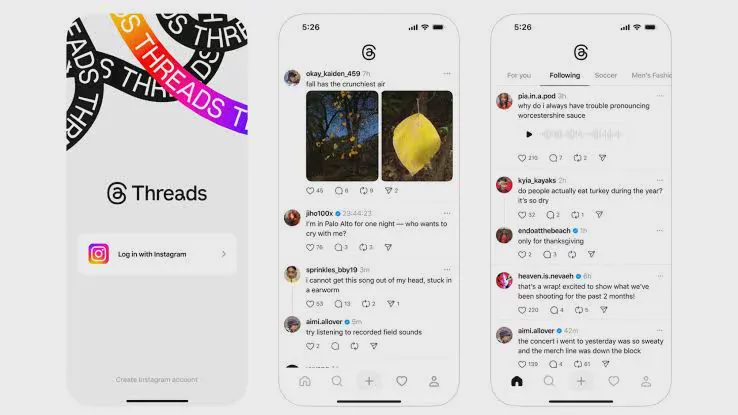
Method one: Switch accounts using Threads App
- Open the Threads App.
- Go to the personal profile page.
- Use the account-switching feature to add other personal profiles.
- Log in to the corresponding Instagram account.
- Once setup is complete, you can switch between different Threads profiles.
The biggest advantage of this method is convenience, as you don't need to repeatedly enter your account credentials. For individual users or a small number of accounts, this is sufficient for everyday needs.
However, if you manage 5, 10, or even more brand or client accounts at the same time, relying solely on in-app switching can easily create another problem: all the accounts are still concentrated on the same device and within the same application environment.
Why might multiple Threads accounts become associated?
Many people simply understand “account association” to mean “accounts will be associated if they use the same IP,” but it is not that simple.
Platforms typically do not disclose their complete account assessment mechanisms, so we cannot know exactly how much weight any specific signal carries. For multi-account managers, a more reasonable approach is to view each account as part of a complete usage environment rather than focusing only on the IP.
1. Shared browser Cookies and login data
If multiple Threads accounts remain logged in to the same browser Profile for an extended period, Cookies, Local Storage, login status, and data from other websites may all be stored in the same working environment.
This does not necessarily mean that the platform will determine that the accounts have problems because of this, but from a management perspective, the boundaries between the accounts can become blurred.
For example, if login sessions for Brand A, Brand B, and Client C are saved in the same browser, employees may make mistakes when switching tabs, or even publish content to the wrong account.
2. Frequent changes in the network environment
An IP address is just one piece of information about the login environment. Multiple employees sharing the same network in an office does not, by itself, directly indicate that there is an issue with the account.
What is truly worth noting iswhether the login environment is stable and consistent with normal usage.
For example, if the same account logs in from one region today and then switches to a completely different region shortly afterward, or if team members log in to the same account from different locations, account management can become significantly more complicated.
Therefore, multi-account management should not focus on “constantly changing IP addresses,” but on creating a clear, stable environment that aligns with actual business needs.
3. Shared Accounts Among Team Members
If multiple employees directly share an account password, the problem is usually about more than just security.
Who has logged in? Who published the content? Who changed the settings? Who triggered the security verification? When this information cannot be tracked, it becomes difficult for the team to quickly identify the cause if an account anomaly occurs.
Therefore, the core of multi-account operations is actually to establish a clear correspondence between the account, the environment, and the operator.
IV. What are the common issues with managing multiple Threads accounts?
Once the number of accounts increases, the following situations are very common:
- Cookies and login sessions for different accounts become mixed together.
- Employees accidentally post content while switching between accounts.
- Team members share the same set of account credentials.
- The account login locations and environments change too frequently.
- Former employees still retain access to the accounts.
- Multiple brand accounts lack independent operating procedures.
It is important to note that login verification, a decline in reach, or a temporary restriction alone cannot directly prove that Threads has linked multiple accounts.

Factors such as content quality, posting frequency, user engagement, and platform strategy adjustments may also affect account performance. Therefore, when an anomaly occurs, first check the official notifications, then troubleshoot the login environment and operating procedures one by one.
How to Choose Between a Mobile App, a Regular Browser, and an Antidetect Browser?
| Management method | Suitable scenarios | Advantages | Limitations |
|---|---|---|---|
| Threads App | A small number of personal accounts | Easy switching | Accounts are concentrated on the same device |
| Regular browser | A small number of desktop operations | Simple to use | Easy to confuse cookies with login status |
| Chrome browser profile | A small number of long-term accounts | Login data can be stored separately | Team permissions and other environments still need to be managed separately |
| Fingerprint browser | Multi-brand, multi-client, and team management | Can create independent browser work environments | Requires Profile and environment configuration |
If you are only managing two or three of your own accounts, there is no need to add too many tools just for “isolation.”
However, as the number of accounts increases, especially when cross-border e-commerce, community agency work, affiliate marketing, or collaboration among multiple people is involved, creating an independent browser Profile for each account is easier to manage than repeatedly logging in and out of the same browser.
VI. How to use P1 Browser to manage multiple Threads accounts?
For teams that need to manage multiple Threads accounts over the long term, they can use P1 Browser to create separate browser Profiles, allowing each account to retain its own cookies, login status, and browser settings.
Step 1: Create separate browser Profiles
Log in to P1 Browser and go to the Profile management page to create a separate Profile for each Threads account.
It is recommended to name them according to “Brand + Platform + Purpose,” for example:
- Brand-A|Threads|US
- Brand-B|Threads|UK
- Client-C|Threads|Marketing
Clear naming can reduce the chance of team members opening the wrong account and also facilitate subsequent handovers.
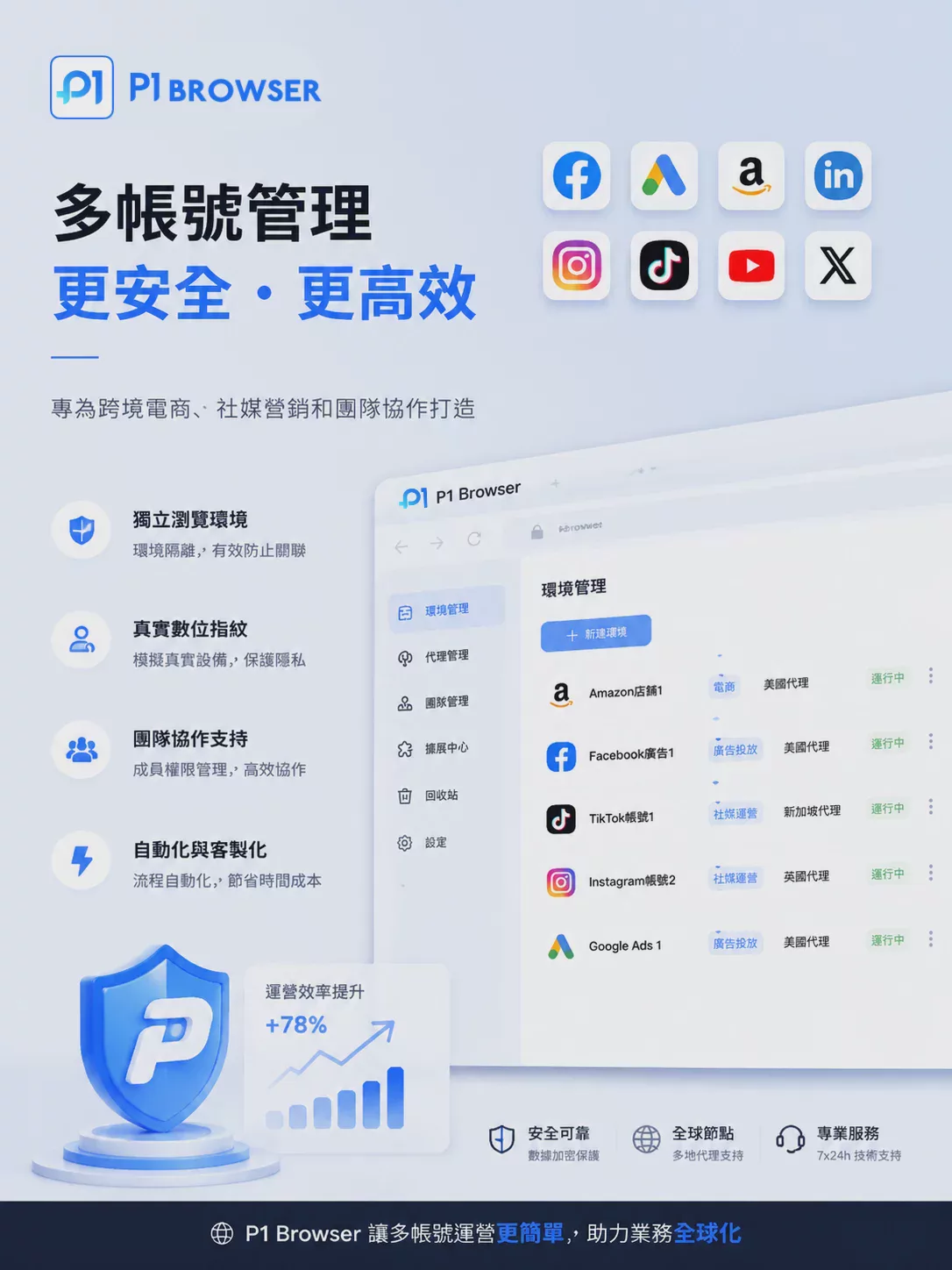
Step 2: Configure an Independent Environment for Each Account
After creating a Profile, you can configure the corresponding browser environment and proxy settings according to your actual usage needs.
The focus is not on frequently changing the browser fingerprint, but on giving each account astable, clear, and sustainable working environment.
Step 3: Log in to Threads and Save the Working State
Open Threads in the corresponding P1 Browser Profile and log in to the account associated with that Profile.
After logging in, browsing data such as Cookies and Sessions will be stored in that browser Profile. The next time you use it, you can open the corresponding Profile directly, avoiding repeated logins and logouts between multiple accounts.
Step 4: Create Team Permissions
For agencies or corporate teams, you can assign Profile access permissions according to actual work responsibilities.
For example, content editors are responsible only for publishing content, customer service staff are responsible for replying to messages, and administrators are responsible for account and permission settings. This can reduce the management risks associated with sharing passwords among multiple people.
VII. What Should You Really Pay Attention to When Managing Multiple Accounts?
When researching Threads multi-account management, many people focus entirely on “how to prevent accounts from being linked.” However, from the perspective of long-term operations, it is more important to consider whether the account management itself is properly standardized.
First, each account should have a clearly designated person in charge and a defined purpose; second, the login environment should remain stable, avoiding frequent switching without a business need; third, the team should establish a clear permission system instead of allowing every employee to have complete login information directly.
At the same time, do not interpret a “fingerprint browser” as a tool for circumventing platform rules. It is better viewed as abrowser environment management and multi-account work efficiency tool.
Regardless of which tool you use, there is no guarantee that an account will never encounter security verification, restrictions, or other platform measures. The most important thing is still to follow Threads’ platform rules and maintain normal content and interaction behavior.
VIII. Threads Multi-Account Management FAQ
Can Threads manage multiple accounts?
Yes. Threads supports the use and switching of multiple personal profiles, making it suitable for managing accounts for personal brands, businesses, and different content topics.
Will using the same IP cause Threads accounts to be linked?
It cannot be judged that simply. An IP is only one piece of information in the login environment, and it is very common for multiple legitimate users to share the same network. Rather than focusing on the IP alone, it is more important to consider whether the overall login and operating environment is reasonable and stable.
Can multiple Chrome Profiles manage Threads?
Yes. Chrome Profiles can store cookies, login statuses, and browsing data separately, making them highly practical for a small number of accounts. However, when managing a large number of accounts or coordinating with a team, additional management of proxies, permissions, and Profile assignments is still required.
When is it appropriate to use a fingerprint browser?
If you only manage one or two accounts, a regular browser is generally sufficient. When you need to manage multiple brand, client, or regional accounts while maintaining independent Sessions, unified team permissions, and workflows over the long term, a fingerprint browser is more suitable.
Conclusion
In 2026, Threads has become a community platform worth investing in for brands and creators. As the number of accounts increases, the challenge of managing multiple accounts will gradually shift from “how to log in” to “how to maintain a clear, stable, and controllable working environment.”
For a small number of accounts, Threads’ official account-switching feature is sufficient; for businesses, agencies, and cross-border teams, browser Profiles or fingerprint browsers can be used to create independent workspaces.
It must be emphasized that no tool can guarantee that an account will not be identified by the platform as being related to another account, nor can any tool replace proper content operations and platform compliance. A truly effective multi-account strategy is to ensure that each account has a clear purpose, a stable operating environment, reasonable usage patterns, and comprehensive team permission management.

