



As Temu rapidly expands in global markets, more and more cross-border sellers are setting up multiple accounts to test products, cover different markets, and improve team operational efficiency.
For some sellers, one account may focus on the US market while another handles the European market; others create multiple accounts based on different product lines for easier product testing and operational planning.
But as the number of accounts increases, a new problem emerges:
How to manage multiple Temu accounts on the same device while maintaining the independence of each account environment?
Many sellers initially use regular browsers to manage multiple accounts—for example, logging into Account A, then logging out and logging into Account B.
Although the account information differs, multiple accounts may actually share the same browser environment, including cookies, cached data, device information, and network environment.
Therefore, for sellers who need to operate multiple Temu accounts long-term, establishing independent account environments is an important way to improve account management efficiency.
I. Why Are More and More Sellers Starting to Operate Multiple Temu Accounts?
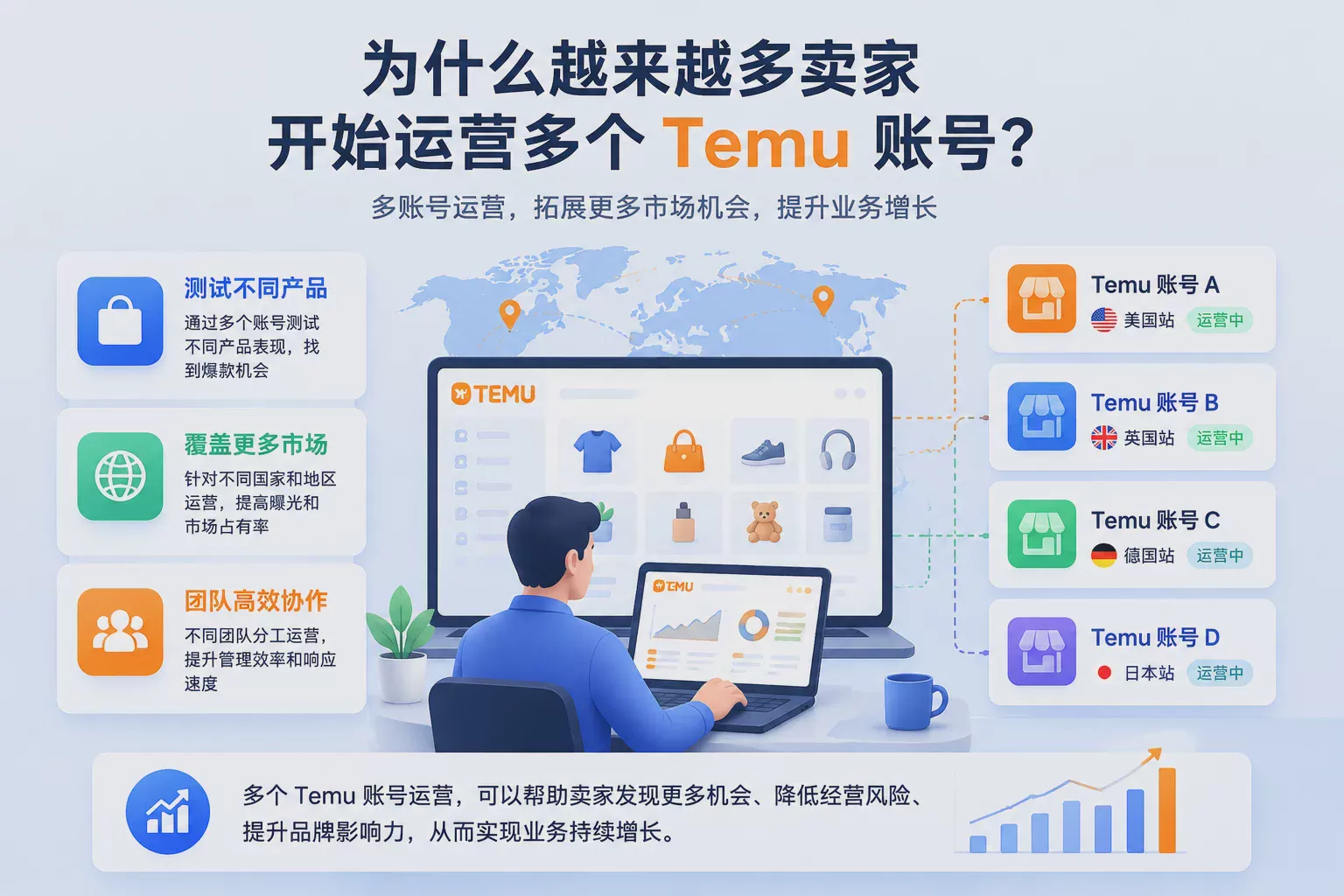
In the past, many cross-border sellers only needed to maintain one store account to complete daily operations.
But as market competition intensifies, more and more sellers are starting to layout different products and markets through multiple accounts.
For example:
- Different accounts handling different product categories
- Operating strategies tailored to different country markets
- Team members managing different business directions
For sellers, multi-account operations can help test more market opportunities while reducing the limitations brought by operating a single account.
However, after the number of accounts increases, how to ensure that each account has a stable and independent operating environment has also become a problem that must be solved during the operation process.
II. What Problems Are Easy to Encounter During Multi-Account Operations?
Many sellers believe that as long as accounts use different emails and passwords, the accounts are completely independent of each other.
In fact, when the platform judges account environments, it does not only focus on login information.
Browser environment, device information, and network environment also affect the correlation judgment between accounts.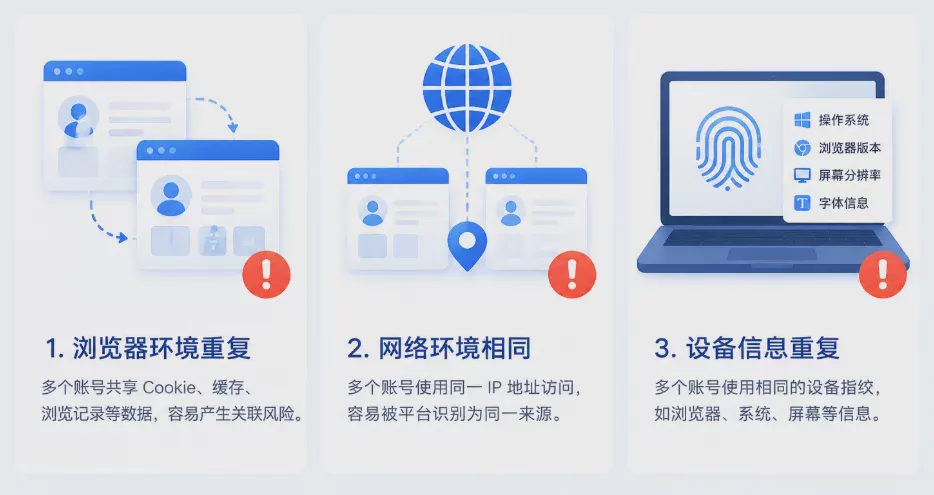
1. Multiple Accounts Sharing the Same Browser Environment
Regular browsers usually have only one operating environment.
When multiple Temu accounts log in to the same browser, they may share:
- Cookie data
- Cache records
- Website storage information
- Browser configuration
For example, logging into Temu Account A in the morning and Temu Account B in the afternoon.
Although the accounts are different, the two accounts may still use the same browser environment.
2. Multiple Accounts Using the Same Network Environment
In addition to the browser environment, the network environment is also an important factor in multi-account management.
If multiple accounts use the same network exit to access the platform for a long time, they may show similar access sources.
Therefore, when operating multiple accounts, it is necessary to reasonably plan the network environments corresponding to different accounts.
3. Multiple Accounts Sharing Device Information
When a browser accesses a website, device-related information is generated, such as:
- Browser version
- Operating system parameters
- Screen information
- Font environment
These pieces of information together form the browser fingerprint.
If multiple accounts operate in the exact same device environment for a long time, it may also reduce the independence between account environments.
III. How Does Temu Judge the Environmental Correlation Between Accounts?
The platform usually does not judge account relationships through a single factor, but comprehensively analyzes multiple environmental dimensions.
Common judgment factors include:
Network environment
- IP address
- Network source
- Access region
Browser environment
- Browser fingerprint
- Cookie data
- Device parameters
User behavior
- Login habits
- Operation methods
- Access trajectories
Therefore, the core of multi-account operations is not simply increasing the number of accounts, but giving each account a clearer and more independent operating environment.
IV. How to Correctly Manage Multiple Temu Accounts?
For sellers who need to operate multiple Temu accounts long-term, it is recommended to correspond accounts with independent browser environments for management.
For example:
Temu账号A
↓
独立浏览器环境A
↓
对应网络环境
Temu账号B
↓
独立浏览器环境B
↓
对应网络环境
In this way, each account has its own operating space, avoiding multiple accounts sharing the same browser environment for a long time.
Compared with traditional browsers constantly switching accounts, this management method is more suitable for multi-store and multi-account operation scenarios.
V. How Does the P1 Fingerprint Browser Help Sellers Manage Temu Accounts?
The P1 Fingerprint Browser helps users create multiple independent browser environments through browser environment isolation technology.
Each environment can have independent:
- Browser fingerprint
- Cookie data
- Login status
- Browser configuration
- Proxy IP settings
For example, when a cross-border team operates multiple Temu accounts, they can create corresponding browser environments for each account.
After operation personnel enter the corresponding environment, they can manage the corresponding account without frequently switching browser configurations.
Basic workflow for using P1 to manage Temu accounts:
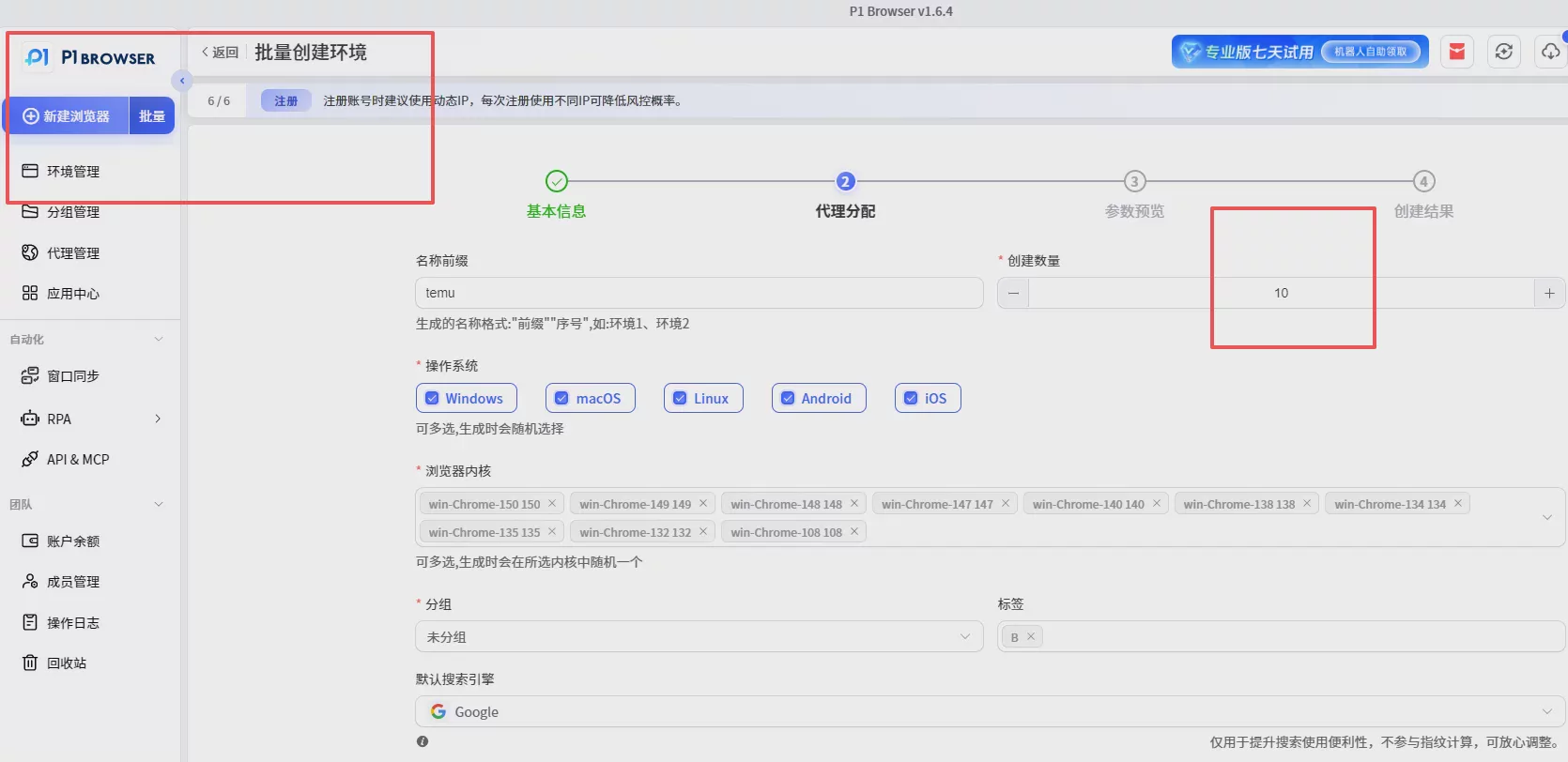
Step One: Register and Create Independent Browser Environments
Create corresponding browser configurations based on the number of accounts.
For example:
For 10 Temu accounts, create 10 corresponding independent browser environments.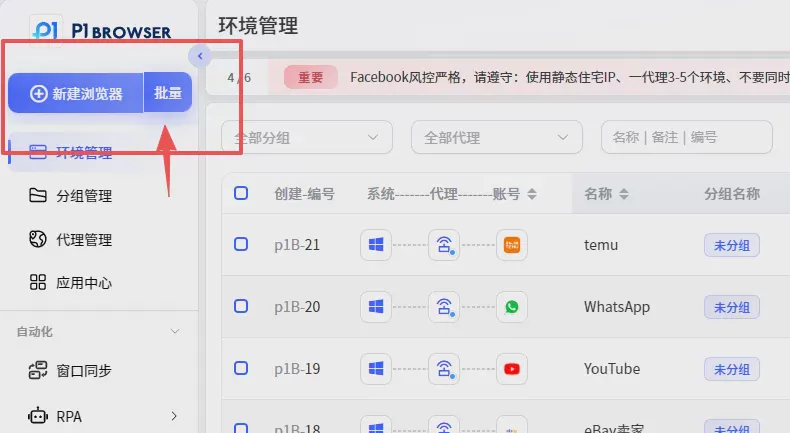
Step Two: Configure Corresponding Network Environments
Configure corresponding network environments for different browser environments based on business market needs.
For example:
- Accounts for the US market match US network environments
- Accounts for the European market match European network environments
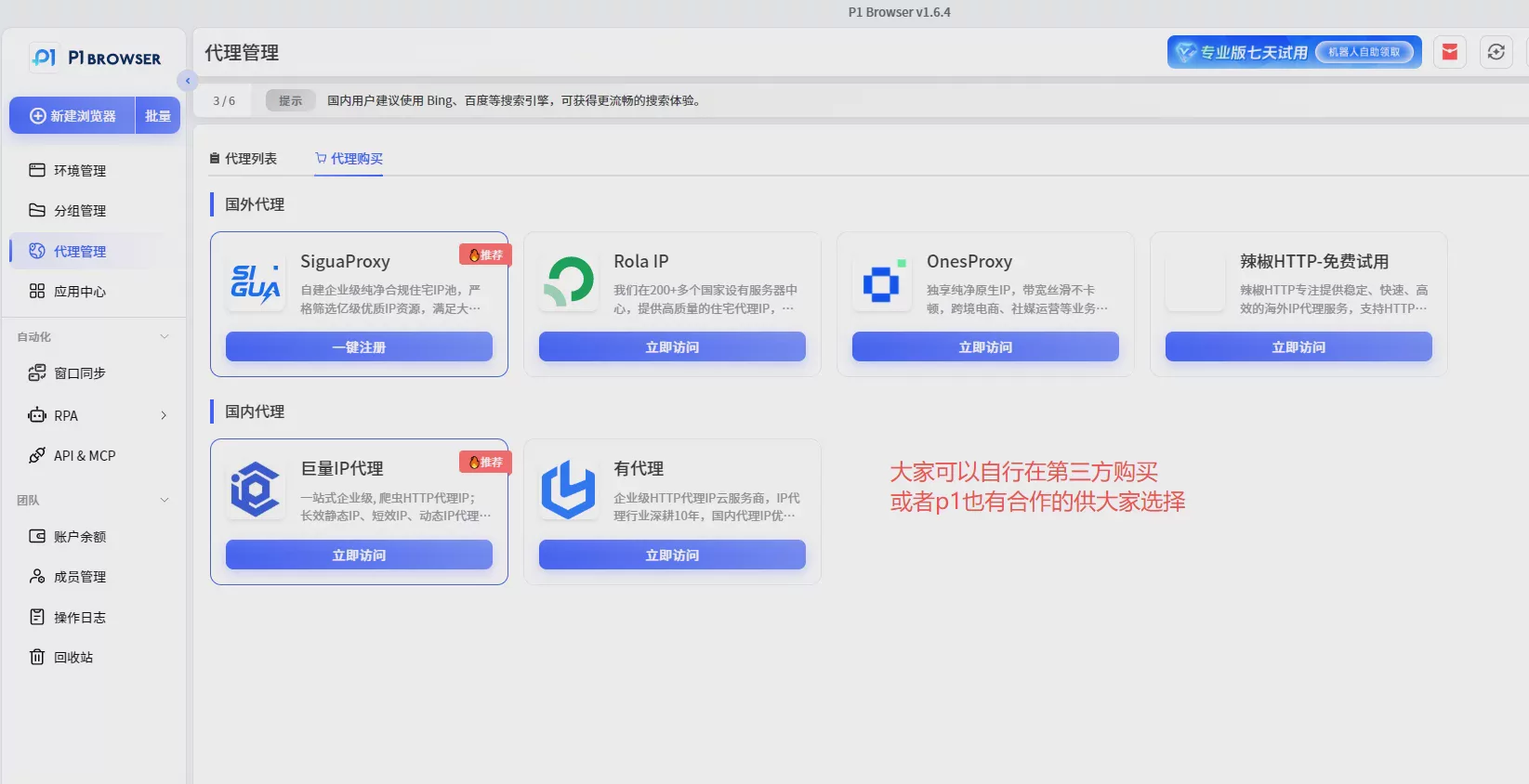
Step Three: Maintain Environment Stability
After creation is completed, it is not recommended to frequently modify browser parameters and network environments.
Long-term stable environments are more suitable for continuous account operations.
VI. What Precautions Should Be Taken for Temu Multi-Account Operations?
In actual operation processes, in addition to ensuring environment isolation, it is also necessary to establish reasonable account management processes.
First, it is not recommended to frequently switch logins between multiple accounts.
Second, it is not recommended for multiple accounts to share the same browser environment for a long time.
For team operations, account management records can be established, including:
- Browser environments corresponding to accounts
- Account managers
- Operation records
Clear management methods can reduce confusion in team collaboration.
VII. Summary
The focus of Temu multi-account operations is not simply increasing the number of accounts, but establishing a stable and efficient account management system.
For cross-border sellers, a complete multi-account operation environment usually requires:
- Independent browser environments
- Independent account data
- Reasonable network configuration
- Clear management processes
The P1 Fingerprint Browser helps sellers more conveniently manage multiple Temu accounts and improve team operational efficiency through environment isolation technology.
Whether for individual sellers, multi-store operation teams, or enterprise-level cross-border businesses, everyone can establish a more standardized and efficient multi-account management system through P1.

