


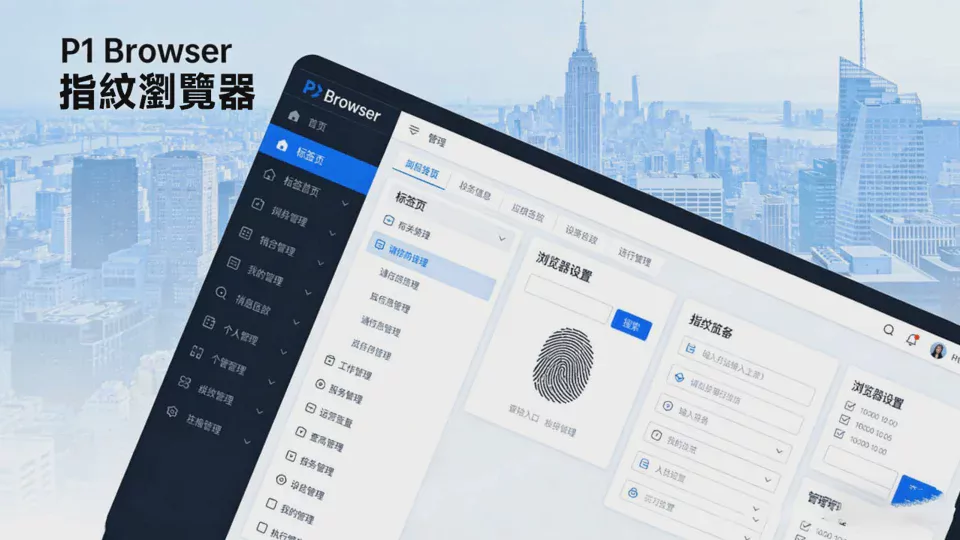
In cross-border e-commerce, social media matrices, advertising campaigns, and multi-account operations, browser fingerprint association is one of the core reasons accounts become restricted or banned. As a professional fingerprint isolation tool, P1Browser enables the secure operation of multiple accounts through independent environments, realistic fingerprint simulation, and network isolation. This guide provides complete, practical recommendations covering basic setup, fingerprint generation, parameter optimization, security practices, and common issues, helping users reduce the risk of association and improve account stability.
I. Basic Preparations Before Use
Before generating a fingerprint environment, complete the basic configuration to prevent issues such as fingerprint anomalies and network incompatibility later on.
-
Environment Installation and UpdatesDownload the official P1Browser client, and close other fingerprint tools, VPNs, and proxy software of the same type during installation to prevent port conflicts. After installation, update to the latest version promptly. New versions typically fix fingerprint vulnerabilities and optimize detection rules, improving protection against association.
-
Proxy Network PlanningFingerprints and IPs must correspond one-to-one. Do not change IPs or use duplicate IP ranges within the same environment. Prioritize native residential proxies and avoid data center proxies, as some platforms have strict detection of data center IPs, which can easily trigger risk controls. The proxy type, region, and node should match the target business region to ensure network stability and low latency.
-
Account and Data IsolationPlan account groups in advance, such as by platform, product category, or operational node. Each account should correspond to an independent fingerprint environment, with no shared configurations or arbitrary environment switching. Avoid using personal browsers and P1Browser to log in to business accounts on the same device, preventing local caches and Cookies from creating associations.
II. Standard Process for Generating Fingerprint Environments
The core of P1Browser fingerprint generation isauthenticity, uniqueness, and stability; following the standard process can greatly reduce the risk of detection.
-
Basic Settings for a New EnvironmentEnter the P1Browser console, select New Environment, and fill in the environment name and notes for easier management later. Select the corresponding operating system version, prioritizing the simulation of mainstream real-world systems. Do not use overly obscure or outdated system parameters, as they may result in abnormal fingerprint characteristics.
-
Generating Kernel Fingerprint ParametersThe system supports manual configuration and one-click random generation. Beginners are advised to prioritize random generation to ensure fingerprint uniqueness. Key parameters include:
- Browser version and user agent: Simulate versions commonly used by real users; do not arbitrarily modify them into abnormal parameters;
- Canvas, WebGL, and WebRTC: Enable anti-leakage settings, hide real hardware information, and prevent hardware fingerprint exposure;
- Time zone, language, and resolution: Keep them consistent with the region where the proxy IP is located; a time zone mismatch will directly trigger risk controls;
- Cookies and local storage: Enable independent isolation so that each environment stores data separately, without sharing or leakage.
-
Network and Proxy BindingBind the corresponding proxy in the environment settings, and test its connectivity and cleanliness to ensure that the IP has no adverse records or associations with illegal or gray-market activities. Save the environment only after the proxy has passed verification; do not use an untested proxy to log in to an account.
-
Environment Preview and DetectionAfter generation is complete, use the built-in fingerprint detection tool to verify fingerprint uniqueness, hardware-hiding effectiveness, and regional matching. Ensure that all parameters are normal and that no real information is leaked before entering and using the environment.
Fingerprint Optimization and Anti-Association Recommendations
Generating a fingerprint alone is not enough to ensure security. Only by reasonably optimizing parameters and using them properly can you maintain stable, long-term operations.
-
Maintain Fingerprint StabilityAfter an environment is generated, do not modify core parameters unless necessary. Frequently changing fingerprint characteristics may be identified by platforms as abnormal behavior. If adjustments are required, optimize only non-core parameters and make changes gradually to avoid major one-time alterations.
-
Simulate real user behaviorThe fingerprint environment should be used in conjunction with genuine operating habits to avoid mechanical, automated, batch-like actions. After logging in, stay briefly, browse pages, and click normally. Do not register accounts rapidly in bulk or switch between pages frequently, as abnormal behavioral patterns are more likely to trigger bans than repeated fingerprints.
-
Avoid cross-environment interferenceDo not copy and paste sensitive information between different environments, share documents, or use the same device microphone and camera. When closing an environment, exit normally rather than force-quitting the process to prevent residual data from causing associations.
-
Regularly back up and clean upBack up frequently used fingerprint environments to prevent configuration loss. Regularly remove invalid environments and redundant data to keep the software running smoothly, while also avoiding the accumulation of too many invalid fingerprints that could cause feature conflicts.
IV. Configuration Recommendations for Different Scenarios
For scenarios such as cross-border e-commerce, social media operations, and advertising, targeted configurations can be applied to improve adaptability.
-
Cross-border e-commerce platformsPrioritize enabling complete fingerprint concealment, strictly match the IP with the shipping address and registration region, disable autofill, and simulate genuine local shopping behavior to reduce the risks of account association and review.
-
Social media account networksFocus on the authenticity of behavioral patterns and warm up each account separately in its own environment. Do not publish content in bulk or follow and send private messages frequently. Randomize fingerprint parameters to avoid having multiple accounts use highly similar fingerprint templates.
-
Advertising and Network MarketingEnsure stable, low-latency proxy connections, disable ad tracking and network leaks, closely match fingerprint parameters with the target advertising region, and prevent advertising accounts from having their ad-serving permissions restricted due to abnormal environments.
Section Five: Frequently Asked Questions and Pitfall Avoidance Guide
-
Fingerprint Detection FailedChange the fingerprint parameters and generate them randomly again, check whether the proxy is clean, disable software that may leak information locally, and run the detection again.
-
Account Is Still LinkedCheck whether the IP has been reused, whether environment parameters have been modified too frequently, and whether behavior is abnormal. Also check whether the device retains hardware information, then log in again after switching to a completely new configuration.
-
Unstable Network and DisconnectionsSwitch proxy nodes, check the network settings, close background processes that are using the network, and choose a more stable proxy service provider.
-
Environment Opens SlowlyClear invalid environments, disable unnecessary plugins and extensions, ensure that the device's hardware configuration meets the operating requirements, and avoid opening too many environments at the same time.
Summary
The core value of P1Browser fingerprint browser lies inIsolation and authenticityBy correctly generating fingerprint environments, standardizing usage behavior, and configuring parameters appropriately, account association issues can be effectively prevented. During use, platform rules should be followed and no violations should be committed. Only by combining stable proxies with realistic behavior simulation can accounts operate safely and stably over the long term. This guide covers comprehensive recommendations from basic to advanced levels and can serve as a daily operating standard to continuously optimize usage habits and improve operational efficiency and security.

