


I. Introduction
This article is the official standard user guide for the P1Browser fingerprint browser. It is intended for beginners, studios, and enterprise teams, and provides detailed instructions on software login, environment creation, basic parameter settings, fingerprint debugging, proxy IP configuration, environment saving, and daily usage standards. The guide is easy to understand and clearly structured. Configuring the software according to these standards can minimize platform risk control to the greatest extent and ensure the secure, isolated operation of multiple accounts.
II. Basic Software Preparation
2.1 Software Download and Installation
Users should visit the P1Browser official website to download the genuine installation package. Do not use installation packages modified by third parties. During installation, it is recommended that the software be installed on a non-system drive to avoid insufficient memory on the C drive causing software lag, cache buildup, or abnormal operation. After installation is complete, right-click the software icon and selectRun as administratorto ensure that the software obtains full system permissions.
2.2 Account Login
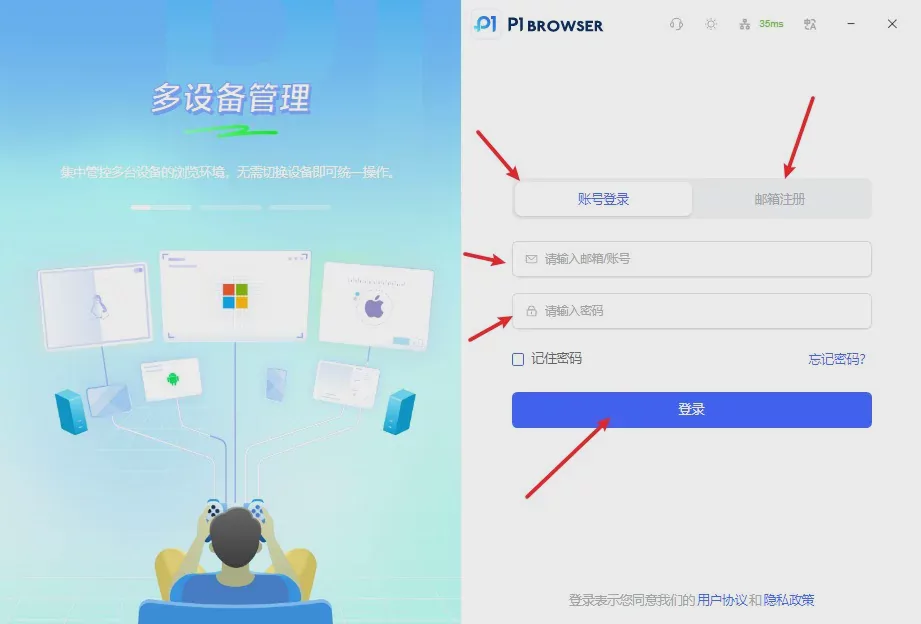
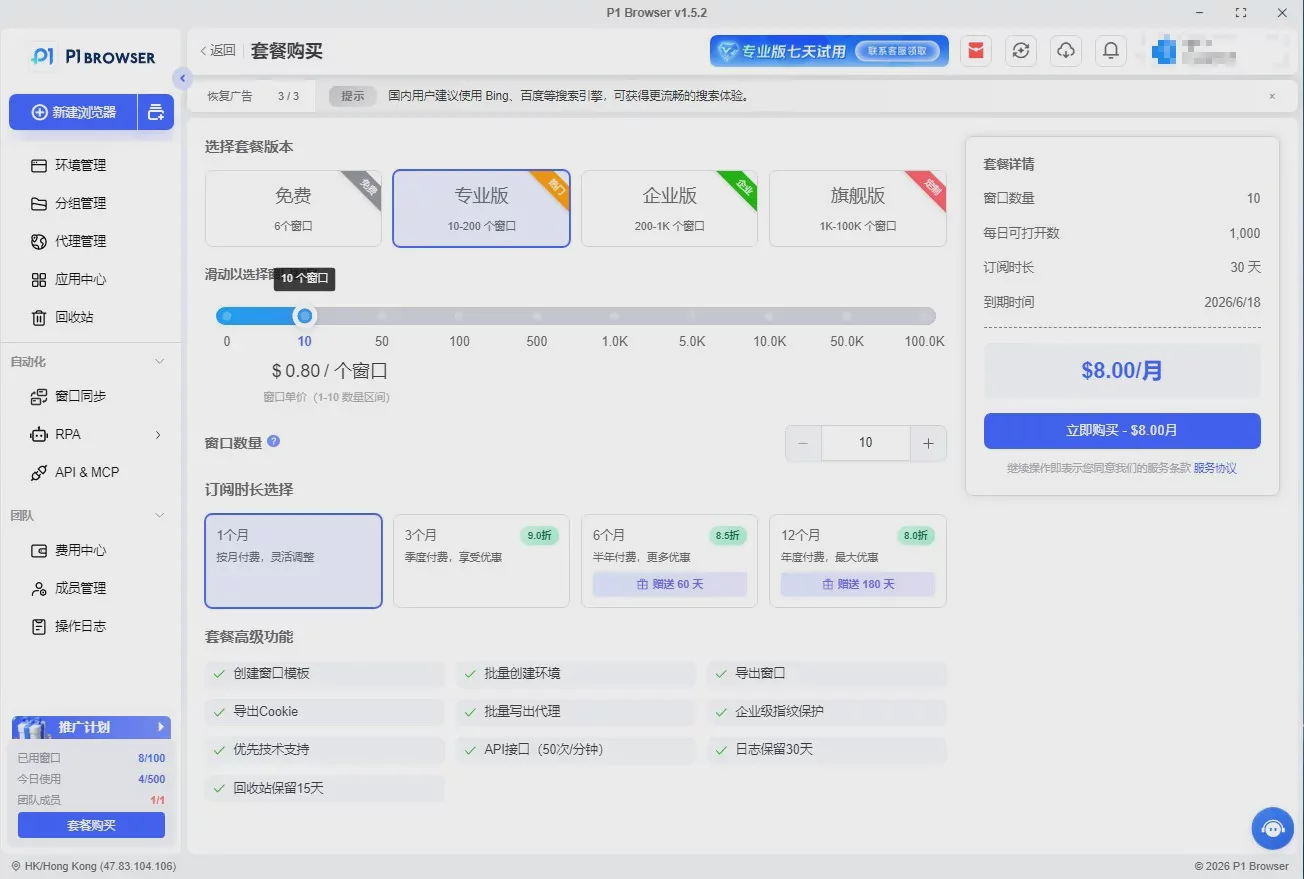
Open the client and enter your registered account and password to log in. Upon the first login, the software will automatically load the core files; wait for initialization to complete before using it normally. If you need to activate permissions or upgrade your plan, contact official customer support for assistance. Multiple permission options are available, including Personal, Studio, and Enterprise Team editions.
Three: Create a New Browser Environment (Basic Creation Process)
3.1 Create a New Environment
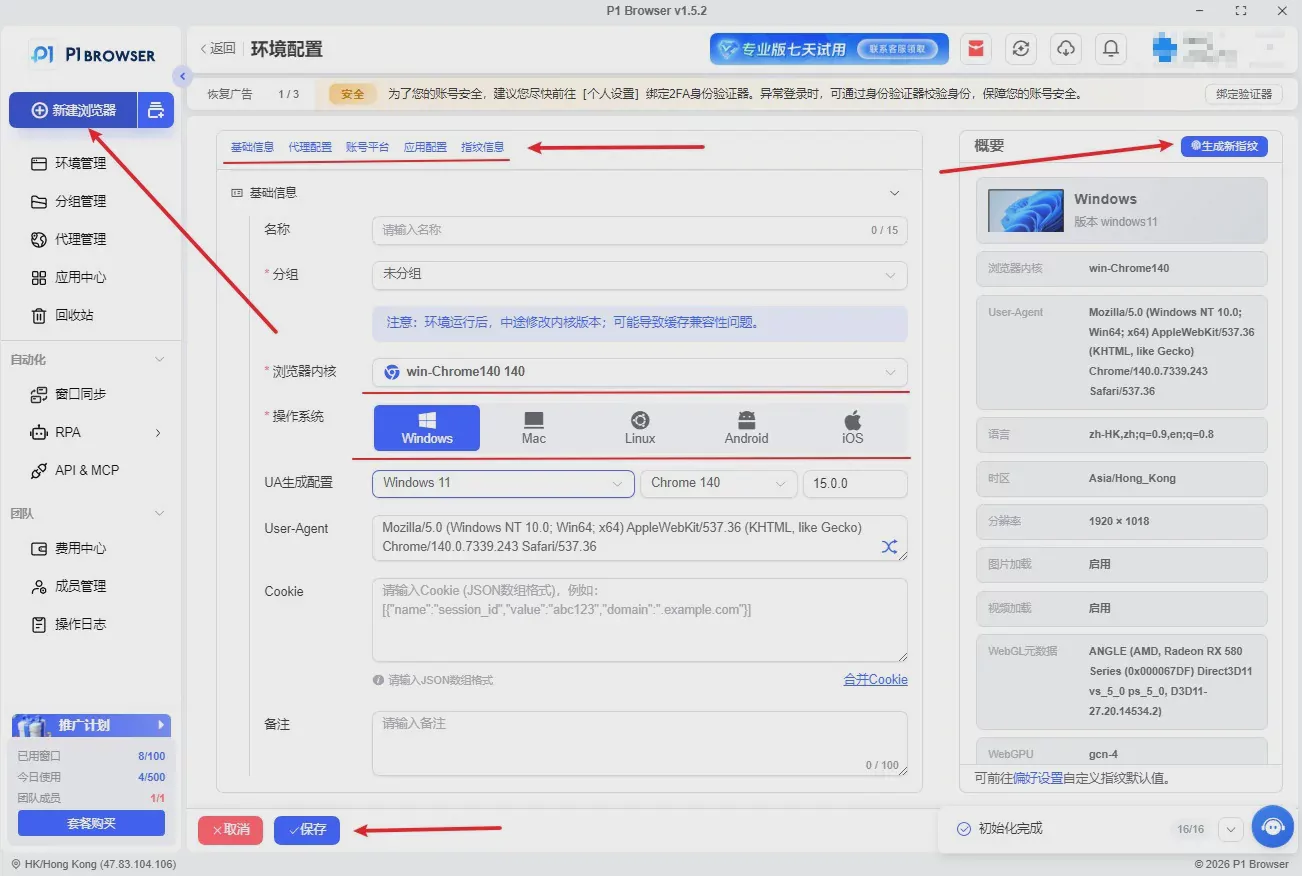
Go to the software homepage, click the [New Environment] button in the interface, and enter the environment configuration page. The basic information should be completed according to the following guidelines:
-
Environment Name:It is recommended to add a custom note indicating the platform, region, and purpose to facilitate batch management later.
-
Group Management:Create the corresponding groups in advance and categorize them by business project, operator, or platform type.
-
Tag Notes:Add custom tags to enable quick filtering and batch searching of environments.
3.2 Select the Browser Kernel
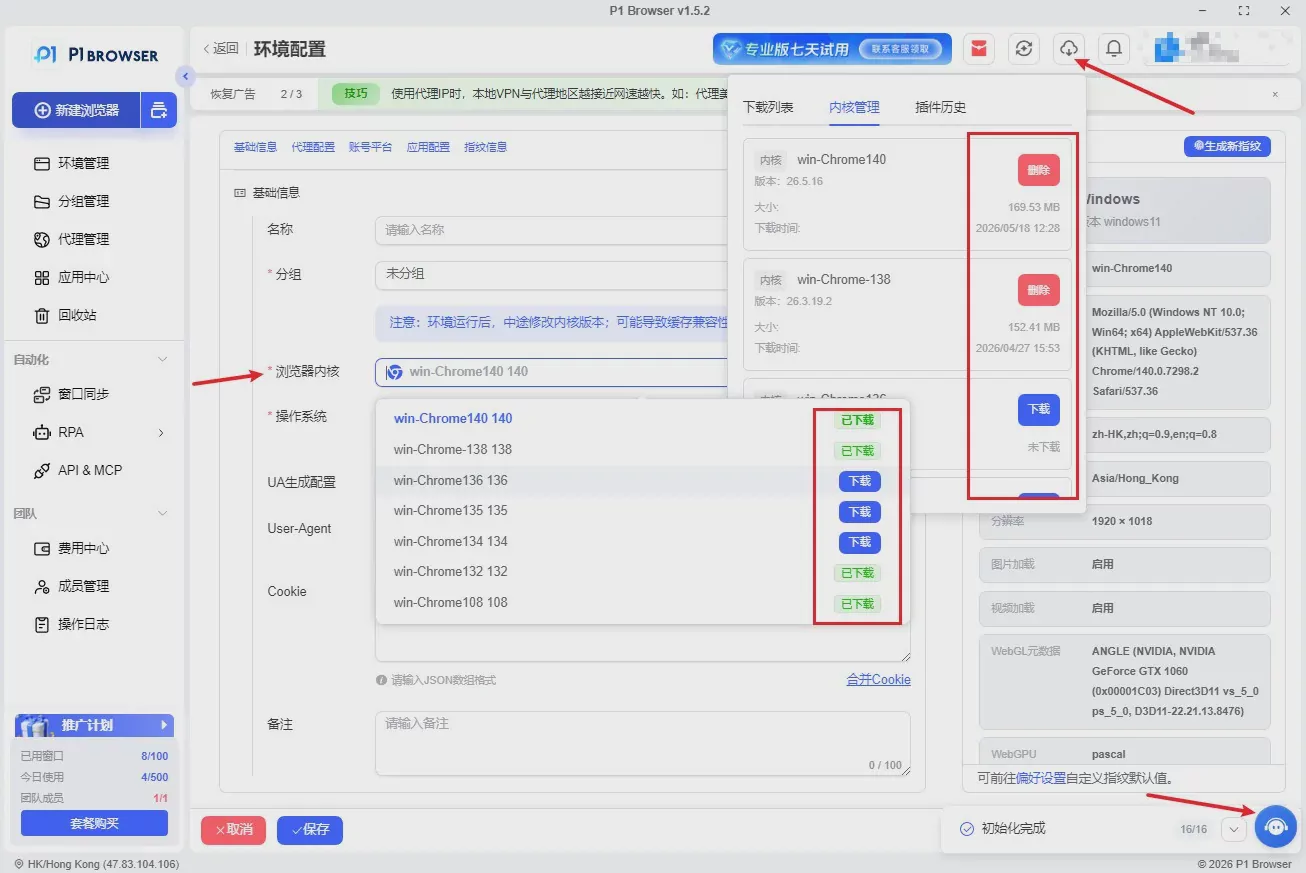
P1Browser is equipped with native Chrome kernels in multiple versions, without secondary tampering, ensuring a high level of purity. Users can freely switch kernels according to their operating platforms: for conventional cross-border platforms and social platforms, the latest stable kernel is recommended; for legacy compatibility platforms, choose a classic older-version kernel to adapt to the detection rules of different platforms.
Proxy IP Configuration Tutorial (Key Focus)
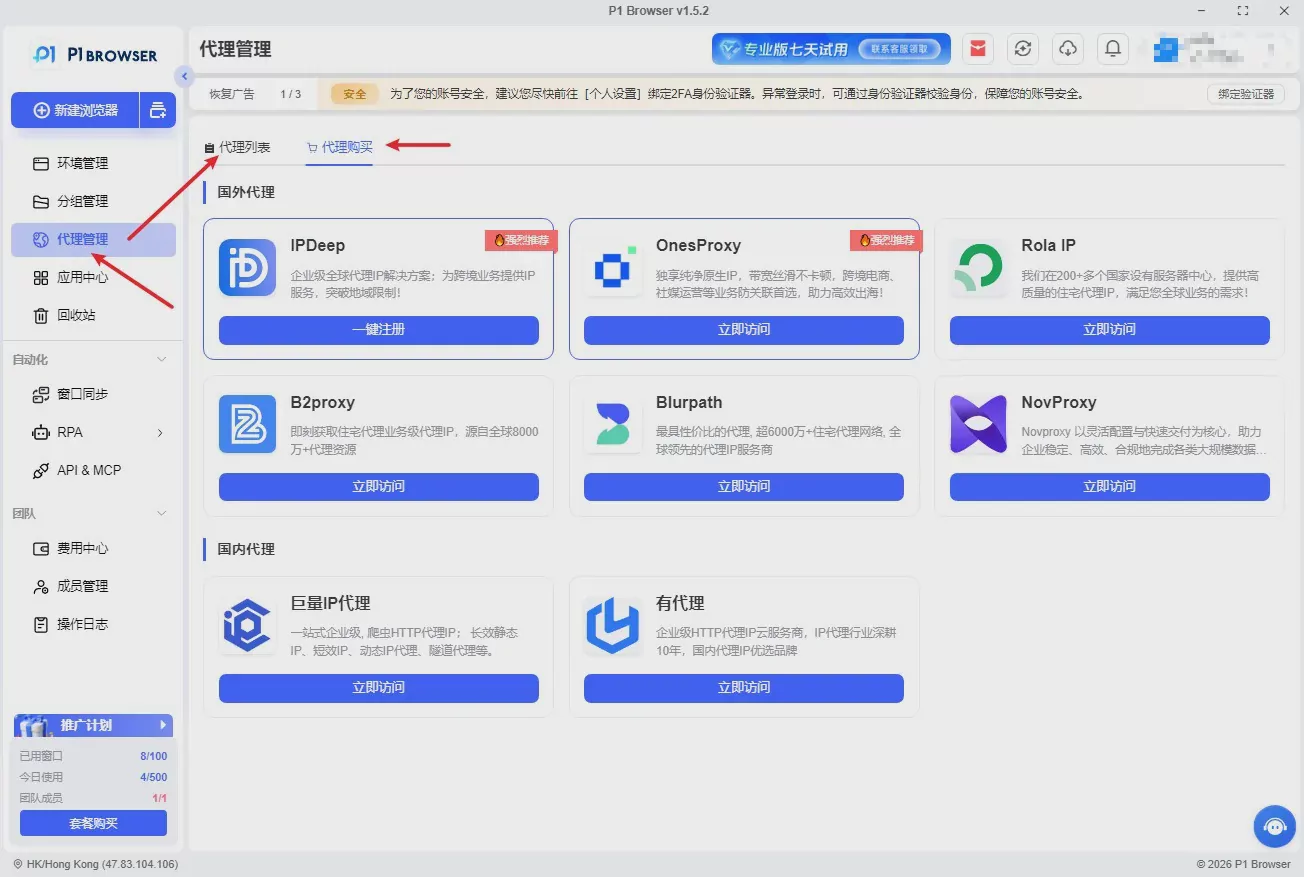
A proxy IP is the most important aspect of preventing account association. An unclean IP, mismatched region, or incorrect protocol is a major cause of account bans. The following is the standard proxy configuration process for P1Browser.
4.1 Supported Proxy Types
The software is fully compatible with mainstream proxy protocols on the market:Socks5, HTTP, HTTPS, supporting static residential IPs, dynamic proxies, and dedicated IP lines for all cross-border, social media, and matrix operation scenarios.
4.2 Detailed Proxy Configuration Steps
-
On the environment configuration page, locate the 【Proxy Settings】 module and enable the proxy function.
-
Select the corresponding proxy protocol, then accurately enter the IP address, port, proxy account, and password.
-
After completing the entries, click 【Test Proxy】. The system will automatically verify IP connectivity, physical location, network latency, and purity.
-
Only save and use the proxy after the test shows that the connection is successful, the region is correct, and the latency is normal.
4.3 Precautions for Using Proxies
-
Each environment must use one independent IP. Multiple environments are prohibited from sharing the same IP.
-
Avoid frequently switching IP regions to prevent IP changes from triggering risk controls.
-
Filter out blacklisted and contaminated IPs, and abandon low-quality IPs immediately.
-
The connection status must be rechecked after each dynamic IP switch.
V. Fingerprint Parameter Configuration Tutorial
P1Browser offers the most comprehensive range of fingerprint modification options in the industry, automatically generating unique virtual device information to isolate association features at the underlying level.
5.1 Basic Fingerprint Configuration
Basic fingerprints include the UA identifier, operating system version, screen resolution, time zone, language, geographic location, font list, sound card information, memory parameters, and more. It is recommended to match the time zone and language to the proxy IP region, ensuring consistency among the IP region, time zone, and language to simulate a genuine local device.
5.2 Advanced Fingerprint Configuration
-
Canvas Image Fingerprint: Intelligently adds random noise to prevent image pixel characteristics from being associated.
-
WebGL graphics card fingerprint: Simulates real graphics card hardware parameters to evade hardware fingerprinting.
-
Audio fingerprint: Uses differentiated audio sampling data to eliminate overlap in acoustic characteristics.
-
SSL fingerprint: Uses a native browser encryption handshake to masquerade as a legitimate, authentic browser.
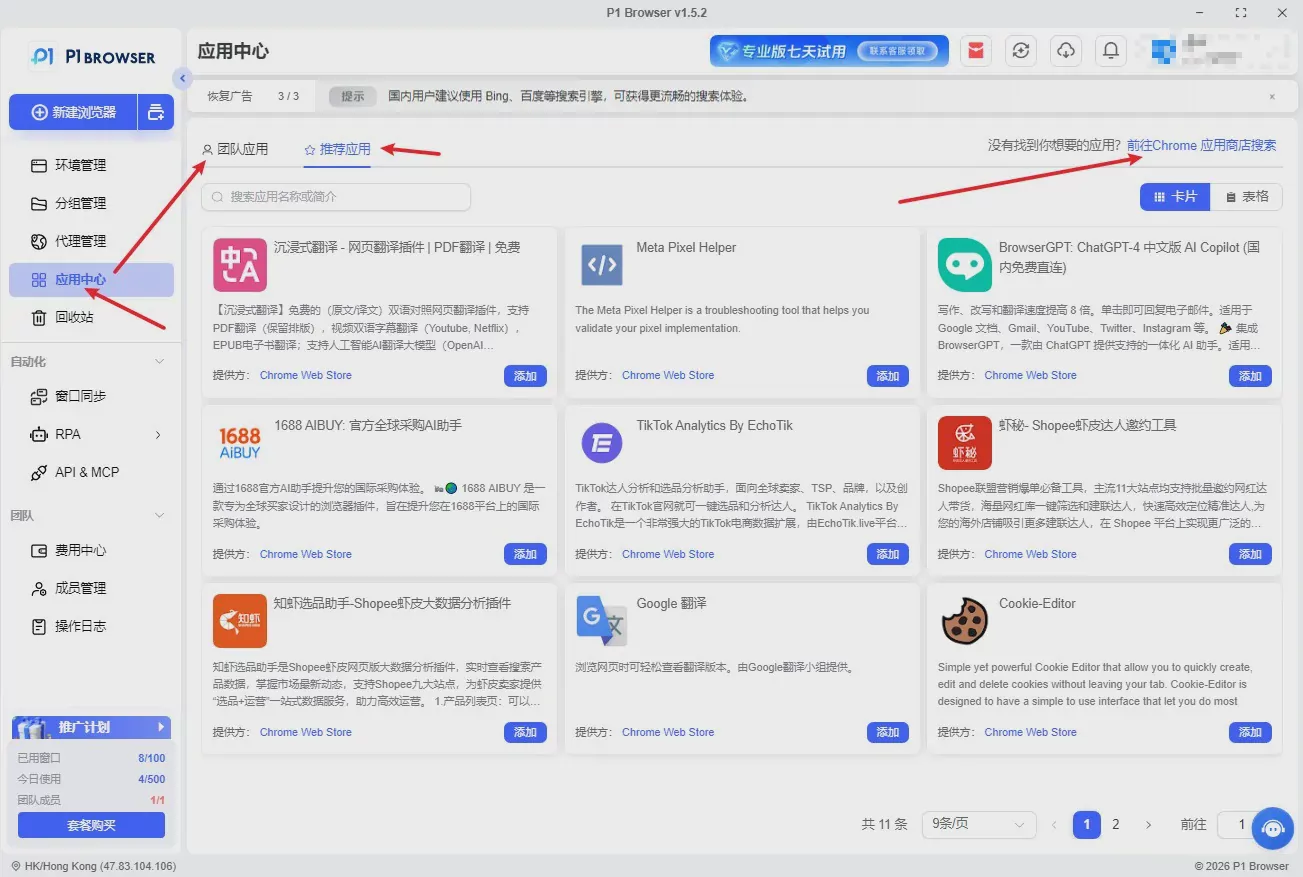
5.3 Plugin and Extension Settings
Users can enable or disable components such as Flash, input methods, and playback plugins; batch installation of third-party extensions is supported. All extensions are isolated independently, preventing data linkage issues.
VI. Advanced Feature Configuration
6.1 Batch Environment Configuration
Studio and enterprise users can use the batch creation, batch duplication, and batch launch functions to replicate environments with the same parameters in one click, substantially reducing the time required for repetitive configuration and making them suitable for building large-scale matrices.
6.2 Cloud Data Synchronization
Enable cloud-encrypted storage to automatically save environment configurations, account caches, and bookmark data; when switching computers or reinstalling the operating system, all environment data can be synchronized with one click, with data retained permanently and never lost.
6.3 Cache and Cookie Management
Supports manually clearing the cache and clearing cookies separately. You can set the browser to automatically clear temporary junk data when it is closed, keeping the environment clean and reducing platform tracking records.
VII. Environment Preservation and Proper Usage Guidelines
7.1 Environment Preservation
After completing all proxy, fingerprint, and parameter settings, click the Save button. The system will solidify all current device fingerprint information, ensuring that the environment fingerprint remains stable and unchanged every time the environment is opened thereafter for long-term use without anomalies.
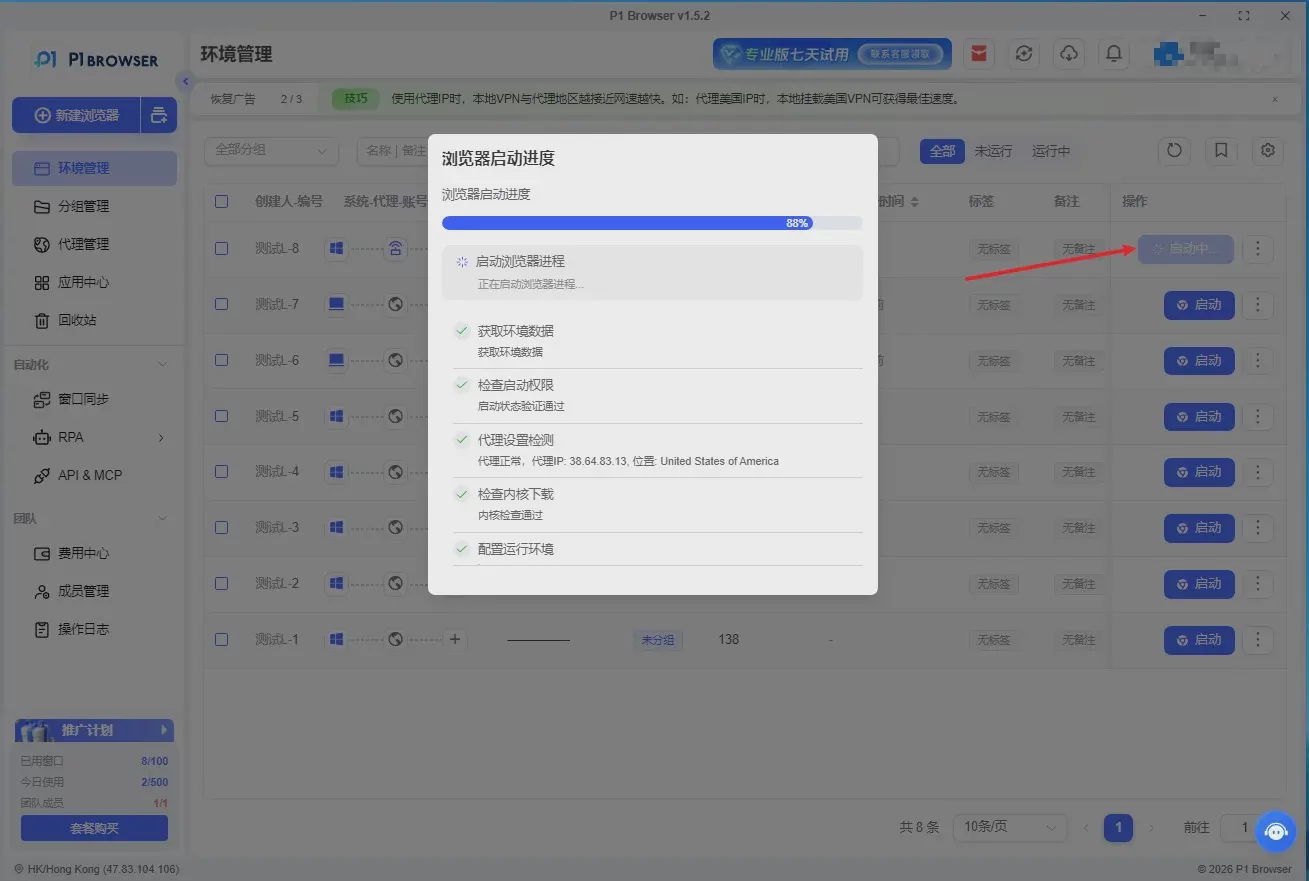
7.2 Startup and Usage Requirements
-
Before launching the environment each time, be sure to recheck the IP connectivity status.
-
When opening the environment for the first time, leave it idle for 30 seconds to warm up, and do not refresh web pages frequently.
-
Simulate a real person's browsing pace and avoid extremely rapid clicking or mechanical actions.
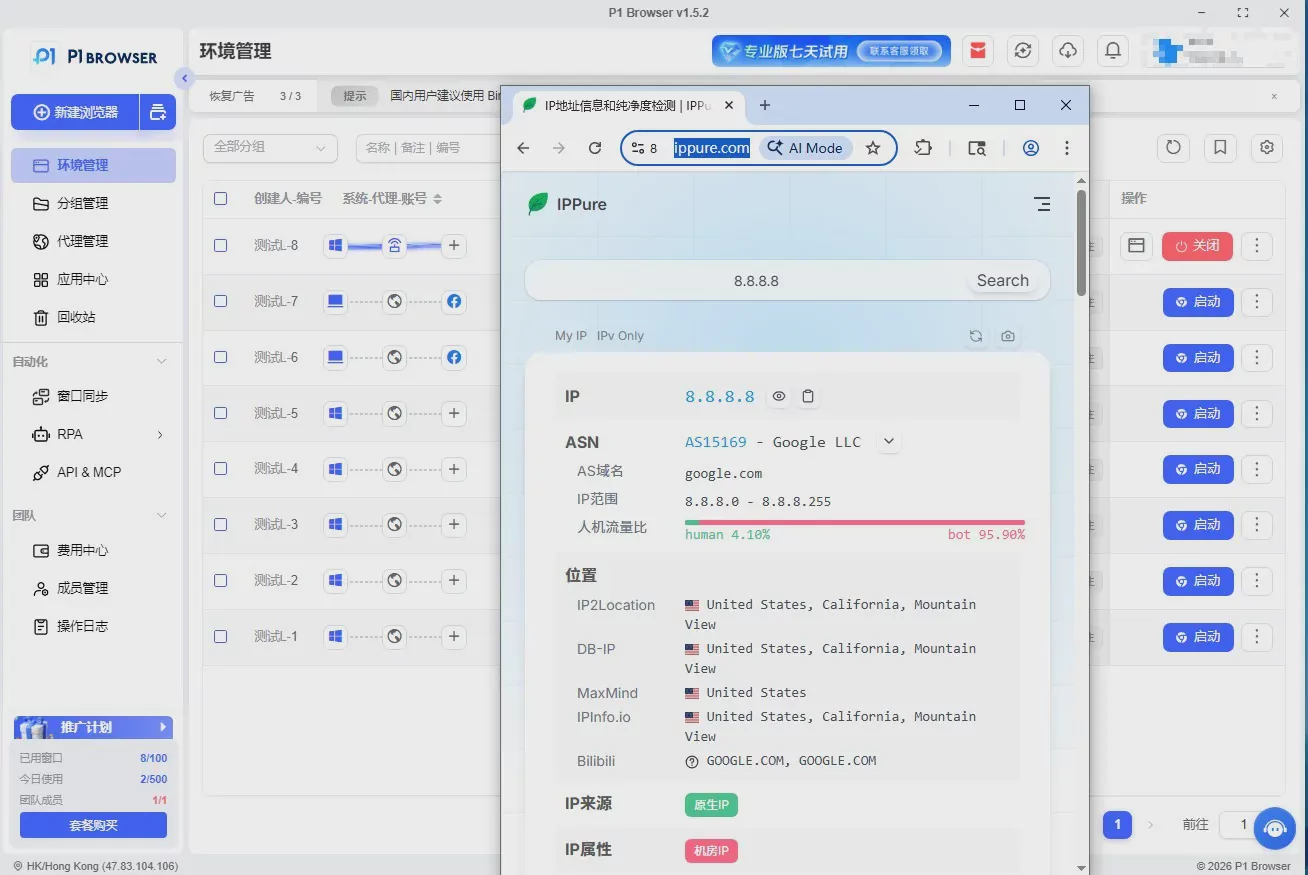
7.3 Prohibited Operations
-
Do not frequently change the IP geolocation of the same environment.
-
Mixing blacklisted accounts, non-compliant accounts, and contaminated IPs is prohibited.
-
Using low-spec computers to open a large number of environments at once, causing signs of network congestion, is prohibited.
Common Troubleshooting Issues
-
Proxy connection failed: Check the IP account username and password, protocol format, and whether the local firewall is blocking the connection.
-
Webpages load slowly: Change the browser kernel, clear the cache, or switch to a high-quality proxy IP.
-
The software starts slowly: Close unnecessary background software. Using a solid-state drive is recommended.
-
The website indicates an anomaly: Check whether the time zone, language, and IP region are consistent.
After-Sales Service
P1Browser provides technical support, including environment configuration guidance, proxy debugging, fingerprint optimization, and risk-control consultation. Enterprise users receive one-on-one dedicated technical services, customized matrix setup solutions, and free updates to the software core and fingerprint algorithms, ensuring long-term stable operations.
Ten. Conclusion
Standardized environment creation, correct proxy configuration, and proper fingerprint debugging are the core of stable multi-account operations. With comprehensive fingerprint modification features, simple operational logic, stable isolated environments, and a complete after-sales service system, P1Browser provides safe and compliant browser solutions for individuals, studios, and enterprises. Strictly configuring and using the software in accordance with the official tutorials can effectively mitigate the risk of account association and achieve long-term, stable matrix operations.

