


P1Browser Fingerprint Browser 2026 Usage Recommendations Guide
I. Introduction
In 2026, platform risk controls in areas such as cross-border e-commerce and social media operations continue to tighten, increasing the risk of account association and bans. As an enterprise-grade fingerprint browser, P1Browser useskernel-level isolation, full-dimensional fingerprint emulation, and compliant team collaborationas its core capabilities, helping users achieve secure and compliant multi-account operations. Based on the latest industry standards and software features in 2026, this guide provides recommendations covering the entire process from selection and deployment to daily operations.
II. Core Selection Criteria (Latest for 2026)
Security (Top Priority)
- Environment isolation capabilityMust supportProcess-level isolation(Not merely data isolation): each browser window runs in an independent process with an independent cache, completely eliminating the risk of association caused by underlying data sharing; reject low-end tools (which only modify surface parameters while sharing underlying processes).
- Fingerprint integrityCover120 + core fingerprint parameterscovering 6 major dimensions, including hardware (CPU model, graphics card, sound card), system (version, time zone, language), browser (engine, version, plugins), Canvas, WebGL, IP/DNS, etc.; adopting a “randomization + real-world authenticity + fixation + intelligence” strategy, with parameters conforming to real-device distributions to avoid anomalous combinations.
- Data security and compliancePossesses complete software copyrights, and its functional design complies with the Data Security Law and the Personal Information Protection Law; encrypts data throughout the entire process, supports dual local / cloud storage modes, maintains a transparent privacy policy, and does not steal users’ account data.
(II) Stability and compatibility
- Kernel stability: Based on the latest Chromium engine, with a crash rate below 0.5%; supports automatic engine updates and adapts to the latest page standards of mainstream platforms in 2026 (Amazon, TikTok, Facebook, etc.).
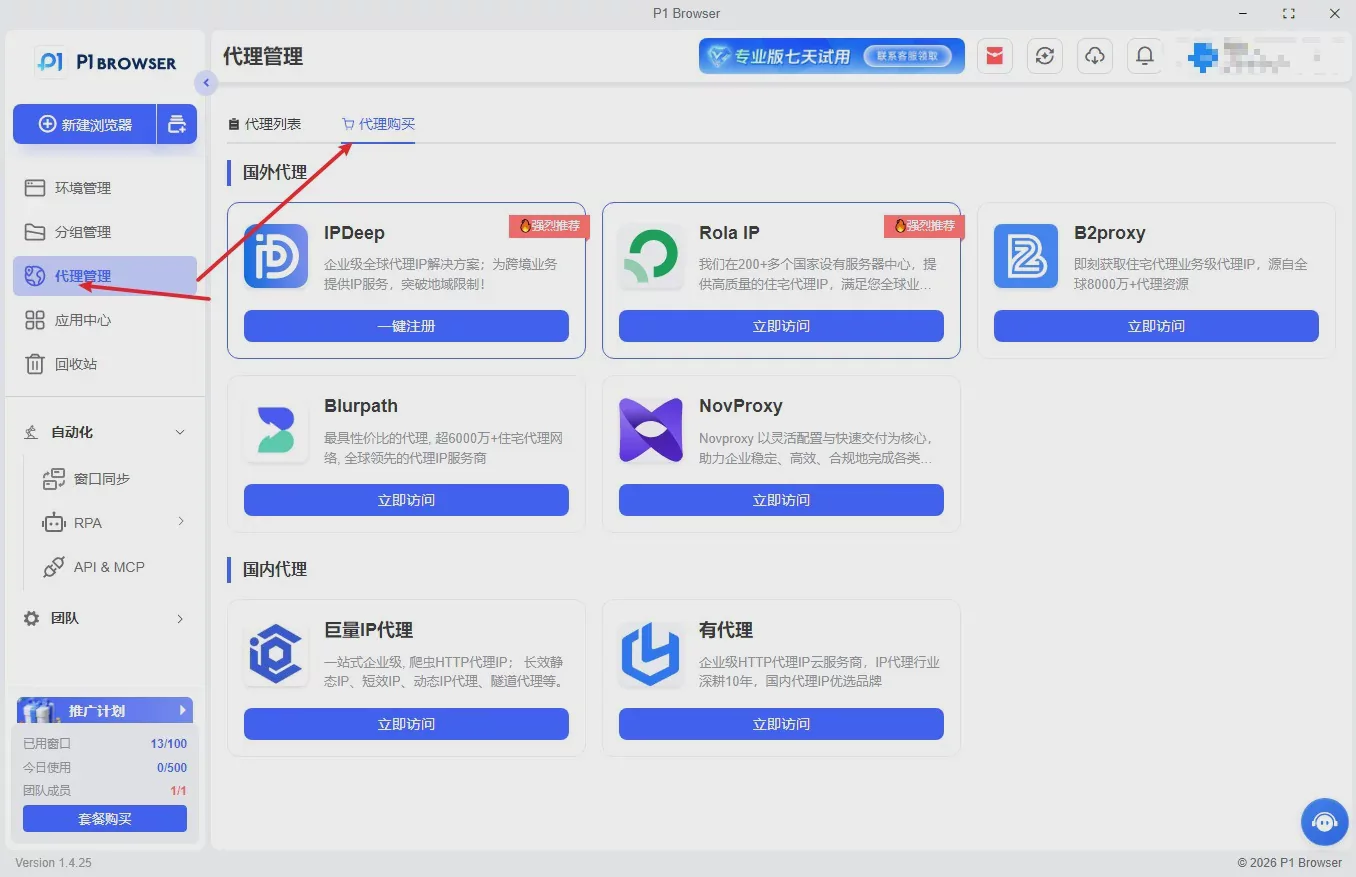
- Proxy Compatibility: Supports all types of HTTP/HTTPS/Socks5 proxies, automatically calibrates IP, time zone, DNS, and language consistency, avoiding risk-control red-line issues such as “IP - time zone mismatch”.
- Updates and After-Sales Support: Provides at least 1 feature update and fingerprint database upgrade per month; offers 7×24-hour technical support, with a problem response time of ≤2 hours.
Team Collaboration and Efficiency
- Multi-Member Management: Supports hierarchical permissions for sub-accounts (administrator / operator / read-only), with complete and traceable operation logs that meet enterprise internal control requirements.
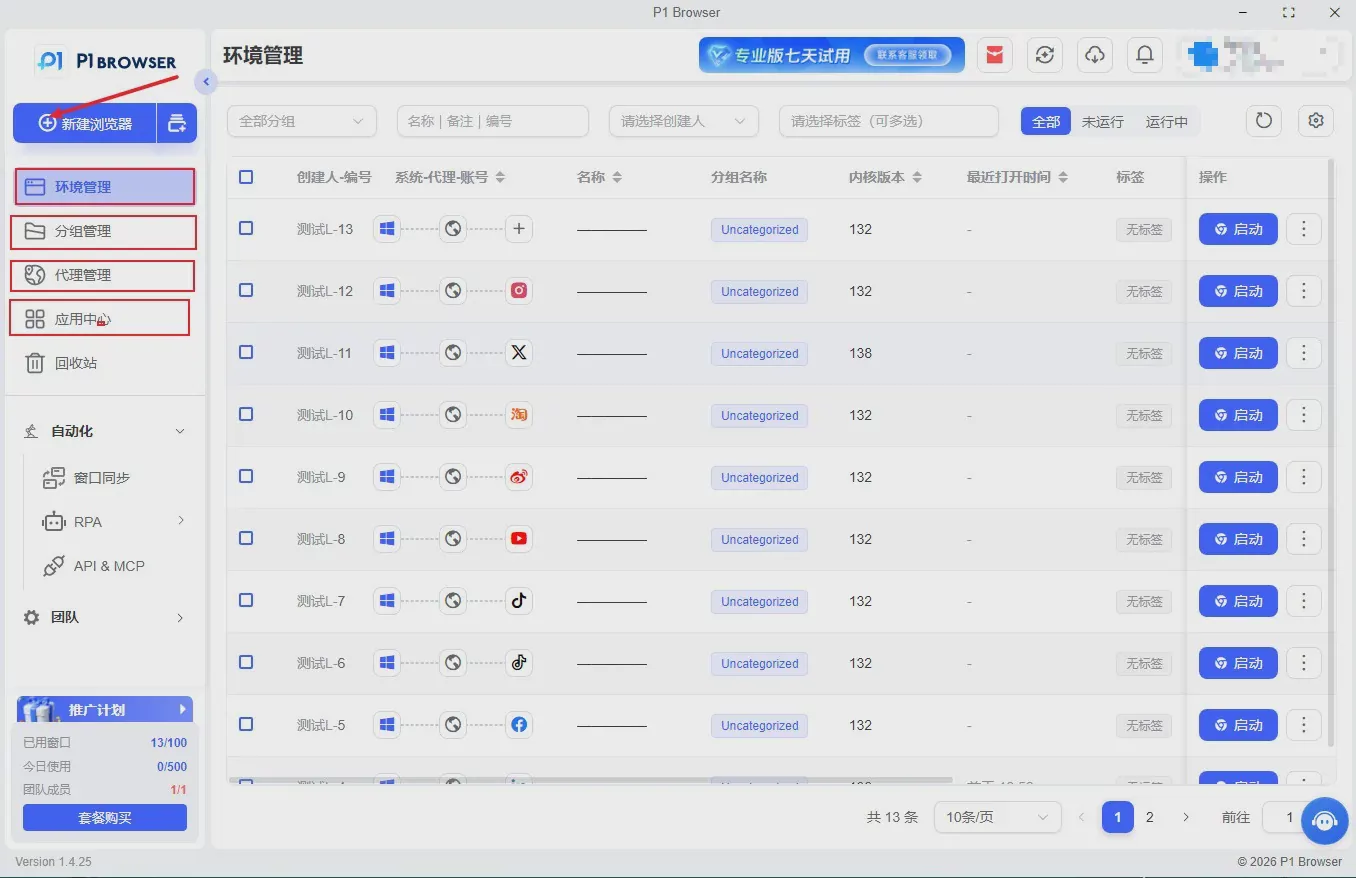
- Batch Operation Capabilities: Supports batch environment creation, batch fingerprint template application, and batch account import / export; includes a built-in no-code RPA tool suitable for repetitive tasks such as posting on social media and listing products.
- Private Deployment: Supports deployment on enterprise local servers, with data under autonomous control, and is suitable for high-security scenarios (such as finance and brand-owned operations).
III. Deployment and Initial Setup (2026 Practical Steps)
(I) Hardware and System Requirements
- Minimum configuration: 4-core CPU, 8GB RAM, 50GB SSD; recommended configuration: 8-core CPU, 16GB RAM, 100GB SSD (supports 50 + environments running in parallel).
- System support: Windows 10/11 (64-bit), macOS 12+; 32-bit systems and nested virtual machine deployments are not supported (as they can easily cause fingerprint anomalies).
(II) Installation and Activation
- Download the installation package from the P1Browser official website (the only official channel), and verify the installation package hash to prevent tampered versions.
- Choose a non-system drive for the installation path (such as the D drive), and disable real-time antivirus protection (restore it after installation) to prevent kernel files from being mistakenly deleted.
- Activation account: Use a corporate registration email address for activation and bind the device (one device, one code, to prevent shared activation across multiple devices); the 2026 new version supports dual verification with an “activation code + corporate filing,” enhancing security.
(III) Initial Core Configuration
- Fingerprint Template Settings:
- When creating a new environment, select the “2026 latest template” to automatically match the risk-control rules of mainstream platforms.
- Custom templates: Keep core parameters (such as CPU model and system version) at realistic, commonly used values, while randomizing non-core parameters (such as the browser plugin list and screen resolution) to balance stability and anti-correlation effectiveness.
- Proxy configuration:
- Prioritizeclean static IPs(avoid data center IPs) and ensure that the IP geolocation matches the account's registration location and operating location.
- Enable “IP - Time Zone - DNS Automatic Synchronization” and prohibit manually modifying a single parameter, which could cause inconsistencies; the 2026 new version adds a “Proxy Quality Detection” feature that automatically removes high-risk IPs.
- Security parameter settings:
- Disable default-off options such as “Browser Fingerprint Sharing” and “Cross-Window Cache Sharing” (strictly prohibited from being enabled).
- Enable “Operation Log Recording” and “Abnormal Behavior Alerts” (such as multiple IP switches within a short period) to promptly mitigate risk-control risks.
IV. Daily Compliant Usage Guidelines (2026 Red-Line Requirements)
(I) Account Operation Compliance
- Legal Account Sources:Only manageaccounts that you have legally registered and completed real-name verification for; bulk registration of non-compliant accounts and purchase of accounts from illicit or gray-market sources are strictly prohibited.
- One Account per Environment:Only 1 account may be logged in to each browser window; switching between multiple accounts within the same window and sharing account data across windows are prohibited.
- Authentic Operating Behavior:Simulate the pace of human operation (such as browsing intervals, click frequency, and typing speed), and avoid high-frequency operations or mechanical repetition within a short period; the 2026 new version adds a “Human Behavior Simulation” plugin to reduce the cost of manual operation.
(II) Risk-Control Evasion Prohibitions (Strictly Prohibited)
- The use of low-quality proxies (free public proxies and data center IPs), frequent switching of IPs / fingerprints, and modification of core platform parameters (such as tampering with request headers or spoofing device identifiers) are prohibited.
- Running more than 5 P1Browser environments simultaneously under the same network environment (the same router or public IP) is prohibited to avoid the risk of association across the overall IP.
- Do not bypass platform security verification (such as CAPTCHAs or human verification), engage in malicious marketing, fake order placement, infringement, or other violations.
Data Backup and Emergency Response
- Regular Backups : Back up environment configurations, fingerprint templates, and account information (stored in encrypted form) weekly to prevent data loss; the 2026 new version supports automatic cloud backups, and backup data is retained for 30 days.
- Emergency Response : When an account receives a risk-control warning, immediately stop operating in that environment, switch to a backup clean IP, and reset the fingerprint template; retain operation logs and contact P1Browser technical support for troubleshooting assistance.
Common Issues and Recommended Solutions in 2026
- Frequent Account Association Bans :
- Troubleshooting focus: Check whether the environment is isolated at the process level, whether the fingerprint parameters are reasonable, whether the IP is a clean static IP, and whether the operating behavior is authentic.
- Solution: Upgrade P1Browser to the latest version, create a new independent environment, switch to a clean IP, and strictly simulate the pace of real human operation.
- Browser Environment Crashes / Lag:
- Troubleshooting directions: insufficient hardware configuration, corrupted kernel files, poor proxy quality, or too many environments running simultaneously.
- Solution: Upgrade the hardware configuration, reinstall P1Browser, switch to high-quality proxies, and reduce the number of parallel environments (not exceeding the hardware-supported limit).
- Confusing team collaboration permissions / difficulty tracing operations:
- Troubleshooting directions: improperly allocated sub-account permissions, operation logs not enabled, or a lack of hierarchical management.
- Solution: Assign permissions according to job roles (administrator / operations / read-only), enable comprehensive operation logs, and export logs regularly for auditing to ensure that operations are traceable.
VI. Conclusion
In 2026, fingerprint browsers have become essential tools for compliant cross-border multi-account operations. However, the security, compliance, and proper use of the tool itself directly determine operational success. With industry-leading isolation technology, comprehensive fingerprint simulation capabilities, and compliance-oriented design, P1Browser provides users with a secure, stable, and efficient solution for multi-account operations. Users are advised to strictly follow the requirements of this guide, standardize deployment and operations, regularly update the software and fingerprint database, and continuously adapt to changes in platform risk-control rules to achieve long-term, stable, and compliant operations.
Disclaimer:This guide was prepared based on the latest industry standards as of 2026 年 5 月 and P1Browser software features. It is provided for users’ reference only and does not constitute legal advice; users shall independently bear all risks arising from the improper use of the software or violations of platform rules, including account bans and legal liability.

