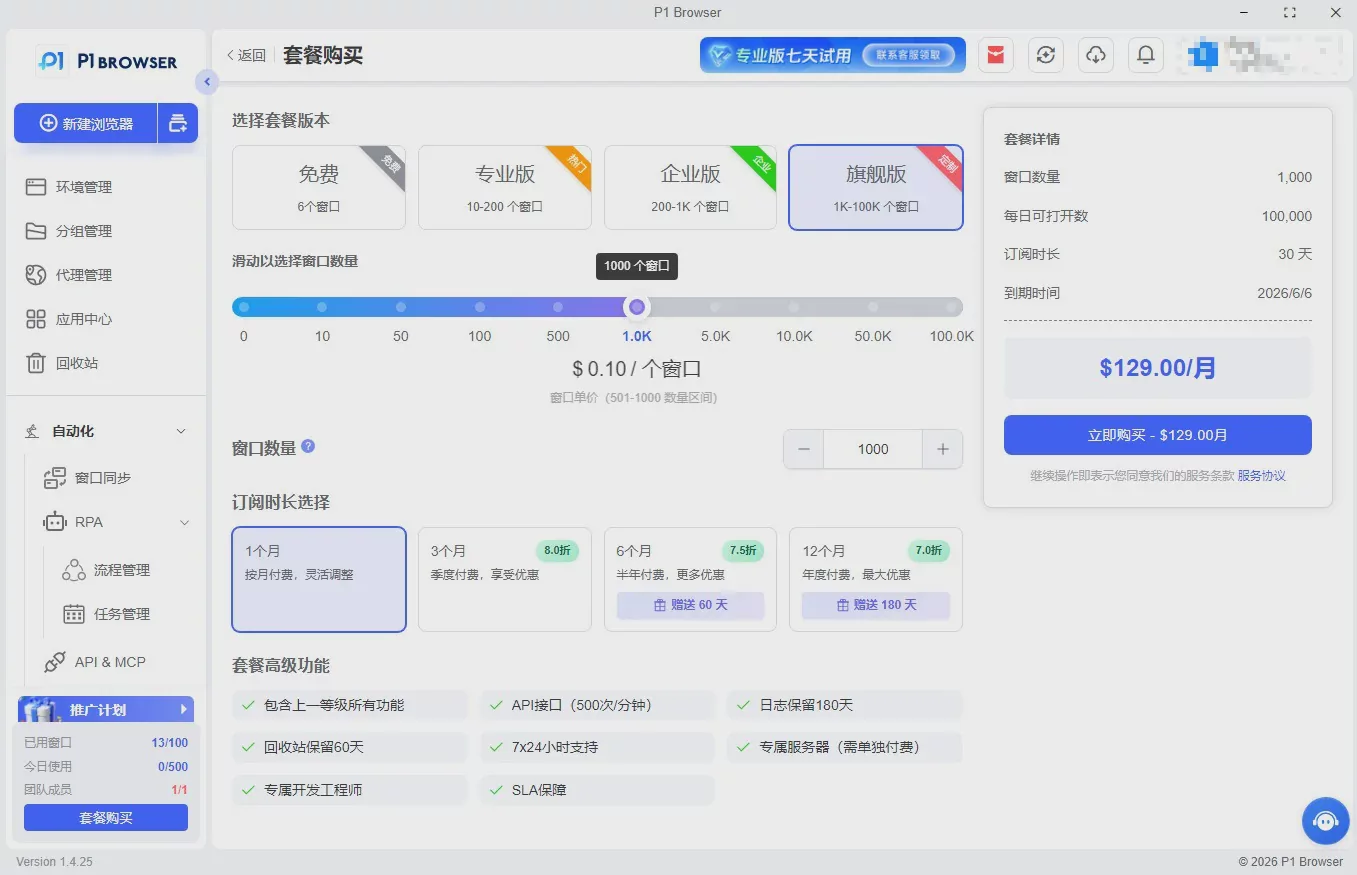
In scenarios involving multi-account operations, cross-border expansion, and bulk studio operations, browser fingerprint tracking has become a core platform risk-control measure. Many professionals frequently encounter account bans and restricted permissions due to fingerprint associations and exposed device information. This not only wastes time but also affects the normal progress of their business. The emergence of the P1Browser fingerprint browser is intended to solve this core pain point: it can avoid risk-control risks at the root while adapting to practical applications across multiple scenarios, becoming a “safety guardian” for multi-account operators.
Understanding the Core of Risk Control: Why Can P1Browser Avoid Risks at the Root?
The core logic of platform risk control is to identify multiple accounts operated by the same user by collecting browser fingerprints, including dozens of parameters such as device model, operating system, IP address, browser version, plugin information, and resolution, and then classify them as non-compliant associations, triggering penalties such as account bans and login restrictions. Traditional browsers cannot hide or modify core fingerprint parameters. Even switching accounts or clearing the cache leaves traces. The core advantages of the P1Browser fingerprint browser lie in “complete isolation, precise disguise, and compliant security.”
1. Kernel-Level Fingerprint Isolation to Eliminate Association Risks
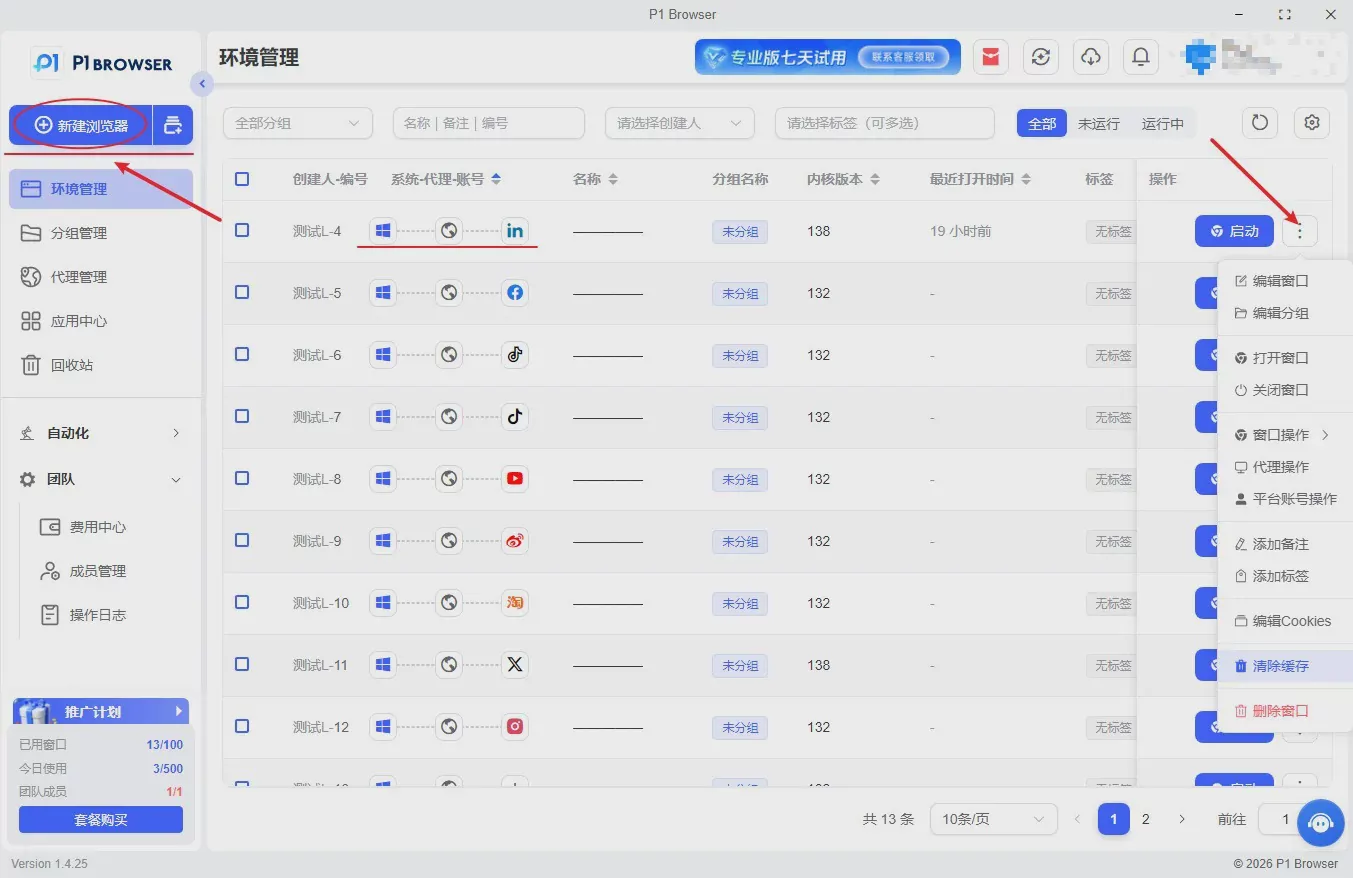
P1Browser uses kernel-level fingerprint isolation technology to assign an independent fingerprint environment to each account, achieving “one account, one fingerprint; one environment, one isolation.” Whether it is basic browser parameters, plugin configurations, network environments, or device information, everything remains completely independent, with no parameter crossover or information leakage. Even when multiple accounts are logged in simultaneously on the same device, the platform will identify them as operations by different users, eliminating the risk of cross-account association at the root and putting an end to the frustration of frequent account bans.
2. Dynamic Fingerprint Disguising to Avoid Platform Detection Traps
As platforms continue to upgrade their risk-control systems, fixed fingerprints can easily be flagged and identified. P1Browser supports dynamic fingerprint generation and switching, allowing fingerprint parameters to be flexibly adjusted according to the risk-control rules of different platforms. It simulates real users’ device environments and operating habits, preventing the platform from classifying activity as “abnormal operations.” In addition, its built-in fingerprint library covers parameters for various devices and browser versions worldwide, which can be matched as needed, giving each account’s fingerprint a sense of “authenticity” and further reducing detection risks.
3. Compliant and secure operations with both convenience and security
P1Browser strictly follows industry compliance standards. It does not alter platform rules or circumvent standard detection. Instead, through reasonable fingerprint masking and environment isolation, it helps users conduct compliant multi-account operations. Unlike other non-compliant tools, P1Browser requires no complex procedures, and users do not need to worry about account damage caused by the tool itself violating regulations. It both protects account security and improves operational efficiency, making it suitable for various compliant scenarios, including cross-border e-commerce, social media operations, and batch account management by studios.
II. Comprehensive Analysis of Practical Applications: P1Browser Adapts to Multiple Scenarios for Efficient Operations Without Pitfalls
In addition to its powerful risk-avoidance capabilities, P1Browser has a wide range of practical applications. Whether you are a beginner or an advanced operator, you can get started quickly and achieve improvements in both “security + efficiency.” The following are the three most important practical scenarios and application techniques to help you quickly unlock the full value of P1Browser.
1. Cross-Border Operations: Secure Multi-Account Planning to Avoid Regional Risk Controls
Cross-border e-commerce (Amazon, AliExpress, etc.) and cross-border social media (Facebook, TikTok, etc.) are high-risk areas for multi-account operations. Platforms not only detect account associations but also impose strict controls on regional IP addresses and device information. P1Browser can easily solve this problem:
-
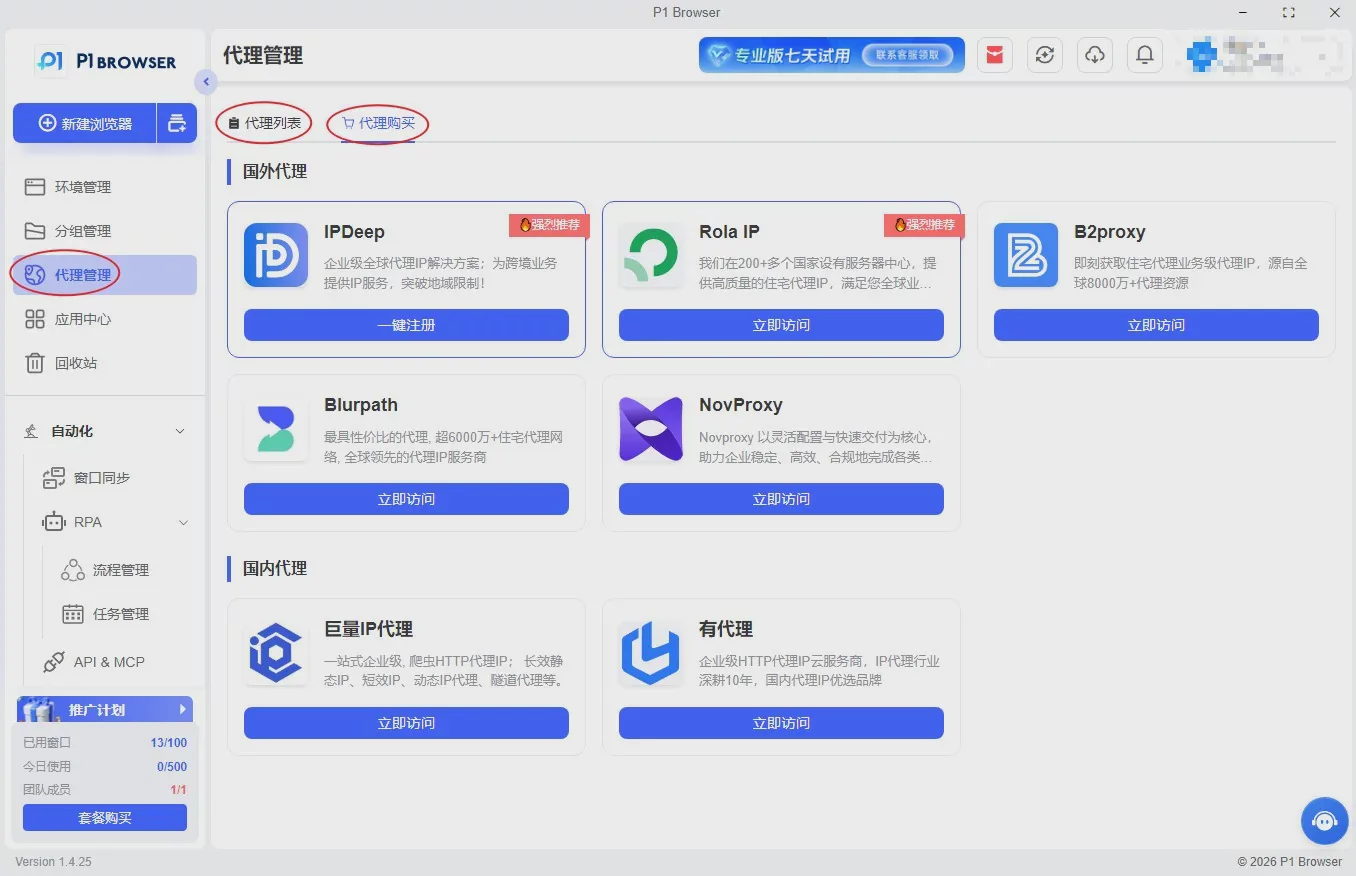
Use it with overseas IP addresses to achieve dual isolation through “fingerprint + IP.” Each account is assigned an independent overseas IP address and fingerprint environment, avoiding platform restrictions caused by IP associations or regional anomalies;
-
Pre-set dedicated fingerprint templates for cross-border operations to accommodate the risk-control rules of platforms in different countries and regions. No manual parameter adjustments are required; simply switch with one click to adapt to the target platform;
-
Support batch account imports and batch fingerprint-environment management, reducing labor costs. This is suitable for batch operations by cross-border studios and can significantly improve work efficiency.
2. Batch Account Management for Studios: Efficient Management to Improve Account Survival Rates
For studios, batch account management and multi-account matrix operations are core requirements, but traditional methods can easily result in mass account bans and severe losses. P1Browser has optimized multiple features for studio scenarios. The practical application techniques are as follows:
-
Create dedicated fingerprint templates and configure fingerprint parameters according to account-management requirements, such as browser versions, plugins, and resolutions, to simulate a real user operating environment and improve account weight;
-
Supports simultaneous operation across multiple windows, with each window corresponding to an independent fingerprint and account. Account warm-up, engagement, content publishing, and other operations can be performed simultaneously without interfering with one another;
-
Built-in operation record backup functionality can save each account’s activity history, helping prevent detection by platforms due to abnormal operations and further improving account survival rates.
3. Beginner onboarding scenario: simple to operate, enabling even users with no prior experience to avoid risks
Many beginner operators worry that fingerprint browsers are complicated to operate and difficult to learn. P1Browser’s minimalist design perfectly solves this problem, allowing beginners to quickly master the core functions:
-
Create a fingerprint environment with one click, without manually configuring complex parameters. The system automatically generates a compliant fingerprint compatible with most platforms;
-
Built-in risk detection can monitor in real time whether the current fingerprint environment presents any security risks, promptly reminding users to make adjustments and avoid pitfalls;
-
Detailed operation tutorials cover everything from fingerprint creation and account login to daily operations, providing step-by-step guidance so that beginners can quickly get started and easily avoid operational risks.
III. Risk avoidance reminders: These details can further reduce risks when using P1Browser
Although P1Browser can prevent most operational risks at their source, improper handling of certain details during actual use may still cause account problems. The following 3 risk-avoidance points must be kept in mind:
-
Avoid switching multiple fingerprint environments under the same IP: even if the fingerprints are independent, frequently switching between different fingerprint accounts under the same IP may still be deemed abnormal by the platform. It is recommended that one IP correspond to one fingerprint environment;
-
Simulate real user behavior: avoid high-frequency, mechanical operations (such as bulk liking or bulk publishing identical content). Combined with P1Browser’s fingerprint environment, simulate a real user’s operating rhythm to reduce the probability of detection;
-
Update fingerprint parameters regularly: platform risk-control rules are constantly evolving. It is recommended to regularly update P1Browser’s fingerprint parameters and switch fingerprint templates to avoid having a fixed fingerprint flagged by the platform.
IV. Conclusion: P1Browser, the “Secure and Efficient Solution” for Multi-Account Operations
As risk controls continue to tighten, the core competitive advantage of multi-account operations has long since shifted from “quantity” to “security.” Centered on kernel-level fingerprint isolation and dynamic fingerprint spoofing, P1Browser not only addresses core pain points such as account association and account bans, but also meets the practical needs of multiple scenarios, including cross-border operations, bulk account nurturing for studios, and onboarding for beginners. It enables operators to both mitigate risks and improve efficiency.
Whether you are a cross-border professional, a studio operator, or an individual user who needs to manage multiple accounts, P1Browser can be your “trusted operations assistant”—with no complicated procedures and no need to worry about risks. With just one click, unlock a new way to manage multiple accounts securely and ensure that every investment in operations delivers returns.