


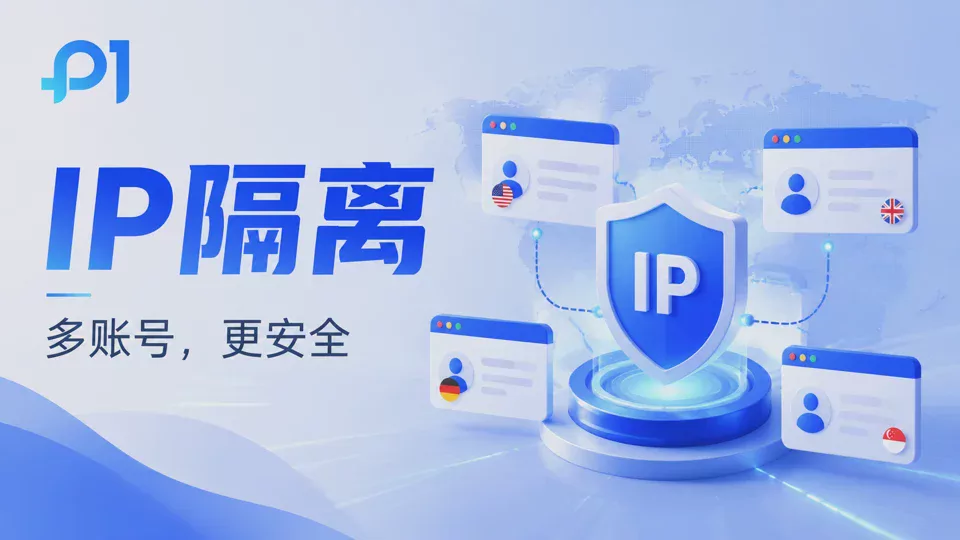
With the rapid development of cross-border e-commerce, overseas social media marketing, advertising, and other businesses, more and more enterprises and individuals are starting to operate multiple online accounts.
However, in the process of multi-account operations, many users encounter similar problems:
- Accounts frequently trigger security verification
- New accounts are prone to abnormalities after registration
- Advertising accounts are restricted
- Association risks arise between multiple stores
In many cases, the problem is not the accounts themselves, but that multiple accounts run in the same network environment and device environment for a long time.
Among them,The IP address is one of the important factors platforms use to determine an account's environment.
I. What Is IP Isolation? Why Does Multi-Account Operation Need IP Isolation?
IP isolation (IP Isolation) refers to:
Allocating independent network egress to different accounts, so that each account has an independent IP access environment.
Simply put, in an ordinary browser environment:
账号A
账号B
账号C
↓
共享同一个公网IP
When multiple accounts use the same IP to access the platform over a long period, the platform may identify that these accounts have the same network environment.
In an IP isolation environment, however:
账号A → 独立IP
账号B → 独立IP
账号C → 独立IP
each account has an independent network egress, which can reduce the risk of account association caused by IP duplication.
Why Is Changing Only the IP Still Not Enough to Avoid Account Association?
Many users believe that:
as long as they change to a new IP address, the account association problem can be solved.
Actually, IP is only one dimension the platform uses to determine account relationships.
The platform may also comprehensively analyze:
- Browser fingerprint
- Cookie data
- Device information
- Operating system parameters
- Browser configuration
- Time zone and language environment
For example:
Account A:
US IP + Windows device + Chrome browser
Account B:
US IP + same computer + same browser environment
Even if two accounts use different IPs, they may still be associated if their device environments are highly similar.
Therefore, stable multi-account operations require not only IP isolation but also browser environment isolation.
III. What is the relationship between IP isolation and fingerprint browsers?
IP isolation mainly solves the problem of duplicate network environments, while fingerprint browsers mainly solve the problem of duplicate device environments.
For example, create multiple browser environments using P1:
Environment A:
- Independent browser fingerprint
- Independent Cookie data
- Independent proxy IP
Environment B:
- Independent browser fingerprint
- Independent Cookie data
- Independent proxy IP
Running different accounts in different browser environments enables more complete account isolation management.
IV. How does P1 fingerprint browser implement IP isolation management?
P1 fingerprint browser supports creating independent browser environments for different accounts and, combined with proxy IP configuration, enables more flexible multi-account management.
1. Independent proxy IP configuration
Users can bind different proxy IPs to different browser environments according to account business needs.
For example:
- US market account → US proxy IP
- European market account → European proxy IP
- Southeast Asia market accounts → corresponding regional proxy IPs
Make the account access environment better align with the usage habits of the target market.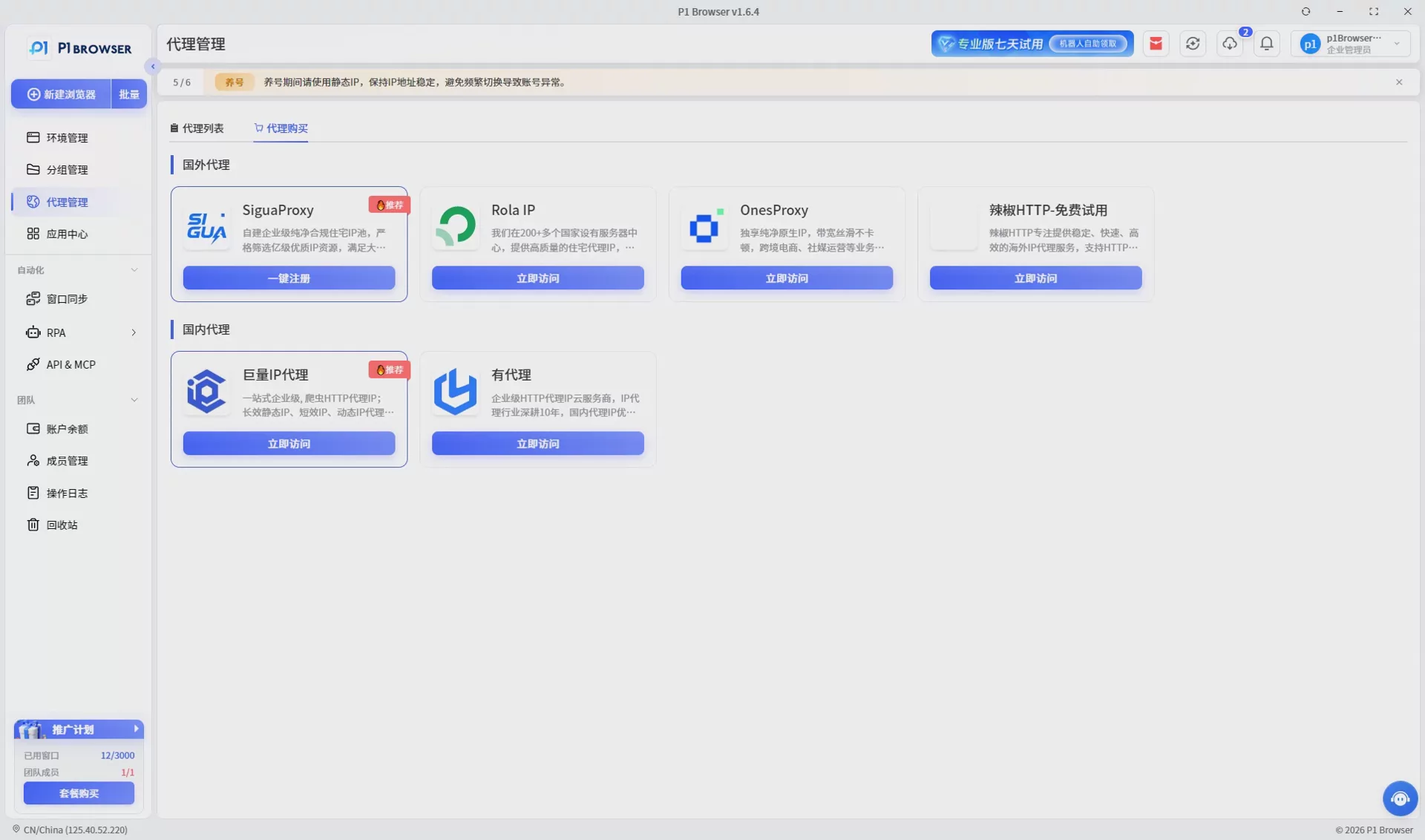
2. Independent Browser Fingerprint Environment
P1 can help isolate the following in different browser environments:
- User-Agent
- Canvas
- WebGL
- Font information
- Screen parameters
- Time zone and language
Reduce cases where multiple accounts share the same device characteristics.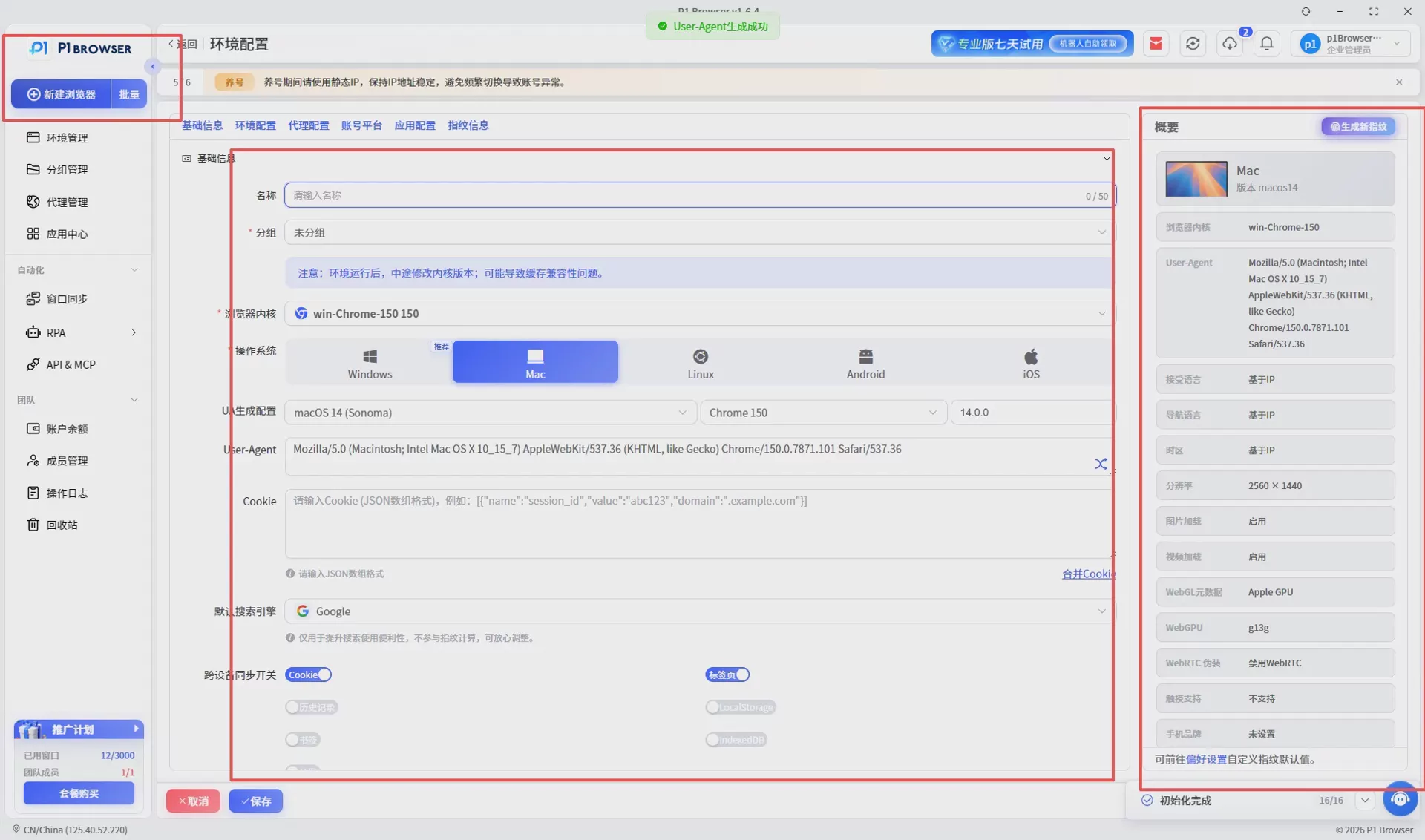
3. Independent Cookie and Cache Data
Each browser environment has an independent data storage space, including:
- Cookie
- Local Storage
- Cache records
- Login status
Different accounts do not interfere with each other, improving account management efficiency.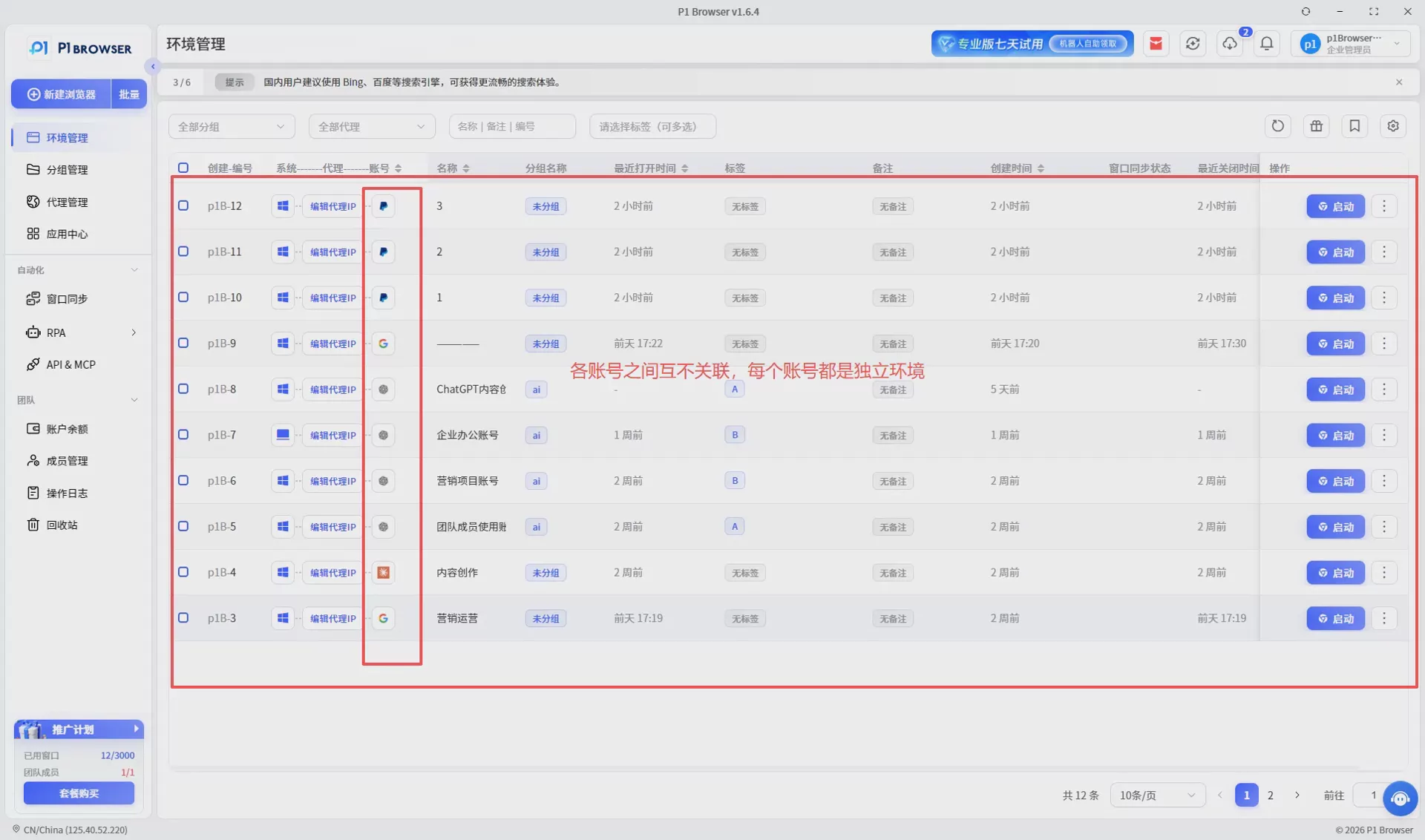
V. Which business scenarios require IP isolation?
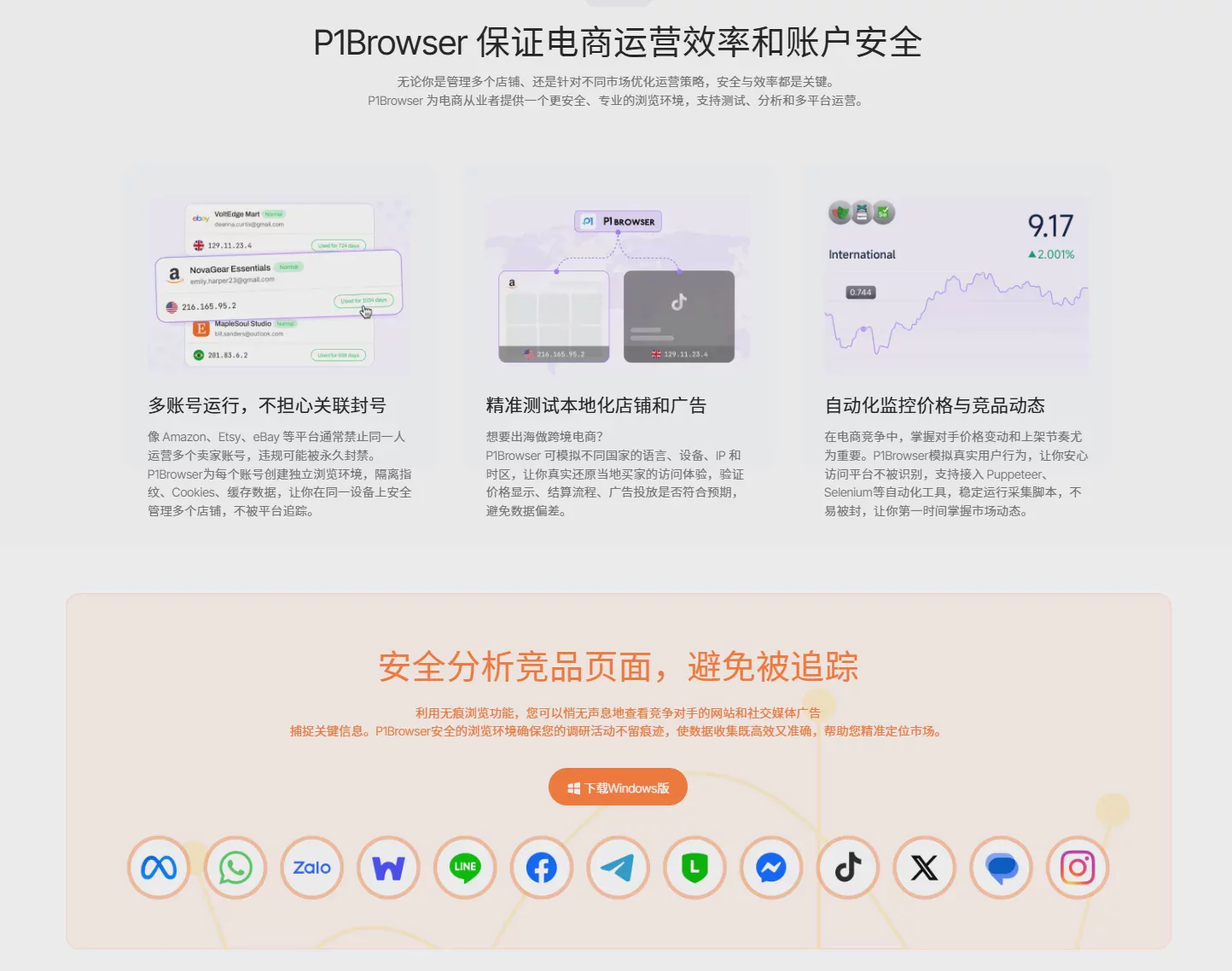
1. Cross-border e-commerce multi-store operations
Applicable to:
- Amazon sellers
- Shopify independent site operations
- eBay sellers
When multiple stores are operated simultaneously, the environments of different accounts need to remain independent.
2. Overseas social media matrix operations
For example:
- TikTok account operations
- Facebook Marketing
- Instagram Account Management
- X (Twitter) Account Operations
Manage multiple social accounts through independent environments to improve operational efficiency.
3. Ad Account Management
For example:
- Google Ads
- Meta Ads
- Overseas Ad Testing
Using different environments for different ad accounts helps reduce environment confusion.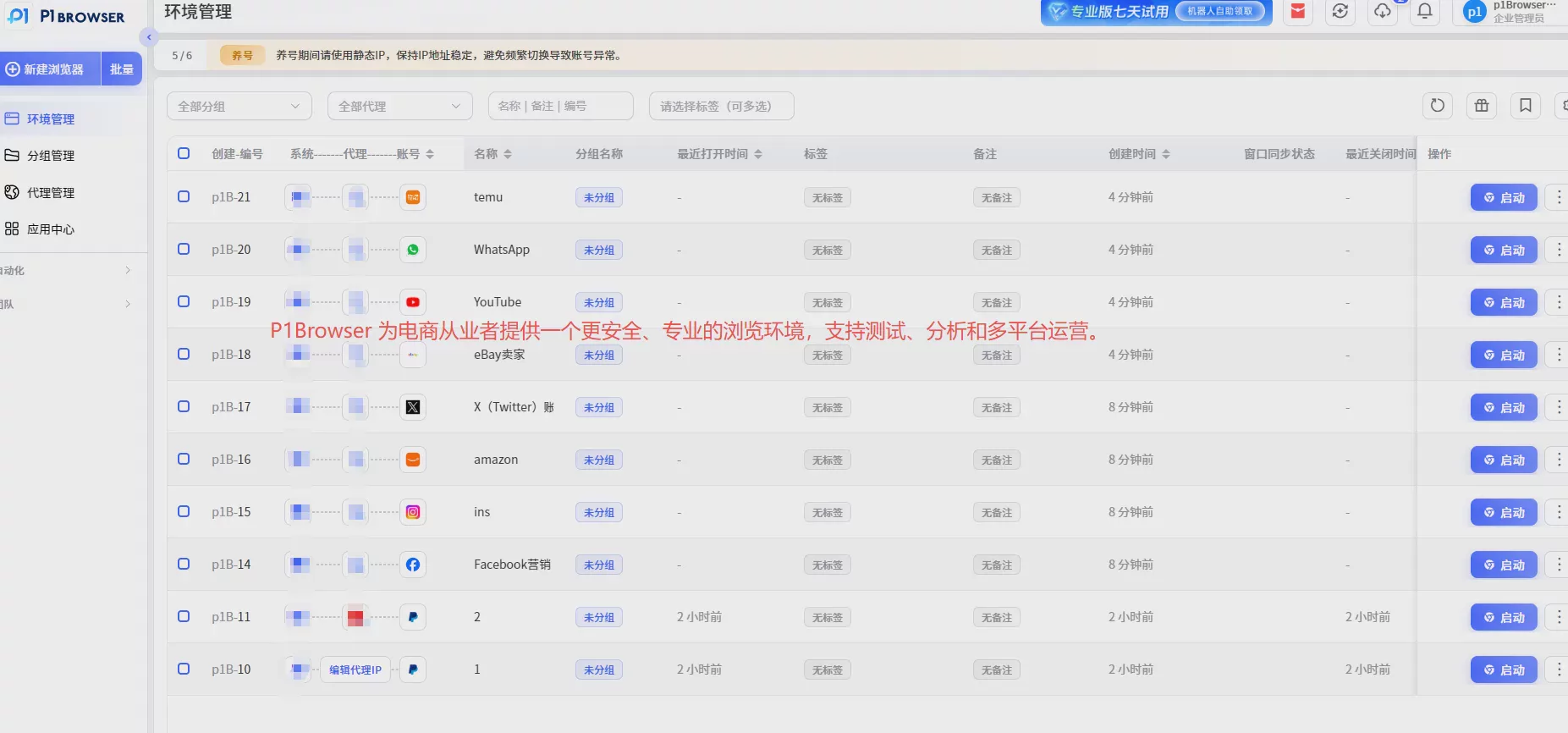
Six. How to Choose the IP Isolation Solution That Fits Your Needs?
1. Choose the IP Type Based on Your Business
Common IP types include:
- Data Center IP: Suitable for some testing and basic access scenarios.
- Residential IP: The network environment is closer to that of real users, making it suitable for long-term account operations.
- Mobile IP: Suitable for businesses that require a mobile network environment.
2. Focus on IP Stability
For long-term account operations, a stable IP environment is more important than frequently switching IPs.
3. Keep the Account Environment Consistent
For example, when operating accounts for the U.S. market:
- U.S. IP
- U.S. time zone
- English language environment
Maintaining logical consistency across the overall environment can improve account operation stability.
Seven. Summary: IP isolation is an important foundation for multi-account operations
As platform risk control mechanisms continue to escalate, multi-account operations can no longer rely solely on account and password management.
To operate multiple accounts stably, it is necessary to focus on the following at the same time:
- ✅ Independent IP environment
- ✅ Independent browser environment
- ✅ Independent Cookie data
- ✅ Independent device fingerprint
P1 fingerprint browser leverages browser environment isolation technology to help users create more independent and efficient account management environments.
Whether for cross-border e-commerce, social media operations, or advertising account management, P1 helps teams manage multiple account environments more conveniently and improve operational efficiency.

