



As demand continues to grow for cross-border e-commerce, overseas social media communities, advertising campaigns, and multi-account operations, more and more people are looking for a suitable anti-detect browser.
But once they actually start comparing products, many people encounter a problem:Anti-detect browsers on the market all look quite similar, so how should you choose?
Some products emphasize the number of free accounts, some focus on low prices, while others make their interfaces highly complex, making them appear feature-rich. However, for users who truly need to manage multiple accounts over the long term, choosing an anti-detect browser cannot be based solely on how many environments it can create or how much it costs per month.
What truly matters is:Can this browser create stable, reasonable, and mutually isolated independent browsing environments?
A good anti-detect browser should help users manage different accounts, proxy IPs, and browsing environments more efficiently, while reducing confusion in manual operations and environment configuration.
Therefore, if you are looking for an anti-detect browser suitable for cross-border e-commerce, social media operations, or multi-account management, it is recommended to evaluate it based on the following 6 core criteria.
What Is a Fingerprint Browser? Why Shouldn’t You Focus Only on the Interface When Choosing One?
Before learning how to choose a fingerprint browser, you first need to understand exactly what problem it is designed to solve.
When using websites, ordinary browsers provide them with a large amount of device- and browser-related information, such as:
- User-Agent
- Operating system
- Browser version
- Screen resolution
- Time zone
- Language
- Canvas
- WebGL
- Font
- Cookie
- Local Storage
Taken together, this information can form what is known asbrowser fingerprint.
Therefore, even if users switch accounts, or even clear Cookies or change their IP address, websites may still identify them through other environmental information.
The core function of an anti-detect browser is to create relatively independent browser environments for different accounts, allowing each profile to have its own Cookies, cache, stored data, and browser parameters.
You can think of it as:
One browser profile = one independent browsing environment.
Therefore, when choosing an anti-detect browser, what you really need to focus on is not how attractive the interface is, but whether each browser environment is reasonable, stable, and independent.
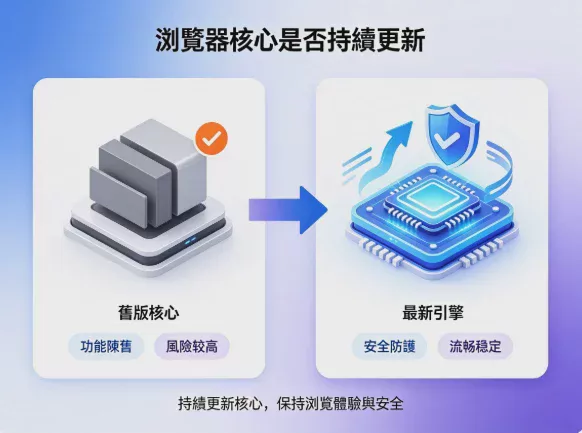
I. First, check whether the browser engine is continuously updated
When choosing a fingerprint browser, the first thing worth paying attention to is the browser engine it uses.
At present, most fingerprint browsers are developed based on the Chromium engine, so the speed of Chromium updates is very important.
If the browser engine remains outdated for an extended period, the following problems may occur:
- Reduced compatibility with some websites
- New website features may not function properly
- The browser version may fall too far behind that used by mainstream users
- A poorer overall user experience
For example, most regular users may be using a newer version of Chrome, while your browser environment is still running on a very old core version. In that case, the overall environment may appear unnatural.
Therefore, when choosing an anti-detect browser, you can check the following points:
- How often is the browser engine updated?
- Does it keep up with mainstream Chromium versions?
- Can it maintain good compatibility with websites using new versions?
Many people focus only on whether the fingerprint can be modified, while overlooking the browser engine itself. In fact, whether the engine version is continuously updated also affects the long-term user experience.
II. Don’t Just Look at the Number of Fingerprint Parameters; Consider Whether the Overall Environment Is Reasonable
Many products tell users that they can modify a large number of browser fingerprint parameters, such as:
- Modify Canvas
- Modify WebGL
- Modify User-Agent
- Modify Screen Resolution
- Modify Fonts
- Modify Operating System
At first glance, it may seem that the more parameters a product can modify, the more powerful it is, but that is not necessarily the case.
What truly matters is not “how many items have been modified,” but whether these pieces of information form a reasonable combination.
For example, a browser may be configured with the Windows operating system, macOS fonts, unreasonable GPU information, and an unusual resolution. Although each parameter can exist independently, the combination may not resemble a real device.
Real devices are not generated randomly; they usually follow certain patterns.
Therefore, a good fingerprint browser should place greater emphasis onthe consistency and plausibility of the browser fingerprint.
- Whether the operating system and fonts match
- Whether the browser version is reasonable
- Whether the WebGL and GPU information are consistent
- Whether the screen resolution corresponds to a common device
- Whether the language and regional settings are coordinated
Therefore, when choosing a fingerprint browser, do not only ask, “How many fingerprints can be modified?” More importantly, ask, “After modification, does the entire browser environment look reasonable?”
Can Proxy IPs Be Effectively Matched with Browser Environments?
Proxy IPs are a very important part of managing multiple accounts, but many users easily confuse “changing the IP” with “creating an independent browsing environment.”
In fact, proxy IPs mainly affect the network exit, while fingerprint browsers handle the browser environment. It is best to use the two together.
Suppose you use a US proxy IP, but the browser environment still shows an Asian time zone, Chinese language, or inconsistent location information. These details may then appear noticeably inconsistent with one another.
Therefore, a good fingerprint browser should help users reduce these types of configuration errors.
When creating a browser environment, you can check whether the product supports:
- Proxy IP settings
- IP information detection
- Automatic time zone matching
- Language settings
- Location-related settings
- Bulk proxy information management
For users who need to manage a large number of accounts, the ability to automatically match proxy environments can effectively improve the efficiency of multi-account management.
If you also need a proxy IP and an isolated browser environment, you can also read:
IV. Automation and API Capabilities Determine Future Scalability
If you only manage a small number of accounts, manual operation is usually sufficient.
However, as the number of accounts gradually increases, many repetitive tasks will begin to consume a significant amount of time.
For example:
- Batch creation of browser configuration profiles
- Batch configuration of proxy IPs
- Batch activation of environments
- Batch deactivation of environments
- Batch account management
- Automatically execute fixed workflows
At this point, API and automation capabilities are becoming increasingly important.
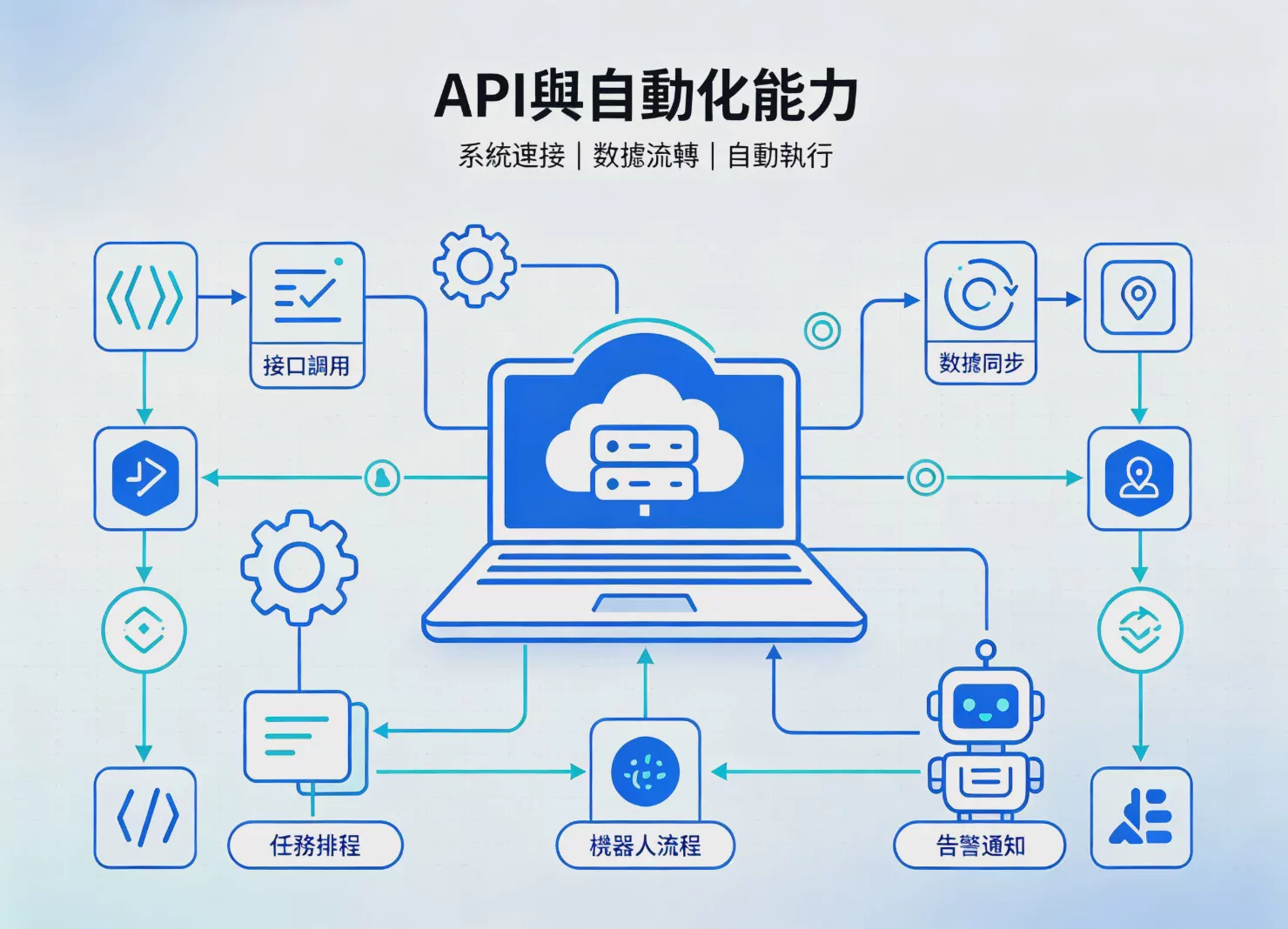
A good fingerprint browser should not merely be a tool that can be operated manually; it should also offer a certain level of workflow extension capabilities.
For example, does it support:
- Local API
- Selenium
- Puppeteer
- Playwright
- RPA automation
If you are just a beginner, you may not need to use an API at first, but when choosing a product, it is best to consider your future needs.
Because when the number of accounts increases from 5 to 50, manual workflows may need to be adjusted accordingly.
V. When Multiple People Use It, Be Sure to Review Team Permission Management
When many people first start using a fingerprint browser, only one person may operate it.
However, as the business grows, operations staff, ad buyers, customer service representatives, store managers, and outsourced personnel may join.
At that point, simply sharing account passwords is not an ideal approach.
Because you need to consider:
- Who can view the browser environment?
- Who can operate a particular account?
- Who can modify the proxy IP?
- Who can create a new profile?
- How can access rights be quickly revoked after someone leaves the company?
Therefore, if you are a team user, it is recommended that you pay particular attention to team collaboration features when choosing a multi-account browser.
Key features include:
- Member management
- Role permissions
- Settings profile grouping
- Browser environment sharing
- Operation permission control
- Quick member removal
- Team data management
A well-designed permissions system allows different members to access only the accounts and environments they need to use, improving the team's management efficiency.
Data security cannot focus solely on login passwords
Many people believe that account security only requires setting a complex password.
In reality, a browser environment may also store:
- Cookie
- Login Session
- Local Storage
- Extension Data
- Browser Settings
- Account-related Data
If these data are not properly protected, data risks may still exist even if the account password itself is secure.
Therefore, when choosing an anti-detect browser, it is recommended to understand how the product handles local data.
- Does it support local data encryption?
- Are browser profiles subject to additional protection?
- How is access to team data controlled?
- Can sensitive data be prevented from being directly copied and used?
Is a Free Fingerprint Browser Worth Using?
For beginners who are new to fingerprint browsers, a free plan is a good way to test the product.
You can first try creating browser profiles, configuring proxy IPs, managing Cookies, using different browser environments, and testing team collaboration features.
However, when choosing a free fingerprint browser, be careful not to focus only on “free.”
More importantly, confirm:
- How many profiles does the free plan allow?
- Can the core browser features be used normally?
- Does it support proxy IP configuration?
- How capable is its data security?
- Are the upgrade plans reasonable for the future?
The greatest value of the free version is not just saving costs, but giving you the opportunity to first determine whether the product suits your workflow.
Which Users Is the P1 Fingerprint Browser Suitable For?
Different users do not necessarily need exactly the same features.
If you only manage a small number of accounts, you may want to prioritize:
- Whether it is easy to operate
- Whether creating profiles is convenient
- Whether proxy IPs are easy to configure
- Whether the free plan meets your needs
If you are a cross-border e-commerce seller, you may want to place greater emphasis on:
- Multi-account environment isolation
- Browser fingerprint management
- Proxy IP management
- Team collaboration
If you need to manage accounts on different platforms such as Facebook, TikTok, Amazon, and eBay, you should focus on browser environment management and workflow efficiency.
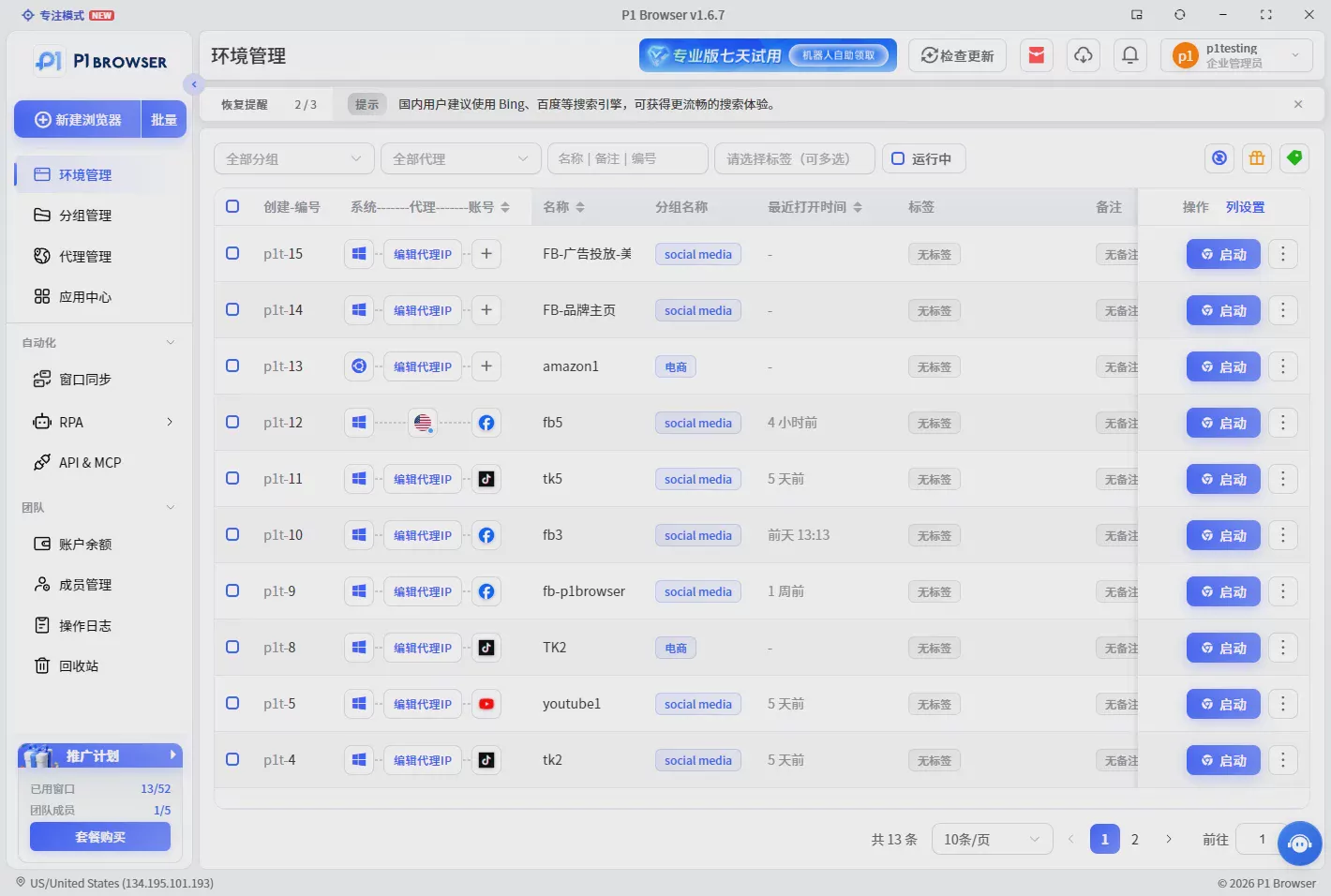
P1 Fingerprint BrowserProvides multi-browser profile management, allowing users to create relatively independent browsing environments and manage them with proxy IPs.
For users who need to manage multiple accounts, operate cross-border e-commerce businesses, and manage overseas community media, they can choose a suitable plan based on their account count, team size, and automation needs.
Price Should Not Be the Only Criterion When Choosing a Fingerprint Browser
Low prices are indeed attractive, but you should not choose a product solely because it is inexpensive.
The price of a product is usually related to the following factors:
- Browser engine maintenance
- Fingerprint technology
- Proxy management capabilities
- Server and synchronization capabilities
- Team Features
- API Features
- Data Security
Therefore, what really needs to be compared is the overall cost of use.
For example, although one tool may have a very low monthly fee, its complicated operation and high rate of configuration errors may result in significant additional labor costs.
Another tool may cost slightly more, but it can automatically configure some environment information, improve team collaboration efficiency, support batch operations, and reduce manual setup time. In the long run, its overall cost may actually be lower.
Conclusion: How Should You Choose an Anti-Detect Browser?
If you are looking for an anti-detect browser that suits your needs, you can compare the following 6 aspects:
1. Is the browser core continuously updated?
Ensure that the product keeps up with mainstream Chromium technologies and website compatibility requirements.
2. Is the browser fingerprint reasonably consistent?
Do not focus only on the number of parameters that can be modified; pay more attention to whether the overall environment is coordinated.
3. Are proxy IPs easy to match with the browser environment
Reduce manual errors in timezone, language, and location settings.
4. Does it support APIs and automation
Prepare for the future expansion of large-scale account management and workflows.
5. Is team permission management comprehensive
Effectively control the permissions of different members when collaborating.
6. Does it prioritize the security of local device and account data
Cookies, Sessions, and browser data all need to be properly protected.
All in all, a useful fingerprint browser is not merely a tool for opening many accounts.
It is more like a multi-account browsing environment management system.
For cross-border e-commerce, overseas community and social media operations, digital marketing, and team account management, choosing the right tool can help you manage different browser environments and workflows more efficiently.
If you are looking for a tool that suits your needs, it is recommended that you not rush to compare prices alone, but first test based on your number of accounts, proxy IP requirements, team size, and automation needs.
Understanding your own needs before choosing a tool is usually more important than directly pursuing the product with the most features.
Frequently Asked Questions FAQ
1. What is the difference between an antidetect browser and a regular browser?
Regular browsers primarily provide everyday web browsing functionality, while antidetect browsers place greater emphasis on environment isolation between multiple browser profiles and browser fingerprint management.
2. Can I manage multiple accounts simply by changing my IP?
A proxy IP mainly changes the network exit point, but the browser environment also includes information such as cookies, Canvas, WebGL, fonts, and time zone. Therefore, managing multiple accounts usually requires comprehensive consideration of both the network and browser environment.
3. Do beginners need to use an antidetect browser?
If you only use a single account, a regular browser can usually meet your needs. If you need to manage multiple accounts, different platforms, or different business environments, you may consider using an antidetect browser for centralized management.
4. Are free antidetect browsers effective?
Free plans are suitable for beginners testing a product's features, but it is recommended to first understand the number of profiles allowed, feature limitations, and subsequent upgrade options before deciding whether to use one long term.
5. Does an antidetect browser need to be used with a proxy IP?
Whether one is needed depends on your business requirements. A proxy IP mainly handles the network exit point, while an antidetect browser mainly handles the browser environment. The two serve different functions and can be used together in some multiple-account management scenarios.
6. How can you determine which fingerprint browser is right for you?
It is recommended to compare products based on factors such as the number of accounts, budget, proxy requirements, team size, automation needs, and data security requirements, and then choose the product that best suits your workflow.

